


Your support team is buried. Tickets keep coming, customers want instant replies, and a basic chatbot only buys you a few minutes before it hands off a messy conversation to an agent.
The real fix is not another chatbot. The fix is a chatbot connected to your help desk, knowledge base, and customer data, so it can answer more effectively, create tickets properly, and hand off with full context when a human needs to step in.
This guide shows how integration works, what to connect first, what usually breaks, and how to measure if it is actually helping.
What does AI Chatbot Integration Mean
Integration means your chatbot can do two important things.
First, it can read trusted information such as knowledge base articles, order status, and policy rules.
Second, it can write back into your system by creating a ticket, tagging the issue, setting priority, and passing the full chat summary to an agent.
Without integration, a chatbot is just a chat window. With integration, it becomes part of your support workflow.
Understanding Modern AI Chatbots
Today’s AI chatbots do more than answer FAQs. They’re intelligent support assistants that:
– Learn from every customer interaction
– Understand natural language and context
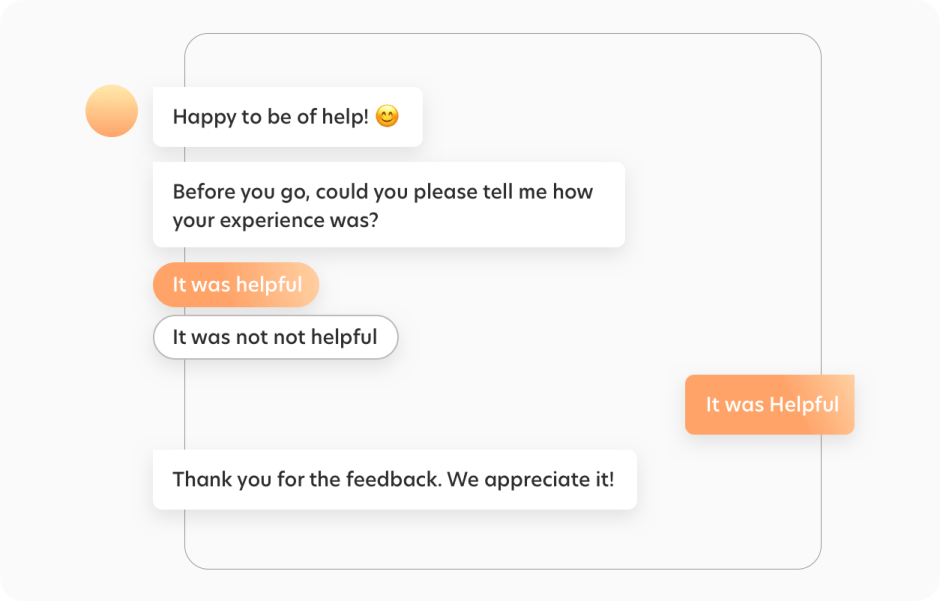
– Provide personalized responses
– Handle complex conversations
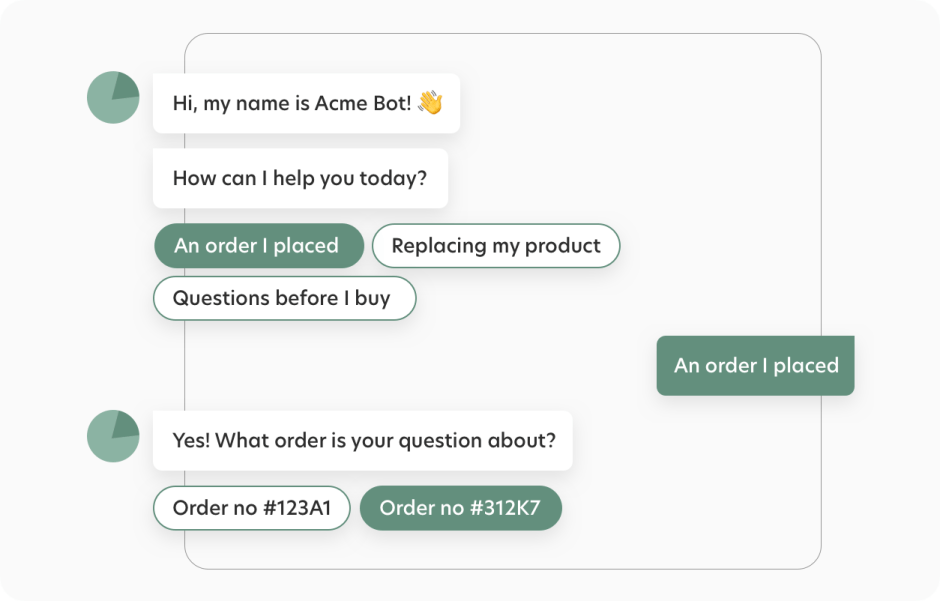
– Automate routine support tasks
Why AI Chatbot Integration Makes the Difference
Think of a non-integrated chatbot as a helpful but isolated team member who can’t access your systems or share information. Here’s how AI chatbot integration transforms your support operations:
| Support Function | Without chatbot Integration | With chatbot Integration |
| Ticket Management | Manual ticket creation after chat | Automatic ticket creation with full context |
| Knowledge Base | Static responses from limited presets | Dynamic solutions from live knowledge base |
| Agent Handoffs | Customers repeat information | Seamless transfers with complete history |
| Customer Data | Isolated conversation data | Unified customer interaction history |
| Analytics | Basic chat metrics only | Comprehensive support insights |
Learn more: 12 proven strategies for customer service bot
A practical AI chatbot integration roadmap
Most chatbot projects fail for one reason: teams try to integrate everything on day one. A better approach is to integrate in layers.
Step 1: Connect the chatbot to your knowledge base so answers are grounded in approved content.
Step 2: Connect it to your help desk so every conversation can become a ticket with context when needed.
Step 3: Add live chat handoff rules so escalations feel smooth, not annoying.
Step 4: Connect CRM and order systems so the bot can recognize customers and take simple actions.
Step 5: Measure outcomes weekly and tighten workflows based on real tickets and chat transcripts.
If you build in this order, you get faster wins and fewer messy handoffs.
Integration options and when to use each:
| Integration method | Best for | Pros | Watch outs |
| Native integration | Standard help desk and chat workflows | Fast setup, fewer moving parts | Limited customization beyond supported features |
| API integration | Custom flows, internal tools, complex routing | Flexible, can trigger actions and fetch data | Needs dev effort and ongoing maintenance |
| Webhooks | Event driven automation like ticket created, status changed | Lightweight and fast | Requires clean event design and retries |
| iPaaS like Zapier | Quick cross app automations | No code and fast experiments | Can get expensive and fragile at scale |
| Middleware layer | Enterprises with multiple systems | Central control, better security | Needs architecture planning |
Core Integration Points & Business Impact
Help Desk Integration
Transform your ticket management with intelligent automation:
– Automatic ticket creation with complete conversation context
– Smart categorization and routing based on conversation analysis
– Priority assignment based on issue urgency
– Real-time ticket updates and status tracking
Real Impact: Dramatically reduce ticket resolution time by eliminating manual ticket creation and data entry.
Knowledge Base Connection
Turn your static knowledge base into a dynamic support resource:
– Real-time article suggestions during conversations
– Automated content updates based on chat interactions
– Intelligent gap identification in documentation
– Learning from successful resolutions
Real Impact: Achieve self-service resolution by connecting your chatbot directly to your evolving knowledge base.
Live Chat Integration
Enable smooth transitions between AI and human support:
– Intelligent agent routing based on expertise
– Complete context transfer during handoffs
– Real-time agent availability management
– Collaborative support capabilities
Real Impact: Reduce escalation handling time through contextual handoffs.
External Systems Integration
Connect your chatbot with essential business tools:
– Calendar integration for automated appointment scheduling
– CRM updates for customer information management
– Workflow automation for routine processes
– Custom integrations via APIs or Zapier
Real Impact: Automate routine processes through smart integrations.
Security, permissions, and data boundaries
AI Chatbot Integration should not mean the bot has access to everything.
Before connecting systems, decide:
- What customer data the bot can read
- What actions it can take, if any
- What should always require a human
- How logs and transcripts are stored and who can access them
- Whether certain topics should be blocked entirely
This is especially important if you integrate CRM, order history, or payment related workflows. Guardrails protect customers, agents, and your brand.
HappyFox Chatbot: Seamless Integration
Transform your customer support with HappyFox Chatbot’s powerful features and integration capabilities:
Intelligent Conversation Capabilities
– Natural Language Processing for human-like interactions
– Machine learning for continuous improvement
– Multi-language support
– Context-aware responses
Smart Interaction Tools
– Quick replies for guided conversations
– Rich inline content delivery
– KB article suggestions
– Custom workflow automation
Advanced Support Features
– Automated ticket creation and routing
– Real-time agent monitoring
– Smart escalation protocols
– Seamless agent handoffs
Analytics and Customization
– Comprehensive performance reporting
– Conversation analytics
– Brand-aligned customization
– ROI tracking
Available Integrations
HappyFox Chatbot connects seamlessly with:
– HappyFox Help Desk for ticket management
– HappyFox Chat for live agent support
– Calendly for appointment scheduling
– Custom workflows through HappyFox Workflows
– External systems via Zapier
– Custom solutions through API access
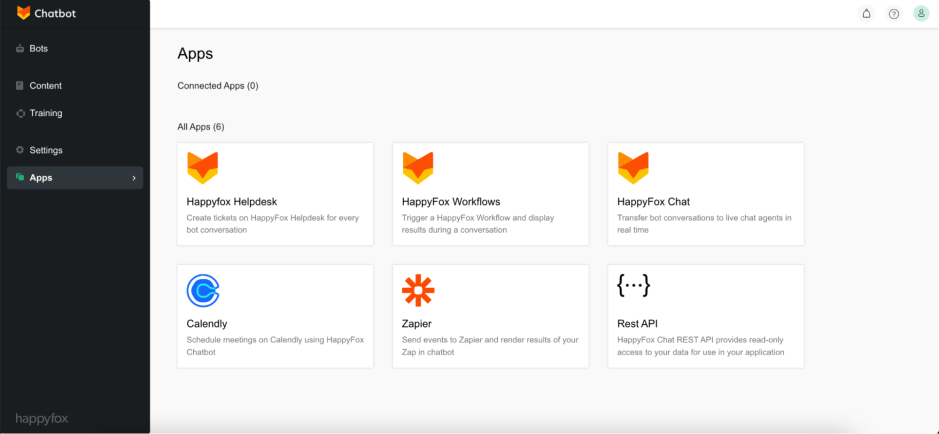
Learn more: Integrating HappyFox Chatbot to existing systems
Making Integration Work
Setup Essentials
– No coding required for standard integrations
– Visual workflow builder for custom processes
– Quick authentication setup
– Guided implementation support
Success Metrics to Track
– Resolution time improvements
– Self-service success rates
– Agent handling time reduction
– Customer satisfaction scores
Next Steps
Ready to transform your customer support with intelligent chatbot integration? Start with this quick evaluation checklist:
– [ ] Identify your most time-consuming support processes
– [ ] List your current support tools and systems
– [ ] Review your knowledge base structure
– [ ] Define your key success metrics
Schedule a HappyFox demo to see how integrated chatbot support can transform your customer service operations.
Frequently Asked Questions
1. Will AI chatbot integration actually fix the repeat questions problem?
Yes, but only if the chatbot is connected to your help desk and knowledge base. When it can pull approved answers and pass context into tickets, customers stop repeating themselves and agents stop re collecting basics.
2. What does AI chatbot integration really mean?
It means your chatbot is part of your support system, not a separate chat widget. It can read from trusted sources like help articles and customer records, and it can write back by creating tickets, tagging issues, and handing off cleanly.
3. How does help desk integration change the day to day workflow?
It removes cleanup work. The chatbot can open a ticket when needed, attach a short summary, and route it to the right queue. Agents start with context, so they reply faster and ask fewer follow ups.
4. Why is knowledge base connection such a big deal?
Because it keeps the bot accurate. A bot that guesses confidently will hurt trust. When answers come from your live help articles, responses stay consistent with policy and updates. It also exposes content gaps so you know what to document next.
5. What makes handoffs feel smooth for customers?
Customers hate repeating themselves. A good handoff sends the full conversation and a short summary to the agent, along with key details like order number or account email. The best setups also hand off quickly for sensitive topics like billing, refunds, and account access.
6. Which external tools are worth AI chatbot integrating first?
Start with low risk, high impact connections. Order status, appointment scheduling, shipping updates, and basic account checks usually give quick wins. Save complex actions for later once the chatbot behavior is stable.
7. Do we need developers for this?
Not always. Many integrations can be set up through built in connectors and visual workflow builders. Developer time is usually needed for custom actions, internal tools, or special data rules.





