


Support tickets pile up. Response times lag. Your agents are overwhelmed. Sound familiar?
While many enterprises focus on expanding their support teams, the real solution lies in empowering customers through customer self-service. A well-designed enterprise customer self-service portal can deflect up to 70% of routine support queries, letting your agents focus on complex issues that truly need their expertise.
In this guide, we’ll cover best practices for building an enterprise-grade self-service portal that maximizes ticket deflection and improves support efficiency.
Why Traditional Customer Self-Service Portals Fall Short
Many self-service initiatives fail because they lack key elements for success. Common pitfalls include:
– Outdated information
– Poor search functionality
– Lack of mobile responsiveness
– Generic content
– Difficult navigation
A modern, AI-powered approach addresses these challenges through continuous content optimization and intelligent user assistance.
What is an Enterprise Customer Self-Service Portal?
An enterprise customer self-service portal is a comprehensive digital platform that enables users to find answers, resolve issues, and manage support requests independently. It combines an intelligent knowledge base, AI-powered search, and ticket management capabilities to provide 24/7 support access while reducing the load on support teams.
Essential Components of an Enterprise Self-Service Portal
1. Intuitive Self-Service Portal Interface
A well-designed portal interface serves as the foundation of successful self-service. It provides clear navigation paths, prominent search functionality, and organized content categories that guide users to solutions quickly.
Pro Tip: Design your portal homepage to highlight the most frequently accessed content and tools, reducing the number of clicks needed to find information.
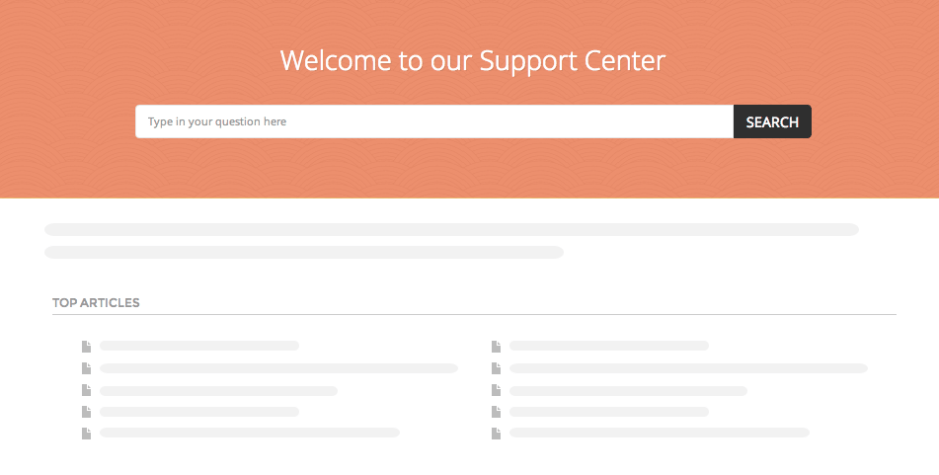
Implementation Checklist: Portal Design
- Create clear navigation structure
- Implement mobile-responsive design
- Set up branded interface elements
- Configure escalation paths
- Enable multilingual access
2. Comprehensive Knowledge Base
Your knowledge base is the heart of self-service success. Beyond just storing information, it needs to organize and present content in ways that match how users seek help.

Knowledge base pillars:
- Content Organization- Intuitive category hierarchy, article structure, effective metadata and tagging
- Content Management:Standardized article templates, multi-format support (text, images, videos)
- Access & Security: Internal/external knowledge spaces, role-based permissions, content visibility controls
- Content Discovery: Smart search indexing, Contextual suggestions, Multi-language support
3. Smart FAQ Management
FAQs serve as the first line of defense in self-service support. A dynamic FAQ system reduces repetitive queries and provides quick answers to common questions.
Pro Tip: Structure your FAQs in multiple tiers – from basic questions for new users to advanced troubleshooting for power users.
4. Intelligent Search Capabilities
Search functionality can make or break your self-service portal. An effective search system understands user intent and provides relevant results instantly.
Feature Spotlight: Smart Search
- Predictive search suggestions
- Natural language processing
- Context-aware results
- Multilingual support
- Related content recommendations
5. AI-Powered Enhancements
AI transforms basic self-service into an intelligent support system that learns and improves continuously.
AI Capabilities include
- Instant contextual answers
- Automated content suggestions
- Knowledge gap identification
- Quality monitoring
- Smart ticket deflection
6. Access Control & Security
Enterprise self-service requires robust security while maintaining ease of access for authorized users.
Implementation Checklist: Security Setup
- Configure role-based permissions
- Set up SSO integration
- Implement IP restrictions
- Enable audit logging
- Test security protocols
HappyFox’s Enterprise Self-Service Capabilities
Building an effective enterprise self-service portal requires robust features that can scale with your business while maintaining security and performance. Here’s how HappyFox’s enterprise-grade capabilities help you create, manage, and optimize your self-service experience:
Comprehensive Knowledge Management:
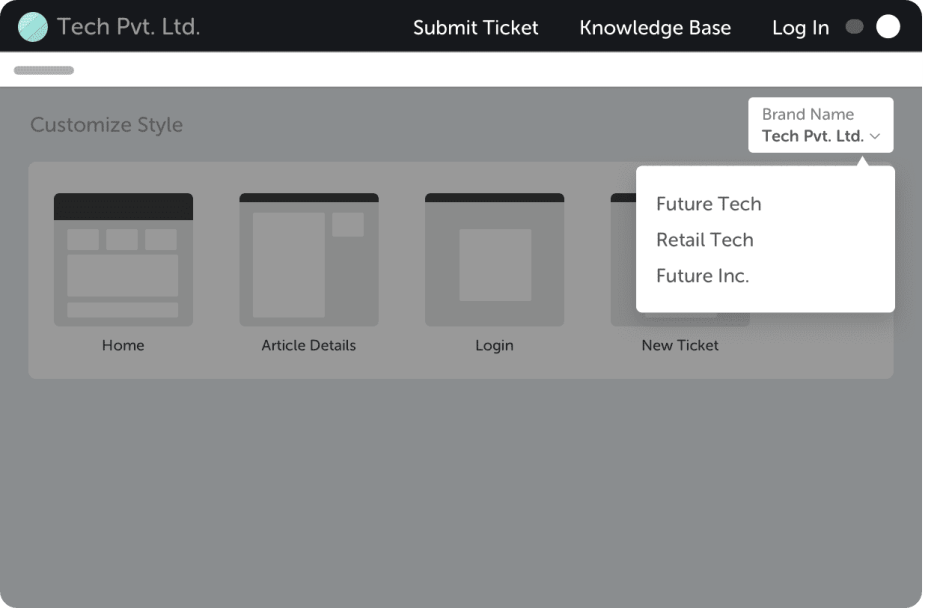
Create and manage multiple branded portals
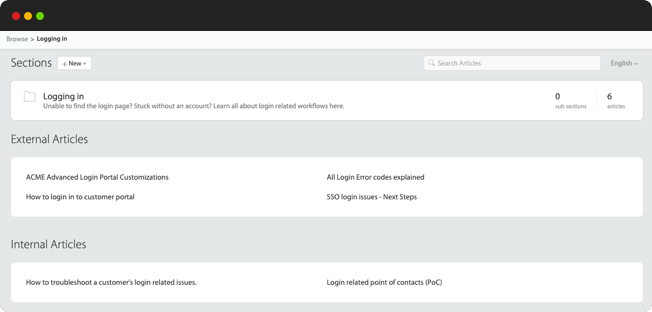
Controls content visibility with internal/external access
Streamlines content approvals and workflows
Converts tickets to knowledge articles automatically
Enables selective content sharing across bases
Maintains separate article lifecycles
Identify content gaps with AI analysis
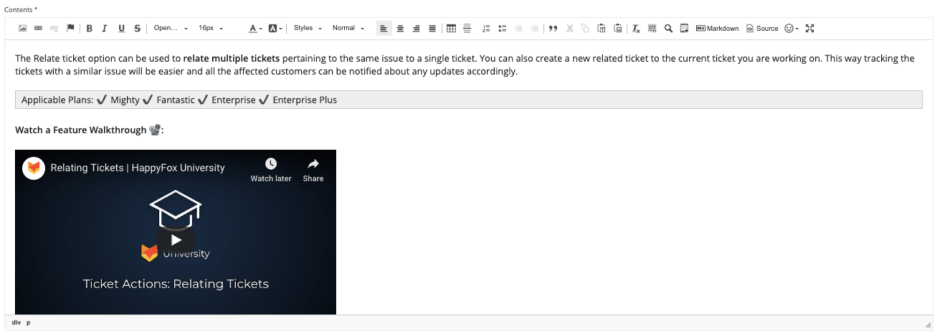
Create branded documentation templates
Support rich media integration
Maintain consistent branding globally
Smart FAQ Management:
Automatically compiles common questions from support interactions
Categorizes questions by product, service, or department
Updates answers based on latest support data
Provides contextual FAQ suggestions during user searches
Measures FAQ effectiveness through usage analytics
Intelligent Search & Access
Anticipates user queries with inline suggestions

Breaks language barriers with multilingual support
Personalizes results based on user context
Offers related article recommendations
Supports natural language queries
Embeds search directly into your website

Adapts seamlessly to mobile devices
Portal Customization & Accessibility
Creates branded interface experiences
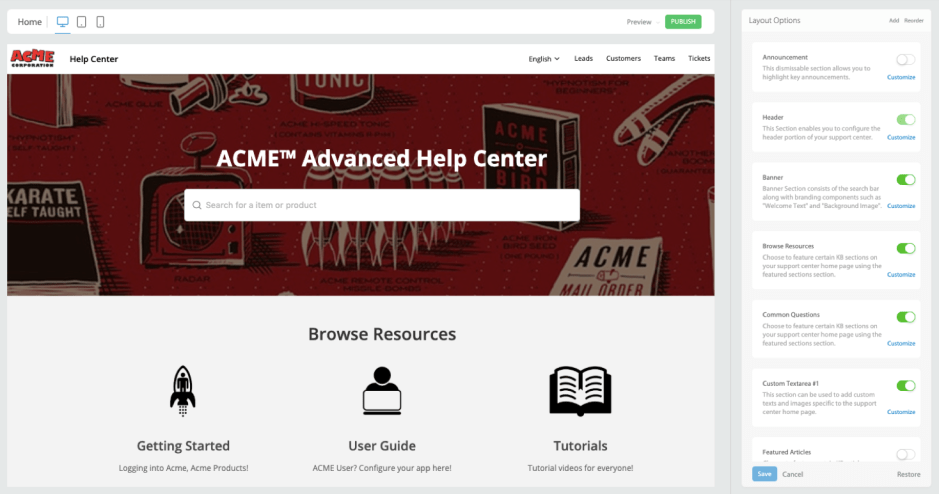
Connects through custom domain mapping
Assigns articles to specific contact groups
Sets granular article-level permissions
Creates custom user roles and access levels
Protects content with role-based controls
Simplifies access through SSO integration
Restricts access by IP address
Tracks content access and changes
Connects through custom domains
Multilingual Support
Scale content across multiple languages
Detect user language preferences instantly
Switch between languages effortlessly
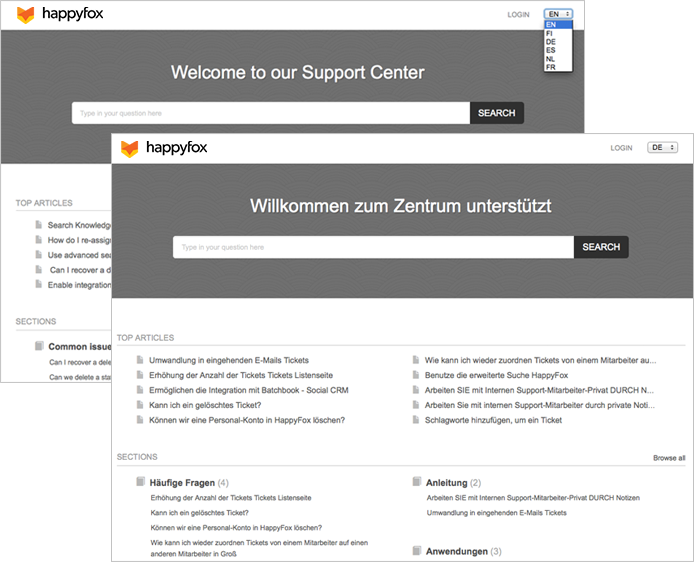
Centralize translation management
Maintain consistent branding globally
Translate KB article in 30+ languages
AI-Powered Features
Answers questions instantly with contextual AI
Creates knowledge content automatically
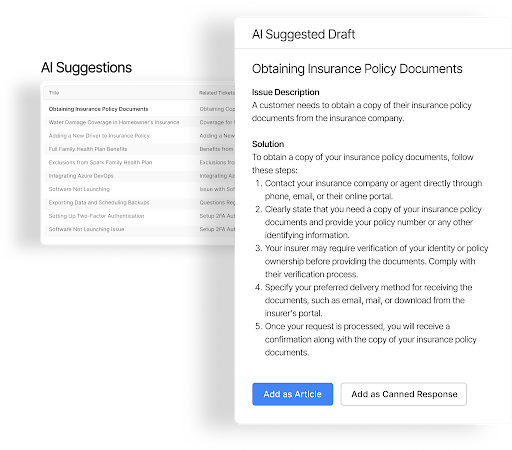
Identifies missing gaps in documentation proactively
Ensures content quality continuously
Reduces tickets through smart deflection
Best Practices for Ongoing Optimization
What are the best practices for maintaining an effective self-service solution?
Regular content audits, continuous AI training, user feedback integration, and performance monitoring are essential. Focus on updating content based on user behavior and support trends while leveraging AI insights for improvements.
Future-Proofing Your Self-Service Strategy
Stay ahead of evolving support needs by:
– Leveraging predictive AI capabilities
– Expanding multilingual support options
– Enhancing personalization features
– Implementing advanced analytics
– Adopting emerging support technologies
Transform Your Enterprise Support with HappyFox
Creating an effective customer self-service portal doesn’t have to be complicated. HappyFox’s AI-powered platform provides everything enterprises need to create, maintain, and optimize their self-service experience:
– Intelligent knowledge base with AI-powered content management
– Smart search with instant answer generation
– Fully customizable portal experience
– Seamless ticket integration
– Comprehensive analytics and reporting
Ready to revolutionize your enterprise support strategy? Experience how HappyFox’s AI-powered self-service solution can transform your support operations.





