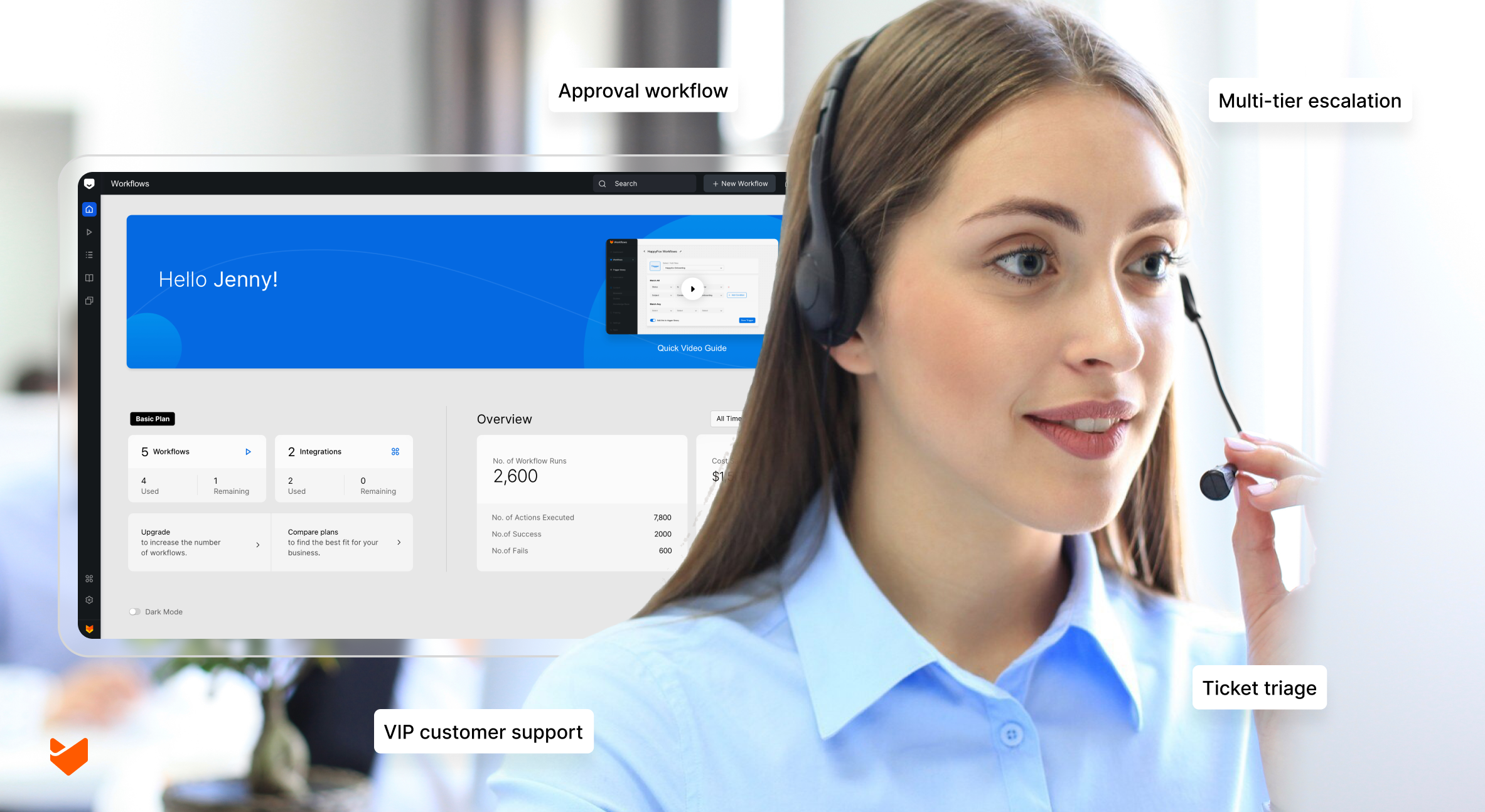
Enterprise help desks face a tidal wave of complex support processes daily. Manual workflows lead to delays, errors, and frustrated customers. Advanced automation is no longer optional—it’s essential for survival and success.
This guide reveals 8 critical scenarios where workflow automation transforms chaos into efficiency. From multi-tier escalations to compliance-sensitive interactions, discover how to elevate your support operations to new heights.
Why Workflow Automation Matters in Enterprise Support?
In large-scale support environments, the sheer volume of tickets, complexity of issues, and need for cross-departmental coordination create unique challenges.
Workflow automation addresses these challenges by:
- Streamlining complex, multi-step processes
- Ensuring consistency in handling high-stakes issues
- Facilitating seamless collaboration across teams and systems
- Enabling proactive support through intelligent routing and escalation
- Maintaining compliance and security in sensitive interactions
By focusing on these key areas, enterprise help desks can dramatically improve efficiency, reduce errors, and enhance both customer and agent satisfaction. The following scenarios represent common yet critical processes where automation can have the most significant impact.
Let’s explore how workflow automation can revolutionize these essential aspects of enterprise support:
1. Multi-Tier Escalation and SLA Management
Automate the complex journey of a ticket through multiple support tiers while ensuring SLA compliance.
Workflow steps:
- Automatic ticket categorization, priority assignment, and SLA setting
- Intelligent routing to Tier 1 support with SLA timer initiation
- Automated SLA threshold alerts and actions:
- At 50%: Notify assigned agent
- At 75%: Escalate to team lead
- At 90%: Alert supervisor
- Automatic escalation to Tier 2 if unresolved at 75% of SLA time
- Seamless transfer of full ticket history to Tier 2 specialist
- Further escalation to Tier 3 or management at 90% of SLA time
- Automated customer updates at key milestones (receipt, escalation, resolution)
Implementation Tip: Integrate with a robust knowledge base to suggest relevant articles at each support tier, potentially reducing resolution time. Enable SLA live timers with business hours and holidays to ensure accurate tracking across global support teams.
Read more: Guide to SLA Management
2. VIP Customer Support with Cross-Departmental Coordination
Create a special workflow for high-priority customers ensuring premium, coordinated support across departments.
Workflow steps:
1. Automatic identification of VIP customer
2. Priority ticket creation with custom SLA
3. Immediate notification to dedicated VIP support team
4. Parallel alert to account manager and relevant department heads
5. Automated status updates to customer at predefined intervals
6. Coordination of resources across departments (e.g., IT, facilities, HR)
7. Post-resolution follow-up and satisfaction survey
Pro Tip:
Integrate this workflow with your CRM to pull in relevant customer data, purchase history, and previous interactions for a 360-degree view.
3. Product Bug Report and Development Coordination
Streamline the process of handling bug reports from identification to resolution, involving multiple teams.
Workflow steps:
1. Bug report ticket creation and categorization
2. Automatic assignment to QA team for verification
3. If verified, creation of development task in project management tool
4. Regular status sync between help desk and project management system
5. Automated customer updates at key milestones (e.g., bug verified, fix in progress, fix deployed)
6. Beta test coordination for major bug fixes
7. Post-fix customer satisfaction follow-up
Feature Spotlight: Use integrations between your help desk, development tools, and testing platforms to keep all systems in sync throughout the bug lifecycle.
4. Change Request and Approval Workflow
Manage complex change requests requiring multiple approvals and impact assessments.
Workflow steps:
1. Change request ticket submission with detailed form
2. Automatic routing to appropriate department heads for initial assessment
3. Impact analysis task creation for relevant teams (e.g., security, operations, finance)
4. Sequential approval process based on impact level and company policies
5. Automatic reminders for pending approvals with escalation
6. Integration with CMDB for affected asset identification
7. Scheduling and resource allocation for approved changes
8. Post-implementation review and documentation update
Implementation Checklist:
– [ ] Define approval hierarchy based on change type and impact level
– [ ] Set up automated reminders and escalations for pending approvals
– [ ] Create integration with configuration management database (CMDB)
– [ ] Establish post-implementation review process
5. New Product or Service Launch Support Preparation
Automate the process of preparing your support team for a new product or service launch.
Workflow steps:
1. Initiation of support preparation workflow upon product launch announcement
2. Automatic creation of knowledge base article templates
3. Assignment of article writing tasks to subject matter experts
4. Coordination with training team for support staff education
5. Creation of canned responses and macros for common issues
6. Setup of product-specific ticket categories and routing rules
7. Gradual rollout of new support materials to team
8. Post-launch monitoring of ticket trends for quick knowledge base updates
Pro Tip: Integrate with product management tools to automatically trigger this workflow when a new product moves to the pre-launch phase.
6. Automated Ticket Triage and Smart Routing
Implement an intelligent system to categorize, prioritize, and route tickets based on content, customer data, and current support load.
Workflow steps:
1. AI-powered analysis of ticket content and metadata
2. Automatic categorization and tagging of tickets
3. Priority assignment based on content urgency and customer SLA
4. Intelligent routing to the most appropriate team or agent based on skills, availability, and workload
5. Creation of related tickets for multi-issue requests
6. Suggestion of relevant knowledge base articles to assigned agent
7. Periodic re-evaluation of unassigned tickets to prevent aging

Implementation Tip: Regularly review and refine your AI model’s categorization and routing decisions to improve accuracy over time.
Learn more: Ticket routing – the key to exceptional customer service
7. Major Incident Response and Communication
Automate critical steps in managing and communicating during major incidents affecting multiple customers.
Workflow steps:
1. Major incident ticket creation based on predefined criteria or manual trigger
2. Automatic notification to incident response team and stakeholders
3. Creation of war room or conference bridge
4. Integration with status page for automatic customer-facing updates
5. Timed prompts for internal status updates and next steps
6. Automated communication to affected customers at key milestones
7. Post-incident review scheduling and report generation
8. Automatic knowledge base update with incident resolution details
Feature Spotlight: Implement status page integrations for real-time external communication during incidents, keeping customers informed without increasing support load.
8. Compliance and Audit Trail Workflow
Ensure regulatory compliance with automated documentation and audit processes for sensitive support interactions.
Workflow steps:
1. Identification and flagging of compliance-sensitive tickets (e.g., financial, health data)
2. Automatic application of required handling procedures and security measures
3. Mandatory field completion for compliance documentation
4. Timed alerts for required reviews or updates on long-running sensitive tickets
5. Automatic anonymization of sensitive data in reports and exports
6. Generation of audit trail reports for compliance officers
7. Scheduled compliance training reminders for support staff
8. Integration with GRC (Governance, Risk, and Compliance) tools for holistic tracking
Pro Tip: Schedule regular reviews of this workflow to ensure it stays current with changing regulations and internal policies.
Implementing Enterprise Workflows with HappyFox
Enterprise workflow automation doesn’t have to be complex. While the scenarios above may seem intricate, they can be implemented using straightforward automation tools. HappyFox’s workflow automation capabilities allow you to configure these processes through a visual interface, without coding.
Smart Rules Engine
- Build multi-condition workflows using a no-code interface
- Set up ticket routing based on multiple conditions:
- Round-robin assignment for workload distribution
- Auto-assignment based on agent skills or departments
- Load balancing across teams
- Assignment based on business hours and availability
- Create triggers based on ticket updates, time conditions, or user actions
- Add automated actions to tickets based on predefined conditions
SLA Management
- Configure multi-level SLA policies
- Set up automatic escalations based on SLA thresholds
- Track SLA compliance with live timer
- Create business hour-based SLA calculations
Task Management
- Auto-create tasks from ticket triggers
- Create task templates for recurring processes
- Assign tasks automatically based on roles
- Track task dependencies and completion
- Schedule recurring tasks
Approval Management
- Design multi-step approval processes
- Configure automatic approval reminders
- Create parallel and sequential approval flows
- Track approval status and maintain audit trails
Flexible Configuration
- Customize workflows for different departments or brands
- Create conditional logic for complex scenarios
- Set up role-based access controls
- Design custom forms and fields – statuses, categories, views etc.
By leveraging these automation capabilities, enterprise help desks can transform manual processes into efficient workflows, enabling support teams to focus on what matters most – delivering exceptional customer service.
Transform Your Enterprise Support with Advanced Automation
Implementing these 8 automated workflow scenarios can revolutionize your enterprise help desk operations. By leveraging sophisticated workflow automation, you’ll achieve:
– Streamlined complex processes that span multiple teams and systems
– Improved compliance and consistency in handling sensitive or high-priority issues
– Faster resolution of critical issues through intelligent routing and escalation
– Enhanced customer and employee satisfaction with timely, coordinated responses
– Better insights for continuous improvement through comprehensive tracking and reporting
Don’t let manual workflows hold your support team back. Embrace the power of enterprise-grade ticket workflow automation and take your support operations to the next level.
Ready to see how these workflows can be implemented in your organization? Book a demo today and discover how advanced automation can transform your enterprise help desk.
Take the first step towards more efficient, effective enterprise support. Your team, your customers, and your bottom line will thank you!