


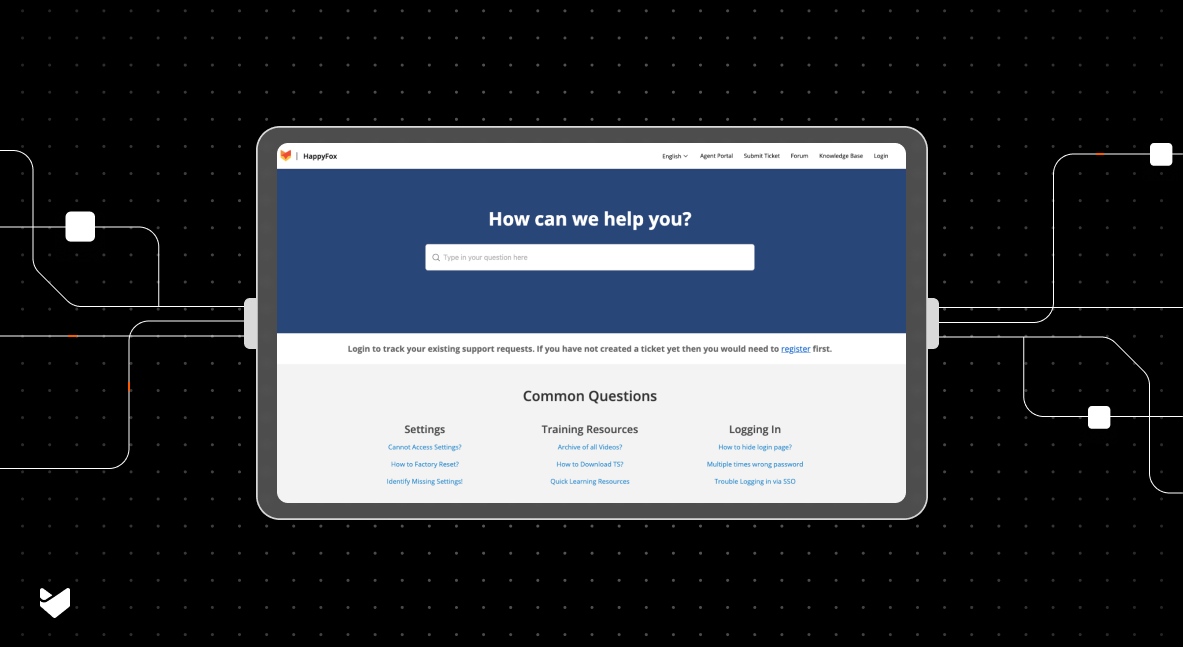
How much time do your support agents spend switching between your help desk system and knowledge base to find information? According to HDI, support teams using integrated knowledge bases resolve 34% more tickets during first contact than those with separate systems.
From streamlined ticket resolution to improved self-service options, this article explores how integrating your help desk and knowledge base can transform your support operations and boost efficiency.
Understanding Help Desk Knowledge Base Integration
An integrated help desk knowledge base combines ticketing and information management to:
- Access knowledge articles directly within tickets
- Convert common solutions into knowledge articles
- Suggest relevant articles during ticket creation
- Track knowledge base usage and effectiveness
- Maintain consistent support information
Benefits of Integrated Solutions
For Support Teams
- Faster ticket resolution
- Single interface for all support tasks
- Easier knowledge sharing
- Reduced duplicate effort
For Customers
- Better self-service options
- More consistent answers
- Quicker problem resolution
- Improved support experience
For Organizations
- Lower support costs
- Better knowledge retention
- Improved support quality
- Enhanced productivity
Key Integration Features
- Unified Search
- Search across tickets and articles
- Smart suggestions during ticket creation
- Context-aware article recommendations
- Quick access to relevant solutions
- Content Creation
- Convert ticket responses to articles
- Rich text editing capabilities
- Multimedia content support
- Version control
- Analytics and Reporting
- Track article effectiveness
- Monitor usage patterns
- Measure deflection rates
- Identify knowledge gaps
- Access Management
- Role-based permissions
- Content approval workflows
- Team-specific views
- Security controls
Best Practices for Implementation
- Content Organization
- Establish clear categories
- Use consistent formatting
- Implement tagging system
- Create content guidelines
- Agent Training
- Provide system training
- Set usage guidelines
- Share best practices
- Monitor adoption
- Content Maintenance
- Regular content reviews
- Update outdated information
- Monitor article effectiveness
- Gather user feedback
HappyFox: Complete Help Desk and Knowledge Base Solution
HappyFox offers a seamlessly integrated help desk and knowledge base solution that transforms how teams handle support. Key features include:
Smart Knowledge Integration
- Suggest relevant articles during ticket creation
- Convert ticket responses to knowledge articles with a few clicks
- Search across tickets and knowledge base from one interface
- Track article effectiveness and usage

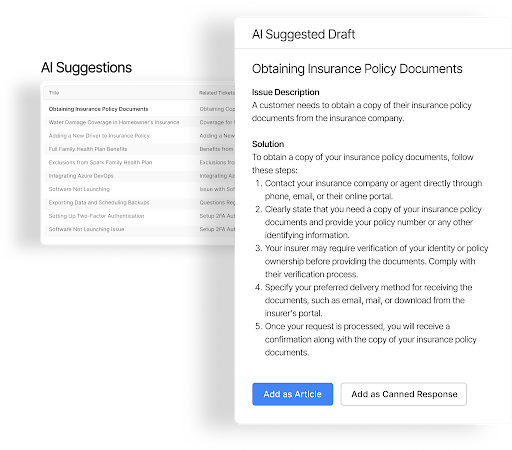
AI-Powered Knowledge Management
- AI Knowledge identifies gaps in existing documentation
- AI suggests new article topics based on ticket patterns
- AI Copilot helps draft and improve knowledge base content
- AI Insights analyzes knowledge base effectiveness and recommends improvements
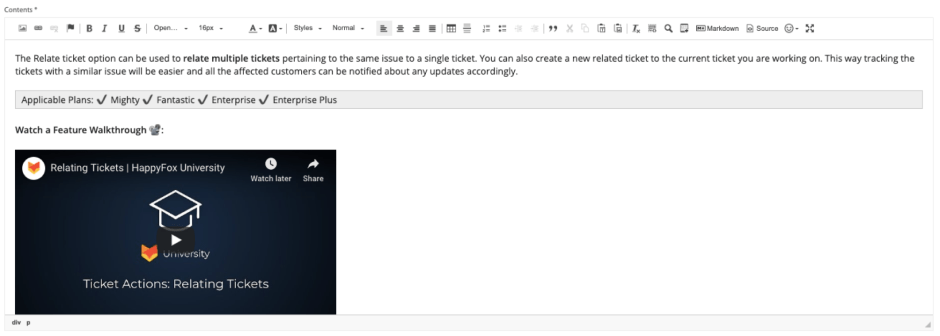
Rich Content Creation
- Powerful rich text editor for formatting
- Support for images, videos, and attachments
- Multi-language article support
- Draft and collaboration tools
Intelligent Search
- Auto-suggest features
- Full-text search capabilities
- Tag-based organization
- Related article suggestions
Comprehensive Analytics
- Track article performance
- Monitor search patterns
- Measure self-service success
- Identify improvement opportunities
Through this integrated approach combining traditional features with AI capabilities, HappyFox helps organizations deliver more efficient support while building and maintaining a valuable knowledge repository.
The Future of Help Desk Knowledge Base Integration
As technology evolves, we can expect:
- Enhanced AI-powered suggestions
- Better content automation
- Improved search capabilities
- Deeper analytics insights
The key is finding the right balance between automation and human expertise.
Conclusion: Transforming Support Through Integration
Help desk knowledge base integration isn’t just about convenience – it’s about creating a more efficient, effective support operation that benefits both agents and customers. By implementing the right integrated solution, you can transform how your team delivers support.
Ready to explore how integrated help desk and knowledge base solutions can improve your support operations? Learn how modern help desk solutions can help you build a more efficient support system.



