


Your IT department is swamped with software access requests. HR is struggling to keep up with policy questions. Facilities can’t track maintenance tickets effectively. Sound familiar? Managing internal support across multiple departments doesn’t have to be chaos.
Let’s transform your internal support from a fragmented mess into a streamlined operation with HappyFox’s internal help desk software. Here’s your practical guide to unifying support across all departments.
Why Departmental Silos Are Killing Your Internal Support Efficiency
Support teams working in isolation face common challenges:
– Duplicate tickets across departments
– Inconsistent response times
– Lost requests in email threads
– No standardized workflows
– Limited visibility into cross-departmental issues
– Poor resource allocation
The solution? A unified internal help desk that brings order to the chaos.
HappyFox Help Desk: Your Multi-Department Support Arsenal
Before diving into configuration, let’s explore the complete toolkit HappyFox offers for managing multi-department support:
Core Ticketing Capabilities
– Email to Ticket Conversion: Automatically convert department email inquiries into tickets
– Smart Ticket Assignment: Route tickets to appropriate departments based on smart rules
– Custom Fields: Create department-specific fields for better categorization
– Ticket Categories: Organize requests by department and request type
– Canned Actions: Pre-composed responses for common department queries
– Custom Statuses: Define ticket lifecycle stages for each department
Workflow Automation
– Smart Rules Engine: Create department-specific automation rules
– SLA Management: Set and track service level agreements by department
– Custom Workflows: Design approval processes and escalation paths
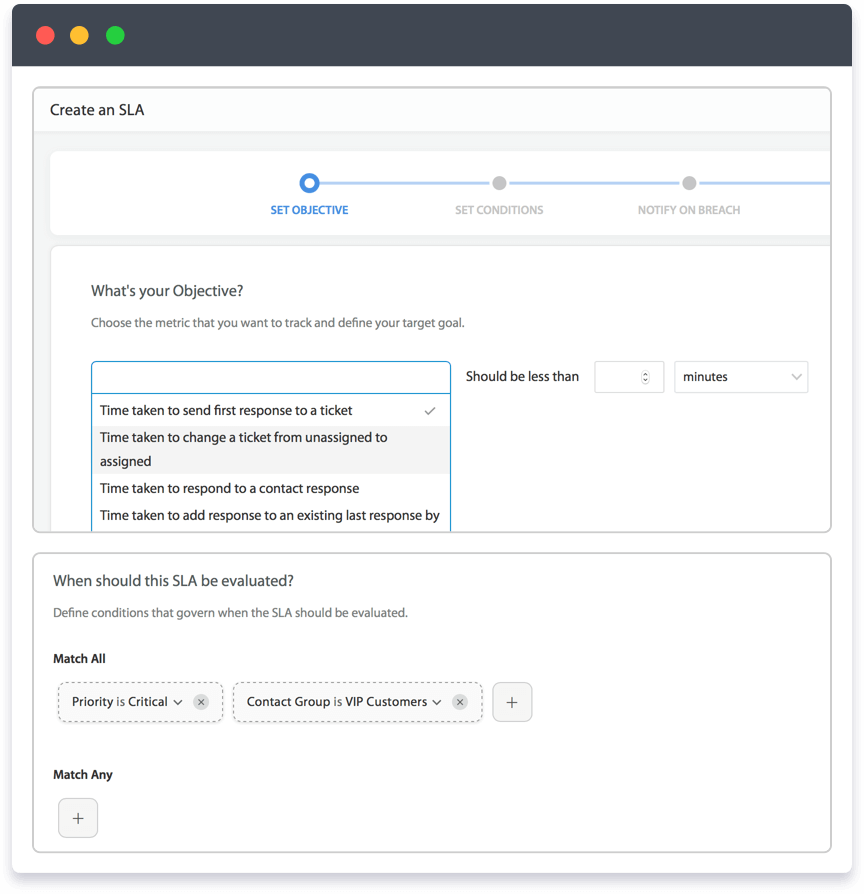
– Ticket Routing: Automatically direct requests to appropriate teams
– Task Management: Break down complex requests into manageable tasks
– Auto-Assignment: Distribute workload based on agent expertise and availability
Learn more: 8 Enterprise helpdesk workflows to automate
Knowledge Management
– Internal Knowledge Base: Create department-specific documentation
– Article Suggestions: Automatically suggest relevant solutions to agents
– Rich Media Support: Include images, videos, and attachments in articles
– Version Control: Track and manage content updates
– Access Control: Set viewing permissions by department
– Multi-Language Support: Create content in multiple languages
Agent Productivity Tools
– Agent Scripting: Guide agents through complex processes
– Asset Management: Track internal resources and equipment
– Time Tracking: Monitor time spent on different request types
– Performance Metrics: Measure agent and department effectiveness
– Mobile Access: Handle requests on-the-go
– Collaboration Tools: Internal notes and agent mentions
Reporting and Analytics
– Custom Dashboards: Create department-specific views
– Performance Reports: Track key metrics by department
– SLA Reports: Monitor service level compliance
– Ticket Analytics: Analyze trends and patterns
– Export Capabilities: Generate custom reports
– Real-time Monitoring: Track active tickets and agent status
Integration Capabilities
– Single Sign-On: Integrate with your identity provider
– API Access: Connect with other internal systems
– Email Integration: Work with existing email systems
– Third-party Apps: Connect with popular business tools
– Custom Webhooks: Trigger actions in external systems
– Data Import/Export: Migrate existing support data
Setting Up Internal Help Desk Software for Unified Support
Step 1: Map Your Support Landscape
Before diving into configuration, document your current support structure:
1. List all departments providing internal support
2. Identify common request types for each department
3. Map existing workflows and approval processes
4. Document service level agreements (SLAs)
5. Note interdepartmental dependencies
Pro Tip:
Create a responsibility matrix showing which departments handle specific request types. This will help eliminate confusion and ensure proper ticket routing.
Step 2: Configure Department-Specific Categories
HappyFox allows you to create custom categories for each department. Here’s how to structure them effectively:
IT Department Categories:
– Software Access & Licenses
– Hardware Support
– Network Issues
– Security Requests
– System Updates
HR Department Categories:
– Benefits Questions
– Policy Clarifications
– Leave Management
– Training Requests
– Employee Documentation
Facilities Categories:
– Maintenance Requests
– Office Supplies
– Workspace Setup
– Building Access
– Emergency Reports
Implementation Checklist:
– [ ] Create main categories for each department
– [ ] Set up subcategories for specific request types
– [ ] Assign category managers
– [ ] Configure category-specific workflows
– [ ] Set up auto-assignment rules
Feature Spotlight: Smart Ticket Routing
HappyFox’s smart routing capabilities ensure tickets reach the right department instantly. Here’s how to set it up:
1. Create routing rules based on:
– Email addresses
– Keywords in subject lines
– Custom fields
– Request categories
2. Configure auto-assignment rules:
– Based on agent expertise
– Workload distribution
– Business hours
– SLA requirements
Pro Tip: Use HappyFox’s condition-based routing to handle complex scenarios. For example, route high-priority IT security incidents to specific team members while sending routine access requests to the general queue.
Learn more: Ticket routing – the key to exceptional support
Streamlining Cross-Departmental Collaboration
Setting Up Unified Knowledge Management
Create a centralized knowledge base that serves all departments:
1. Department-specific sections
2. Shared resources
3. Common procedures
4. Policy documents
5. FAQ collections
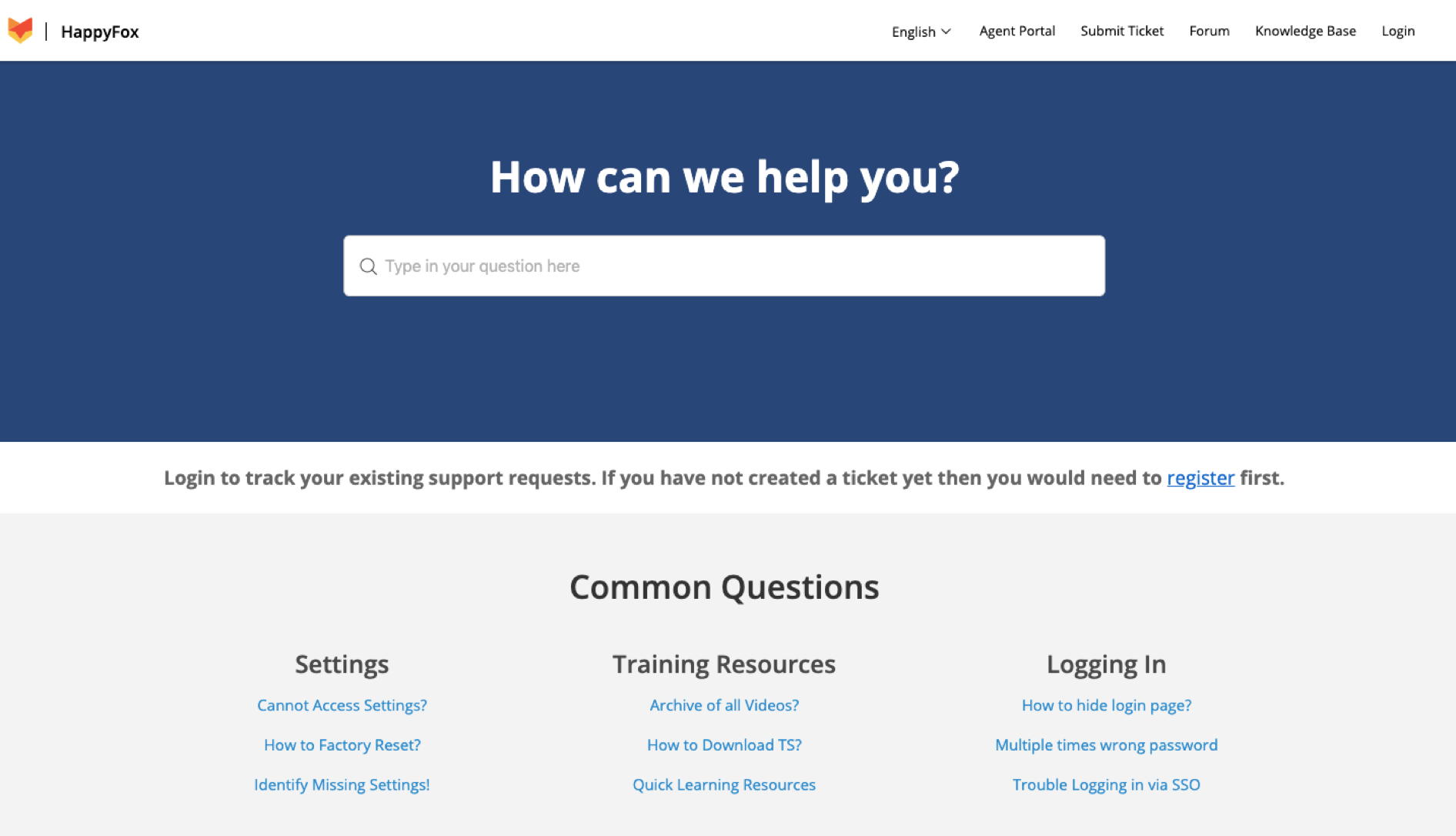
Pro Tip: Enable knowledge base article suggestions in ticket responses to help agents share accurate information consistently across departments.
Implementing Standardized Workflows
Create consistent processes across departments:
1. Ticket creation standards
2. Response templates
3. Escalation procedures
4. Approval workflows
5. Resolution protocols
Advanced Configuration Tips
Customizing the Self-Service Portal
Create a user-friendly portal that empowers employees to find solutions:
1. Department-specific landing pages
2. Intuitive category navigation
3. Smart search functionality
4. Request submission forms
5. Status tracking
Setting Up Multi-Level SLAs
Configure service level agreements based on:
– Department priorities
– Request urgency
– Business impact
– Resource availability
– Compliance requirements
Implementation Checklist:
– [ ] Define SLA metrics for each department
– [ ] Configure response time targets
– [ ] Set up escalation rules
– [ ] Create SLA violation alerts
– [ ] Implement reporting dashboards
Measuring Success: Key Metrics to Track
Monitor these metrics to ensure your multi-department setup is effective:
1. First Response Time by Department
2. Resolution Time by Category
3. SLA Compliance Rates
4. Self-Service Usage
5. Cross-Department Collaboration Rates
6. Employee Satisfaction Scores
Pro Tip: Use HappyFox’s reporting features to create department-specific dashboards that track relevant KPIs.
Common Pitfalls to Avoid
1. Over-complicated categorization
2. Insufficient agent training
3. Unclear escalation paths
4. Poor knowledge base maintenance
5. Lack of regular process reviews
Best Practices for Ongoing Management
1. Regular workflow reviews
2. Knowledge base updates
3. Agent cross-training
4. Feedback collection
5. Process optimization
Transform Your Internal Support Today
Managing multi-department support doesn’t have to be overwhelming. HappyFox’s internal help desk software provides the tools and flexibility you need to create a unified, efficient support system that works for every department.
Ready to streamline your internal support operations? Schedule a demo with HappyFox today and see how our comprehensive help desk solution can transform your multi-department service delivery. Schedule Your Demo Now.





