


Is your IT team drowning in a sea of disconnected asset data? Picture this: A critical server goes down, and your support agents scramble to piece together its maintenance history, warranty information, and associated tickets from half a dozen different systems. Meanwhile, the clock is ticking, and frustrated users are flooding your help desk with complaints. Sound familiar?
IT asset management integration is the lifeline your support team needs to stay afloat in today’s complex tech ecosystem. By connecting your asset data with your help desk software, you can transform reactive firefighting into proactive problem-solving.
Why Asset Management is Crucial in IT Support?
Asset management is crucial in IT support for several factors including:
1. Unified visibility of IT assets and their relationship to support issues
2. Faster resolution times with instant access to relevant asset information
3. Proactive maintenance to address potential problems before they impact users
4. Cost optimization through data-driven decisions on asset lifecycle management
5. Enhanced compliance with easier tracking and reporting of asset-related regulatory requirements
These benefits enable support teams to deliver more efficient, effective, and proactive service, ultimately improving user satisfaction and reducing operational costs.
5 Tips for Successful IT Asset Management Integration
Tip 1: Choose a Help Desk Solution with Robust Asset Management Features
The foundation of successful IT asset management integration is selecting the right help desk software. Look for a solution that offers built-in asset management capabilities or seamless integration with dedicated asset management tools.
Feature Spotlight:
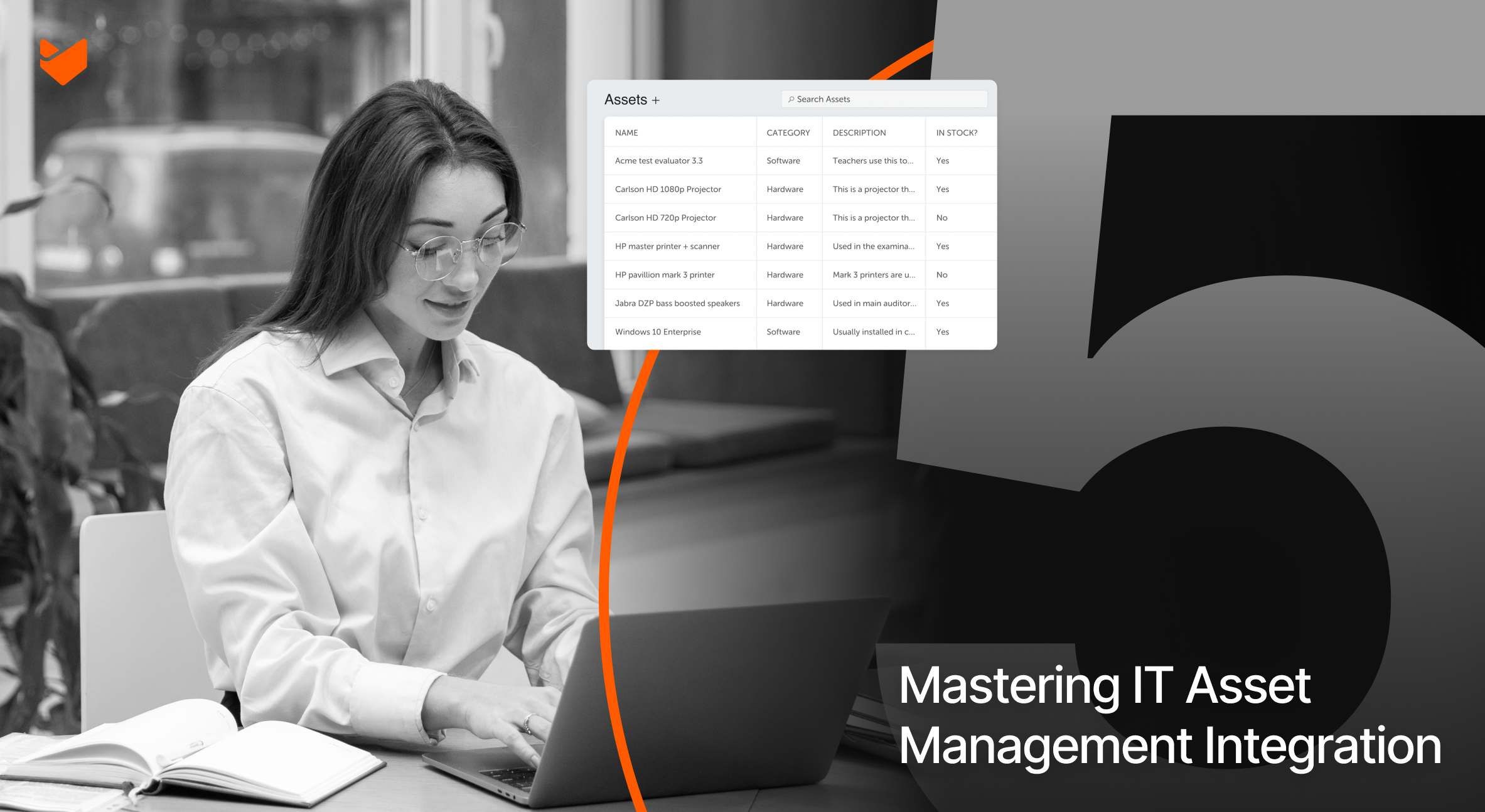
HappyFox’s built-in asset management module provides a powerful yet user-friendly way to track and manage your IT assets directly within your help desk environment. Key features include:
– Custom asset types: Create and manage different categories of assets (hardware, software, licenses, etc.) with unique attributes.
– Asset-ticket linking: Associate assets with support tickets for complete context.
– Asset lifecycle tracking: Monitor assets from procurement to retirement.
– Reporting and analytics: Gain insights into asset utilization, maintenance costs, and more.
Pro Tip: When evaluating help desk solutions, consider how easily you can customize asset fields and workflows to match your organization’s specific needs.
Tip 2: Implement a Standardized Asset Tagging System
Effective IT asset management integration hinges on your ability to uniquely identify and track each asset throughout its lifecycle. Implementing a standardized asset tagging system is crucial for maintaining data integrity and enabling seamless information flow between your asset management and help desk systems.
Implementation Checklist:
– [ ] Choose a consistent naming convention for asset tags (e.g., HW-[Location]-[Type]-[Number])
– [ ] Invest in durable, scannable asset tags (QR codes or barcodes)
– [ ] Create a process for tagging new assets as they enter your inventory
– [ ] Train your team on proper asset tagging procedures
– [ ] Regularly audit your asset inventory to ensure tag accuracy

Pro Tip: Use HappyFox’s custom fields feature to create a dedicated “Asset Tag” field for each asset type. This allows for quick searching and filtering of assets based on their unique identifiers.
Learn more: Creating, editing and linking assets within helpdesk
Tip 3: Leverage Automation for Asset-Ticket Association
Manual linking of assets to support tickets is time-consuming and prone to human error. By leveraging automation, you can ensure that relevant asset information is always at your agents’ fingertips, without adding to their workload.
Automation Strategies:
1. Ticket creation rules: Automatically associate known assets with new tickets based on the requester’s information or ticket content.
2. Asset discovery: Use network scanning tools to detect and update asset information, then sync this data with your help desk.
3. Automated ticket updates: When asset status changes (e.g., maintenance performed, warranty expiration), automatically update associated tickets.
Feature Spotlight:
HappyFox’s Smart Rules engine allows you to create powerful automations that can streamline your asset-ticket associations.

Tip 4: Integrate Asset Management with Your Knowledge Base
A well-maintained knowledge base is a powerful tool for both self-service and agent-assisted support. By integrating your asset management data with your knowledge base, you can create a rich repository of asset-specific information that enhances both user and agent productivity.
Integration Strategies:
1. Asset-specific articles: Create and link knowledge base articles to specific asset types or models.
2. Troubleshooting guides: Develop step-by-step guides for common issues associated with particular assets.
3. Maintenance schedules: Document and share regular maintenance procedures for different asset categories.
4. End-of-life information: Provide clear guidance on asset lifecycle stages and replacement processes.
Pro Tip:
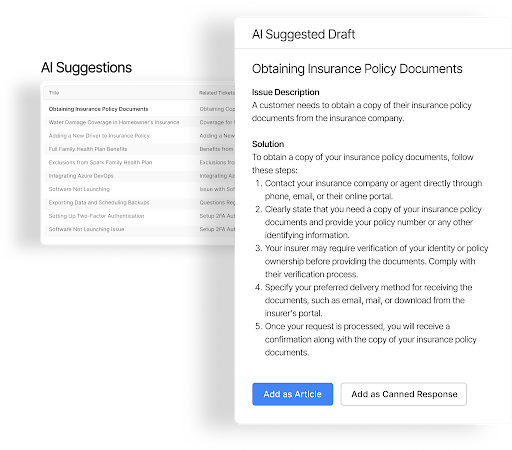
Use HappyFox’s AI Knowledge feature to automatically identify gaps in your asset-related knowledge base content. This AI-powered tool analyzes support tickets and suggests new articles or updates to existing ones, ensuring your knowledge base stays current with evolving asset management needs.
Tip 5: Implement Proactive Asset Monitoring and Alerting
The true power of IT asset management integration lies in its ability to help you prevent issues before they impact your users. By implementing proactive monitoring and alerting systems, you can stay ahead of potential problems and optimize your asset utilization.
Proactive Monitoring Strategies:
1. Performance thresholds: Set up alerts for assets approaching capacity limits or showing signs of degradation.
2. Warranty and license tracking: Receive notifications for upcoming expirations to avoid coverage gaps.
3. Usage analytics: Monitor asset utilization patterns to identify underused or overloaded resources.
4. Predictive maintenance: Use historical data to schedule preventive maintenance before issues arise.
Feature Spotlight: HappyFox Reports
HappyFox’s powerful reporting and analytics tool, Insights, can help you implement proactive asset monitoring:
– Create custom dashboards to track key asset performance metrics
– Set up scheduled reports to monitor asset health and utilization trends
– Use data visualization tools to identify patterns and potential issues
Pro Tip: Combine HappyFox Insights with Smart Rules to create automated workflows triggered by specific asset conditions. For example, you could automatically create a ticket and notify the procurement team when a certain percentage of your laptop inventory reaches end-of-life status.
Overcoming Common Integration Challenges
While the benefits of IT asset management integration are clear, implementing it successfully can come with its own set of challenges. Here are some common hurdles you might face and strategies to overcome them:
1. Data Quality and Consistency: Conduct regular audits, implement validation rules, and schedule data cleanup processes.
2. User Adoption: Provide comprehensive training, highlight benefits, and act on user feedback.
3. Integration Complexity: Choose solutions with built-in capabilities, prioritize critical integrations, and consider API-based approaches.
4. Scalability: Opt for cloud-based solutions, regularly review processes, and use automation to maintain efficiency.
5. Security and Compliance: Implement role-based access controls, ensure industry standard compliance, and conduct regular audits.
Elevate Your Support with Integrated Asset Management
IT asset management integration is the key to transforming your support from reactive to proactive. By implementing these five key tips, you can streamline operations, reduce costs, and deliver exceptional service. HappyFox offers a comprehensive solution with built-in asset management, making integration seamless and effective.
Ready to revolutionize your IT support? Schedule a HappyFox demo today and take the first step towards proactive, integrated support.





