


Your IT team just received their hundredth password reset request this week. Each ticket needs the same basic information, follows identical workflows, and requires similar resolution steps. Yet your agents spend precious minutes manually entering ticket details, increasing response times and risking inconsistencies. There’s a better way – ticket templates.
What Are IT Ticket Templates?
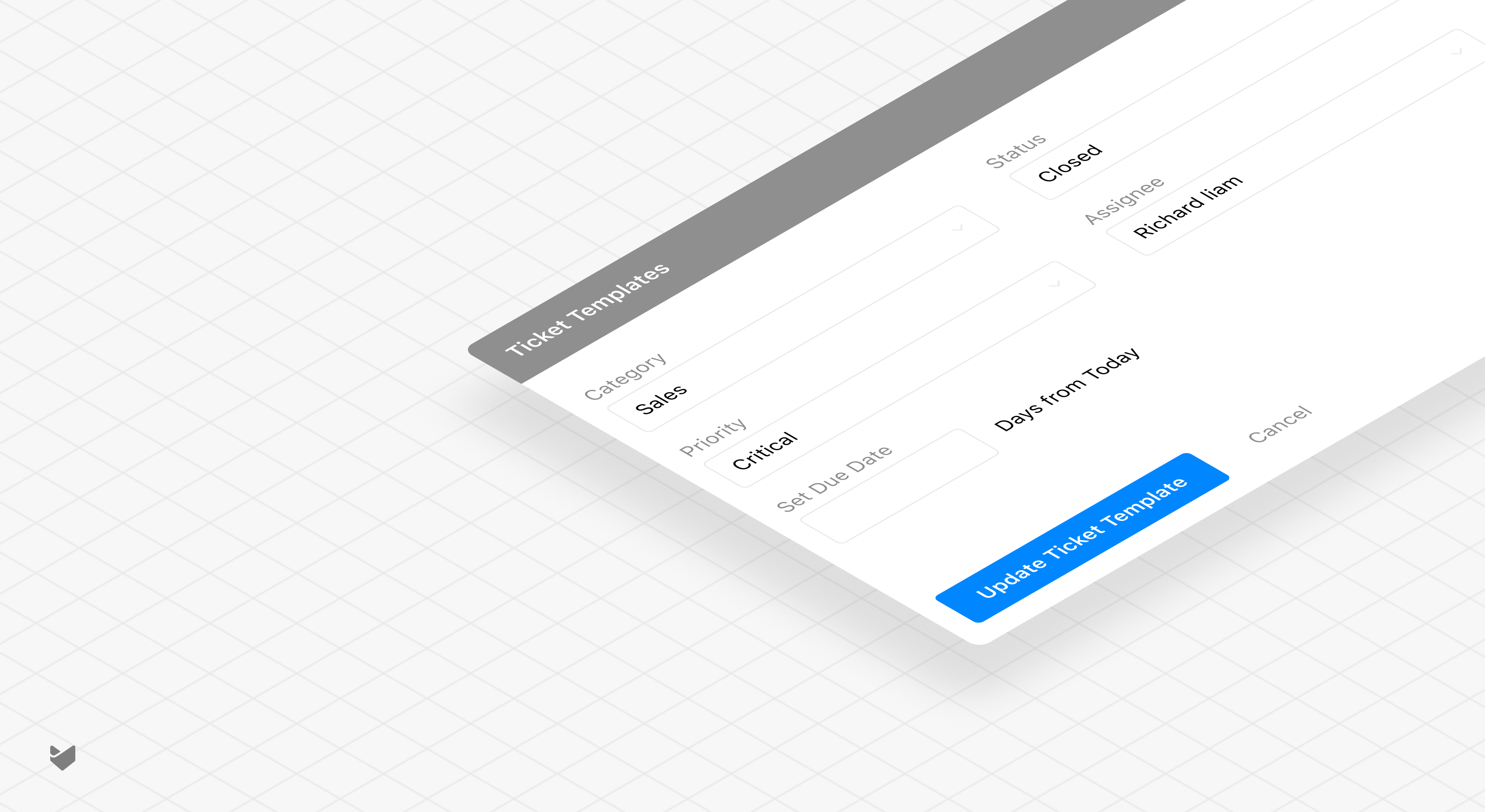
IT ticket templates are pre-configured frameworks that standardize the creation and handling of common technical support requests. Think of them as smart forms that automatically populate relevant fields, set appropriate priorities, and route tickets to the right teams – all while ensuring consistency across your support operations.

Why Your IT Support Needs Ticket Templates
Looking at support metrics from enterprise IT teams, a striking pattern emerges: 60-70% of daily tickets fall into predictable categories. Password resets, software access requests, and hardware issues dominate the queue. Yet many teams still handle each ticket as a unique case. Here’s why templates are essential:
1. Standardization Across Support Channels
– Consistent and predictable ticket generation regardless of the input channel
– Uniform categorization and prioritization
– Standardized workflow triggers
– Reliable SLA tracking
2. Time and Resource Optimization
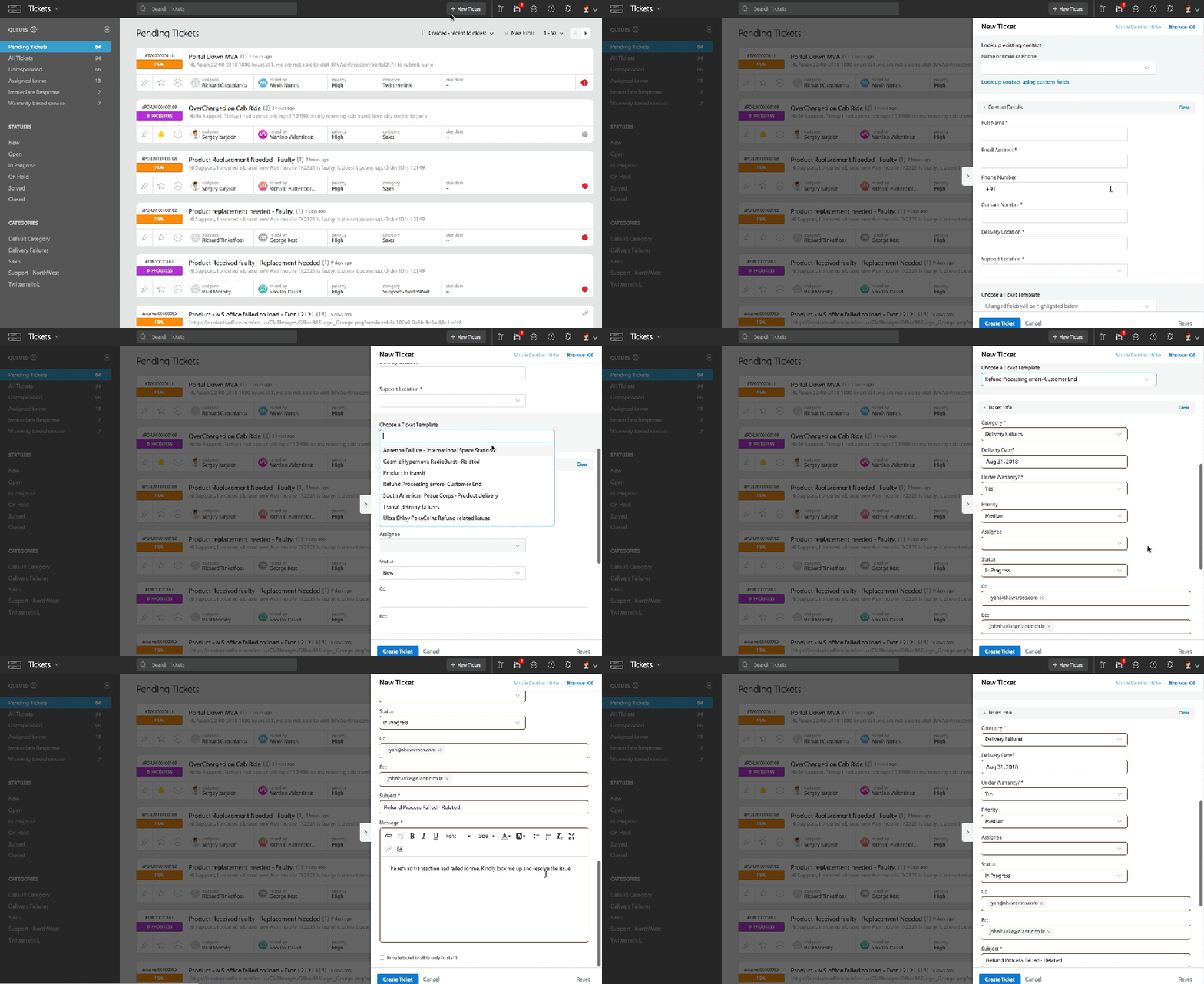
– 70% reduction in ticket creation time
– Eliminated redundant data entry
– Automated field population
– Streamlined ticket routing
3. Quality Control and Compliance
– Mandatory field enforcement
– Reduced data entry errors
– Consistent ticket formatting
– Standardized field population
– Improved ticket quality
Learn more: 5 Ways Automated Ticket Creation Transforms Customer Support
Essential Components of IT Ticket Templates
Core Fields
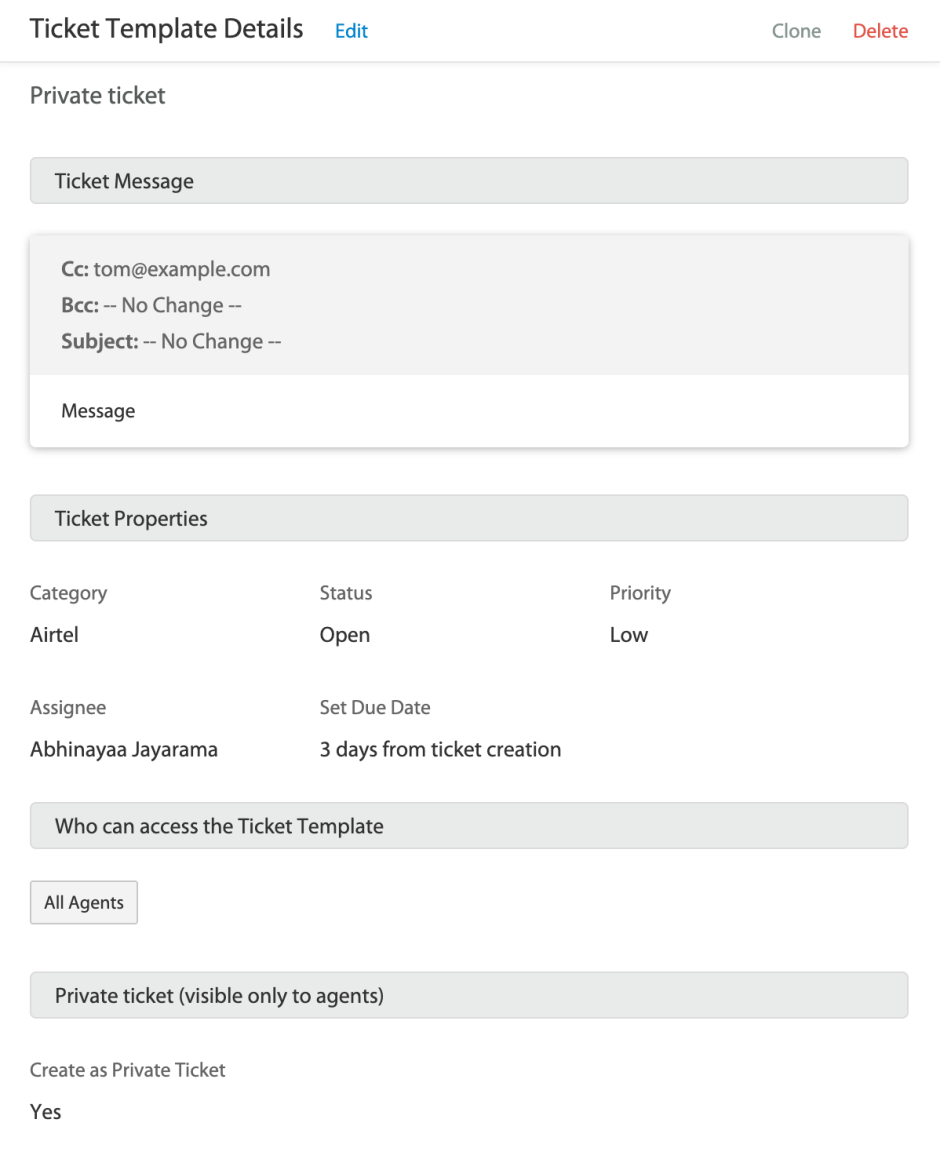
– Ticket subject and message
– Category selection
– Priority levels
– Status settings
– Assignee designation
Custom Attributes
– Department-specific fields
– Project-related details
– Service-specific requirements
– Additional context fields
Template Settings
– Visibility controls (all agents/personal)
– Private ticket options
– CC/BCC recipients
– Due date parameters
Pro Tip: Template Design Best Practices
Create templates for issues that occur at least 3-4 times per week. Anything less frequent probably doesn’t justify template creation unless it’s a critical process requiring strict standardization.
Learn more about creating ticket templates with HappyFox
Implementation Checklist for IT Ticket Templates
Planning Phase
– [ ] Analyze ticket patterns from last 3 months
– [ ] Identify top 10 recurring issues
– [ ] Document current resolution workflows
– [ ] Map required fields for each template
Setup Phase
– [ ] Create template structure
– [ ] Define mandatory fields
– [ ] Set default assignees
– [ ] Configure custom fields
Testing Phase
– [ ] Pilot with small agent group
– [ ] Gather feedback
– [ ] Measure time savings
– [ ] Refine templates
Template Categories Your IT Support Needs
1. Access Management
– Password resets
– Software access requests
– New user setup
– Permission modifications
2. Hardware Support
– Equipment requests
– Hardware failures
– Peripheral issues
– Maintenance schedules
3. Software Support
– Installation requests
– Update management
– License tracking
– Bug reports
4. Network Support
– Connectivity issues
– VPN access
– Email problems
– Network security alerts
Feature Spotlight: Smart Template Organization
A critical aspect of effective IT ticket templates is how they organize and streamline ticket creation. Well-structured templates:
– Pre-fill common ticket properties
– Standardize categorization
– Ensure consistent priority assignment
– Maintain proper routing paths
For example, having properly organized templates for each major IT service category (hardware, software, network, security) ensures that every ticket starts with the right properties and reaches the right team immediately.
HappyFox Ticket Templates: Engineered for Enterprise IT
HappyFox’s ticket template system streamlines your IT support with:
– Smart Templates: Create category-specific templates with pre-filled values for priority, due dates, and custom fields
– Custom Field Integration: Set predefined values for custom fields based on your needs
– Private Ticket Options: Create templates for sensitive internal issues
– Simplified Management: Easy template creation and modification
Best Practices for Maximum Impact
1. Template Naming Convention
– Use clear, descriptive names
– Include category in template name
– Add version numbers if needed
– Keep names concise but informative
2. Field Requirements
– Make critical fields mandatory
– Use dropdown lists where possible
– Include help text for complex fields
– Implement smart default values
3. Regular Maintenance
– Review templates quarterly
– Update based on feedback
– Archive unused templates
– Optimize based on metrics
Ready to Transform Your IT Support?
Stop letting manual ticket creation slow down your IT support team. HappyFox’s intelligent ticket templates streamline your support operations while ensuring consistency and compliance across your enterprise infrastructure.
Experience how HappyFox can revolutionize your IT support workflow. Schedule a demo today and see our advanced template capabilities in action.





