


Choosing the right K-12 help desk software is crucial for managing support across your school district. With hundreds of devices, multiple applications, and diverse user groups to support, modern educational institutions need a solution that streamlines IT operations, enhances student services, and empowers staff productivity. This guide helps you evaluate and select the ideal help desk software for your school’s unique support requirements.
K-12 help desk software helps schools and districts manage IT, student, and staff support securely while meeting FERPA and COPPA requirements. The right solution reduces response times, simplifies device management, and scales across campuses.
Why K-12 Help Desk Software is Essential Today
Today’s educational institutions face unique IT support challenges:
- Managing multiple user types (students, teachers, staff, parents)
- Supporting diverse devices and applications
- Maintaining data security and privacy compliance
- Operating with limited IT resources and budgets
- Coordinating support across departments
Must-Have Features for School Help Desk Software
1. Multi-Channel Support System
Modern school environments require support across various communication channels:
- Email Integration: Automatic conversion of emails into trackable tickets with proper categorization

- Web Portal: Custom-branded support portal for different user groups
- Mobile Access: Native apps for staff and students to submit/track requests
- Communication Platform Integration: Connection with tools like Microsoft Teams or Google Classroom
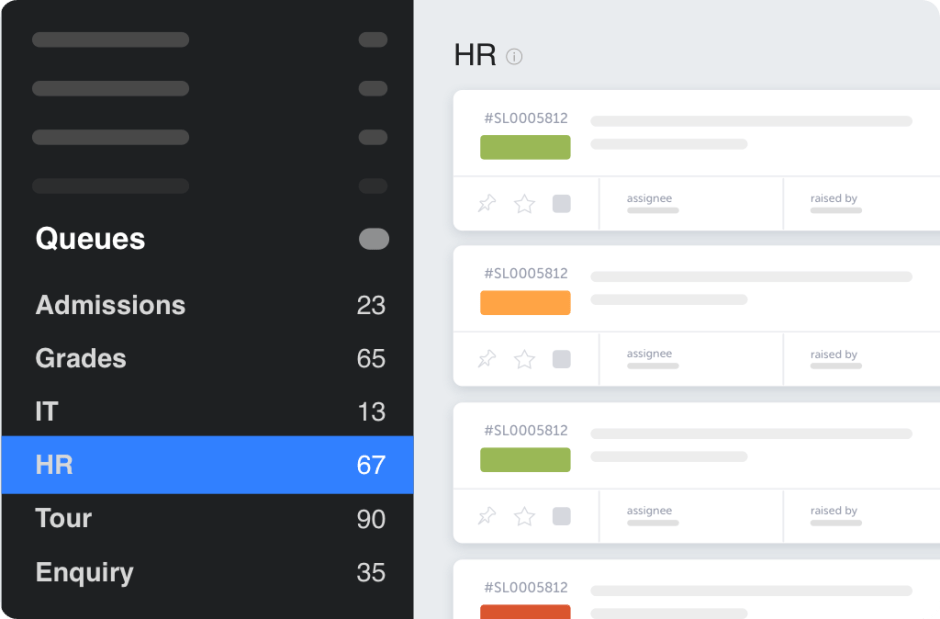
- Unified Interface: Single dashboard to manage all support channels
Pro Tip:
Configure automatic ticket categorization based on email subject lines or sender departments to reduce manual sorting time.
2. Knowledge Base and Self-Service Portal
A robust self-service system helps reduce ticket volume and empower users:
- Dynamic Search: Intelligent search functionality with suggested articles
- Role-Based Content: Separate knowledge bases for:
- Technical documentation for IT staff – How-to guides for teachers, Basic troubleshooting for students, Parent resources
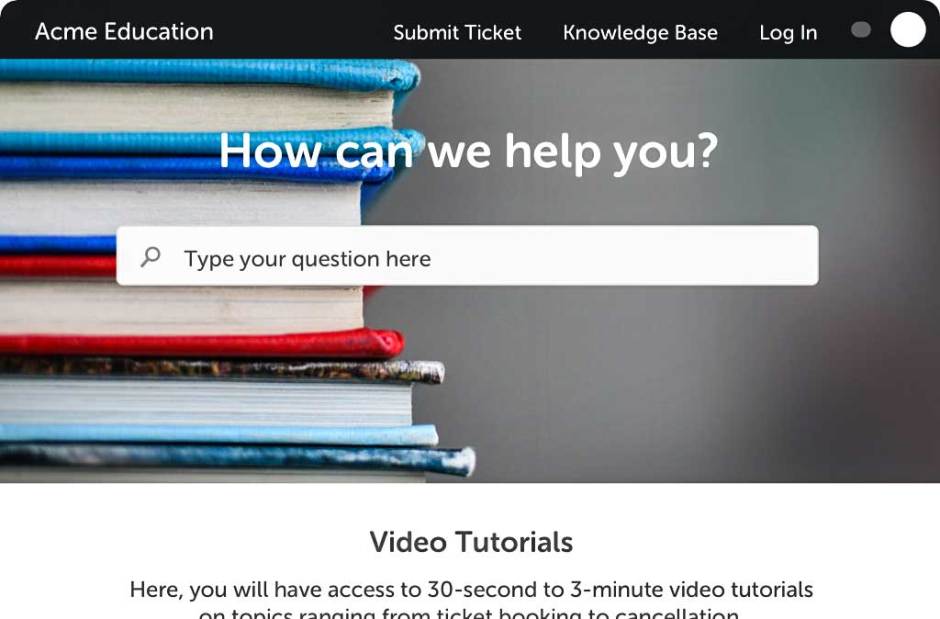
- Multimedia Support: Ability to include videos, screenshots, and step-by-step guides
- Multi-Language Options: Support for diverse student populations
- Analytics: Track most-viewed articles and failed searches
3. Asset Management
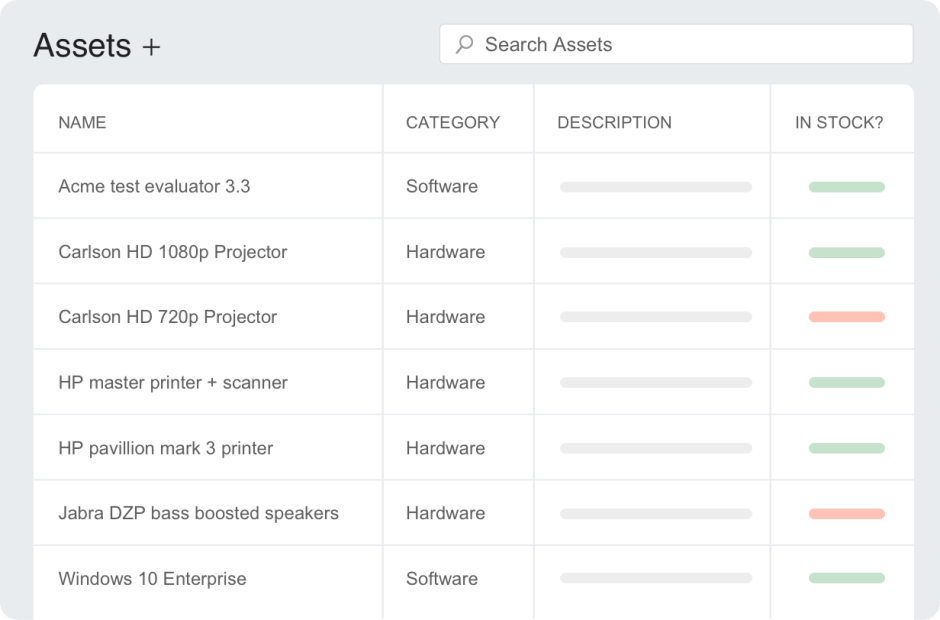
Comprehensive asset tracking is crucial for school IT departments:
Device Management:
- Chromebook/iPad deployment tracking
- Hardware specifications and history
- Warranty information
- Repair records
Software Administration:
- License tracking and renewal management
- Version control
- Usage monitoring
- Compliance documentation
Maintenance Planning:
- Scheduled updates and patches
- Preventive maintenance
- Service history logging
- Lifecycle management
Learn more: 5 expert tips for IT asset management
4. Security and Compliance
Educational institutions must maintain strict security standards:
Access Control:
- Role-based permissions
- Multi-factor authentication
- Session management
- IP restrictions
Data Protection:
- End-to-end encryption
- Secure file sharing
- Data backup protocols
- Privacy controls
Compliance Features:
- FERPA compliance tools
- COPPA adherence
- Audit logging
- Data retention policies
5. Automation Features
Process automation helps schools do more with limited resources:
Ticket Management:
- Smart routing based on keywords or categories
- Auto-assignment rules

- Priority-based escalation
- SLA tracking and alerts
Workflow Automation:
- Scheduled maintenance tickets
- Automated notifications
- Follow-up reminders
- Status updates
Asset Automation:
- Automatic inventory updates
- License expiration alerts
- Maintenance schedules
- Usage reports
6. Integration Capabilities
Seamless connection with existing school systems:
Education Platforms:
- Student Information Systems (SIS)
- Learning Management Systems (LMS)
- Library Management Systems
- Assessment platforms
Administrative Tools:
- Single Sign-On (SSO) providers
- Directory services
- HR systems
- Financial software
Implementation Checklist:
- Define ticket categories for common issues
- Set up routing rules based on issue type
- Create response templates
- Configure escalation workflows
- Test automation rules
Learn more: How AI is transforming educational support
Real Success Story: Accelerate Education
When Accelerate Education, a leading K-12 online course provider, faced mounting support challenges, they transformed their operations with HappyFox help desk software. Key improvements included:
- Organized ticketing system with automatic categorization
- Streamlined workflows through smart routing
- Enhanced team collaboration
- Improved response times
- Higher student satisfaction rates
HappyFox added a level of clarity and convenience to an otherwise overwhelming support load
Joe Runciman, Online Course Developer at Accelerate Education
How to Evaluate Help Desk Software for Your School
1. Assess Current Needs
- Document existing support processes
- Identify pain points and bottlenecks
- List must-have and nice-to-have features
- Consider future growth requirements
2. Evaluate Integration Capabilities
- Student Information Systems (SIS)
- Learning Management Systems (LMS)
- Single Sign-On (SSO) providers
- Communication platforms
3. Consider Implementation Requirements
- Setup complexity
- Training needs
- Data migration
- Timeline constraints
4. Review Reporting Features
- Response time tracking
- Issue trend analysis
- Staff performance metrics
- Custom report creation
HappyFox Help Desk Software for K-12 Support
HappyFox’s help desk software includes key capabilities that address educational support needs:
Ticket Management
- Automatic ticket categorization and routing
- Custom fields for education-specific information
- Multi-department support handling
- SLA monitoring and alerts
Comprehensive Asset Management
Modern help desk software transforms how schools track and manage their technology:
- One-click device enrollment and assignment
- Real-time tracking of Chromebooks, iPads, and laptops
- Automated warranty and maintenance alerts
- Digital check-in/check-out with student ID integration
- Software license tracking across departments
- Usage patterns and allocation analytics
- Maintenance history and scheduling
- Integration with procurement systems
Smart Knowledge Management
Modern school help desk platforms transform self-service support:
- Multi-level knowledge bases tailored for:
- Teachers (classroom technology guides)
- Students (basic troubleshooting steps)
- IT staff (advanced technical documentation)
- Parents (access and communication guides)
- Interactive troubleshooting wizards
- Video tutorials and visual guides
- Mobile-optimized access
- Automated content updates based on common tickets
- Multi-language support for diverse communities
- Analytics on article effectiveness
- Integration with learning management systems
Enterprise-Grade Security
Key security features include:
- FERPA/COPPA compliance tools
- Advanced encryption standards
- Granular permission controls
- Security audit logging
- Data retention policies
- Privacy controls
- Incident response tools
Education System Integration
Essential integrations include:
- Common education SSO providers
- Popular SIS platforms
- Major LMS systems
- Google/Microsoft education suites
- Library management systems
- Assessment platforms
- Communication tools
Automation and Workflow Tools
Advanced automation capabilities:
- Smart ticket assignment
- SLA management
- Scheduled maintenance
- Report generation
- Inventory updates
- User provisioning
- Communication workflows
Best Practices for Implementation
1. Plan Your Rollout
- Start with a pilot program
- Document common issues
- Create response templates
- Train support staff
2. Build Your Knowledge Base
- Develop FAQs
- Create how-to guides
- Document procedures
- Update regularly
3. Configure Automations
- Set up ticket routing
- Create SLA rules
- Configure notifications
- Test workflows
4. Monitor and Optimize
- Track key metrics
- Gather user feedback
- Refine processes
- Update documentation
The Value of Education-Focused Support
A well-implemented help desk solution delivers measurable benefits:
- Reduced response times
- Lower support costs
- Improved staff efficiency
- Enhanced student experience
- Better resource allocation
Empower Your Educational Support
Selecting the right help desk software is crucial for modern K-12 institutions. By choosing a solution that understands educational needs and offers comprehensive features, you can transform your support operations and focus on what matters most—student success.
Ready to see how HappyFox can revolutionize your school’s support system? Schedule a demo to experience our education-focused help desk solution in action.
FAQ
What is K-12 help desk software?
K-12 help desk software is a support system designed for schools and districts to manage IT, student, teacher, and staff requests. It centralizes tickets, device issues, and service requests while ensuring compliance with education data privacy standards.
Why do schools need K-12 help desk software?
Schools need K-12 help desk software to handle high volumes of technology and support requests efficiently, reduce response times, manage devices like Chromebooks and iPads, and provide consistent support across students, teachers, and administrative staff.
What features should K-12 help desk software include?
Key features include multi-channel ticketing, role-based access, asset and device management, FERPA and COPPA compliance, automation for routing and SLAs, knowledge base and self-service portals, and integrations with SIS, LMS, and SSO systems.
Is K-12 help desk software different from standard help desk software?
Yes. K-12 help desk software is built specifically for educational environments, offering education-focused workflows, student and parent access controls, device tracking, and compliance with student data privacy regulations that generic help desk tools often lack.





