


TL;DR
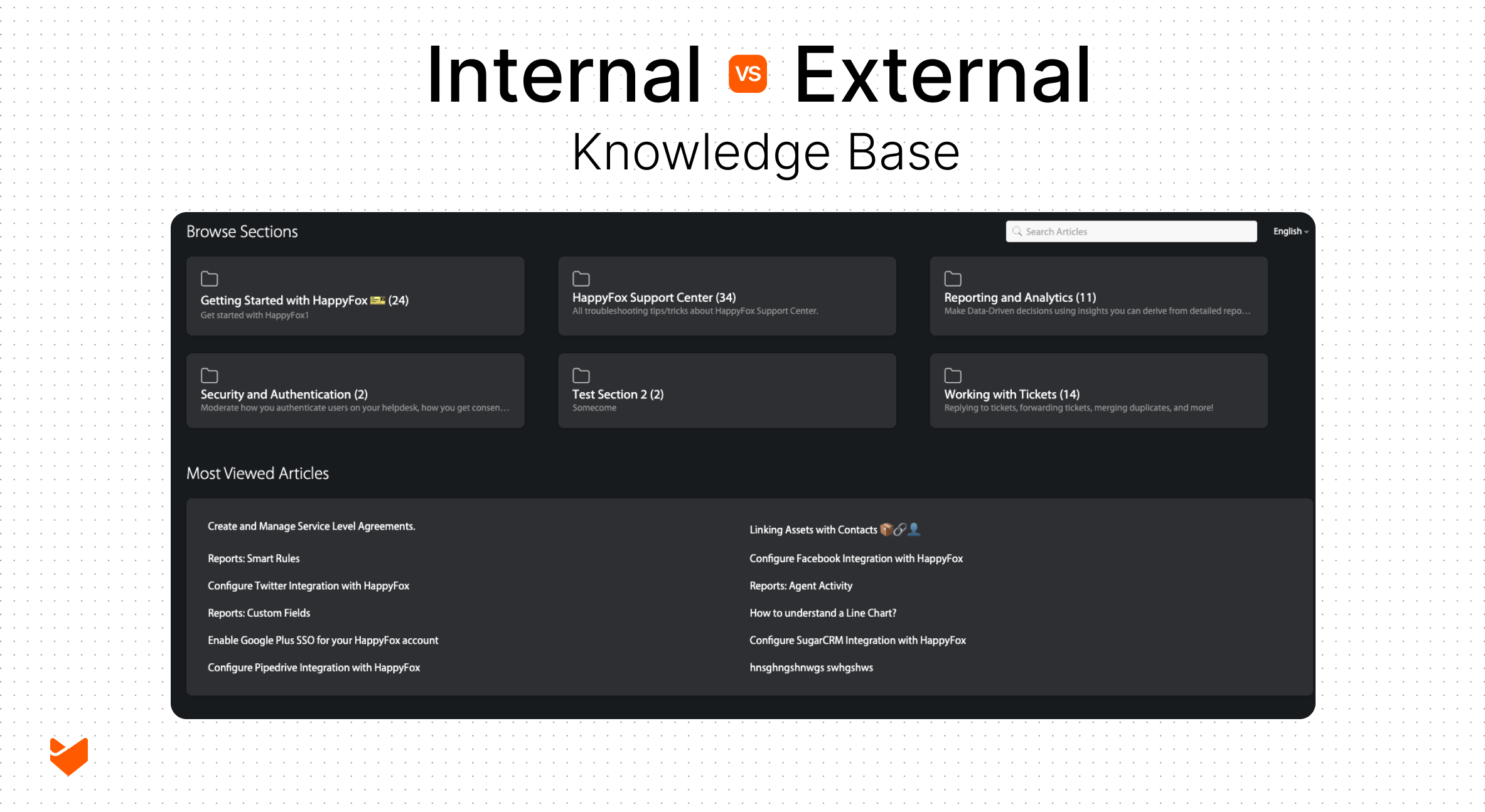
Knowledge base software comes in two types: internal (for employees) and external (for customers), each serving distinct but equally important purposes. The right choice depends on your organization’s specific challenges, growth trajectory, and knowledge management needs.
Internal Knowledge Base – Best for:
- Preserving critical institutional knowledge and standard operating procedures
- Improving operational efficiency and onboarding new employees
- Securing sensitive information with access controls and audit trails
- Eliminating repeated questions and inconsistent processes across teams
External Knowledge Base – Best for:
- Reducing support ticket volume with customer self-service options
- Providing 24/7 access to product documentation and troubleshooting guides
- Scaling support across multiple time zones and languages
- Decreasing support costs while improving resolution times
Unified Approach – Implement both when:
- Support teams need access to both internal procedures and customer-facing content
- Your organization is expanding globally or diversifying products
- Knowledge needs to flow seamlessly between teams and customers
- Different audiences require different versions of similar information
Modern knowledge base platforms like HappyFox offer comprehensive solutions that manage both internal and external knowledge from a single system, featuring AI-powered content creation, intelligent search, granular access controls, multi-language support, and seamless help desk integration. The key is to assess your primary knowledge management challenges and choose a scalable solution that evolves with your business needs.
Your company faces a critical decision: where should your knowledge live? While customers increasingly prefer self-service support, your employees need quick access to internal information. Knowledge base software solves both challenges—but choosing between internal and external platforms (or implementing both) requires careful consideration.
The Knowledge Management Divide
Knowledge base software comes in two distinct flavors, each serving unique purposes:
Internal Knowledge Bases: Behind the Firewall
Internal knowledge base software creates a secure environment where employees access confidential information and operational knowledge.
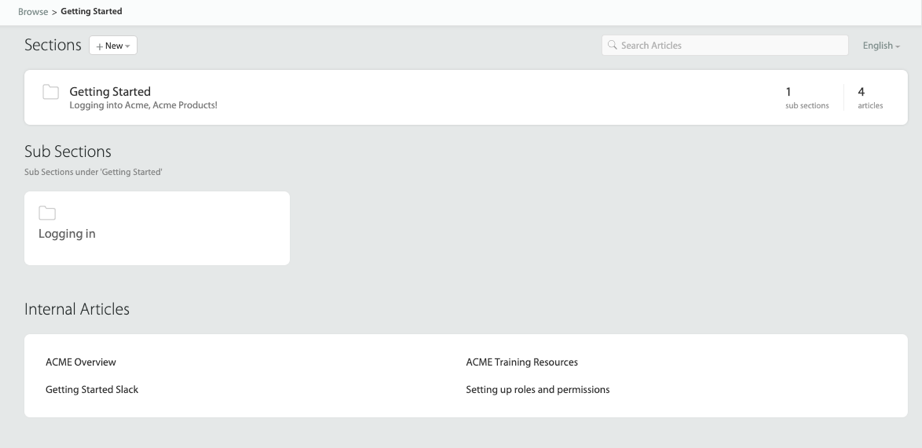
Think of it as your organization’s digital brain, storing:
– Standard operating procedures
– Company policies and guidelines
– Technical documentation
– Training materials
– Project-specific knowledge
– Team collaboration resources
– Process workflows
External Knowledge Bases: The Public Face
External knowledge base software powers your customer self-service portal, offering:
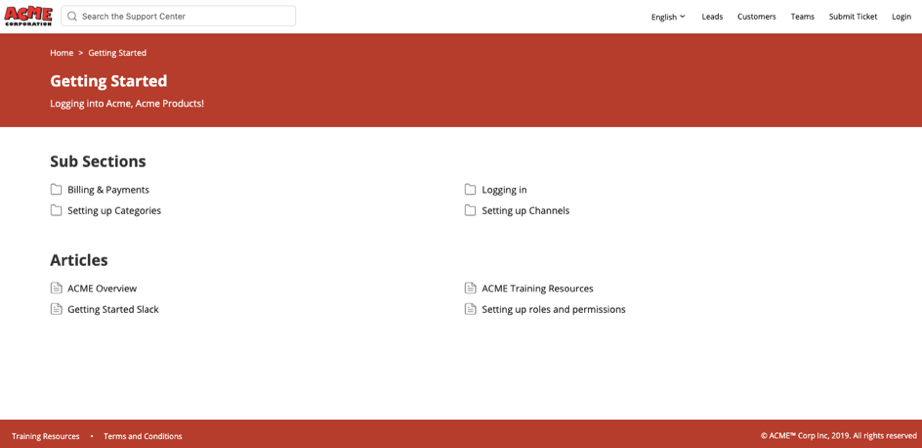
– Product documentation
– Step-by-step tutorials
– Troubleshooting guides
– Feature updates and releases
– Common questions and answers
– Service information
– User guides and best practices
When to Choose Internal Knowledge Base
Your organization needs an internal knowledge base when facing these challenges:
Knowledge Preservation
– Critical information exists only in employee minds
– Standard processes lack documentation
– Important updates get lost in email chains
– Teams recreate solutions to common problems
Operational Efficiency
– New hires struggle to find basic information
– Teams repeatedly answer the same questions
– Important procedures vary between departments
– Training requires constant repetition
Security and Compliance
– Sensitive information needs protection
– Document versions require tracking
– Access control becomes crucial
– Audit trails must be maintained
Learn more: Best practices for setting up internal knowledge base
When to Choose External Knowledge Base
Consider implementing external knowledge base software when:
Customer Support Challenges
– Basic questions overwhelm your support team
– Customers need immediate answers
– Support costs keep rising
– Resolution times need improvement
Product and Service Complexity
– Products require extensive documentation
– Features need clear explanation
– Common issues have standard solutions
– Updates require broad communication
Global Support Needs
– Customers span multiple time zones
– Support must scale efficiently
– Documentation needs translation
– Regional information requires management
The Power of Unified Knowledge Management
Some organizations benefit from implementing both types of knowledge base software. This approach works best when:
Knowledge Flow Optimization
– Support teams need both internal and customer-facing content
– Product information must flow smoothly between teams
– Training materials serve multiple audiences
– Documentation requires different versions
Strategic Growth
– Company expands to new markets
– Product portfolio diversifies
– Support needs become more complex
– Teams operate globally
Learn more: Step-by-step guide on how to build a knowledge base
HappyFox: A Comprehensive Knowledge Base Software
Transform your knowledge management with a solution that expertly handles both internal and external knowledge bases from a single platform. Here’s how HappyFox makes it seamless:
Smart Knowledge Management
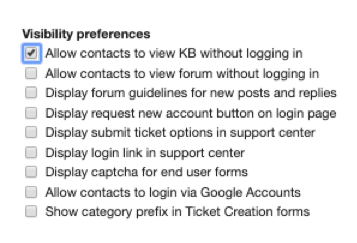
– Create distinct internal and external knowledge spaces with different access levels
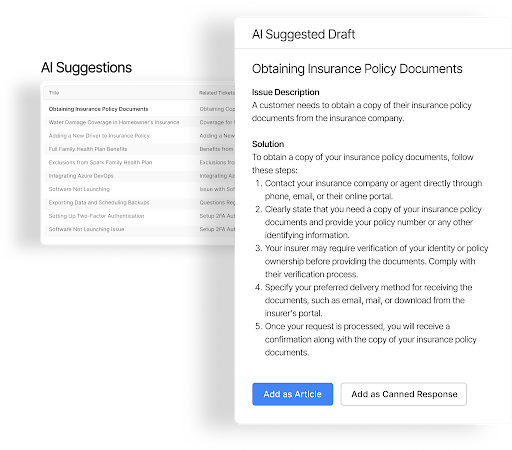
– Convert support tickets into knowledge articles automatically with AI assistance
– Maintain separate article lifecycles for internal processes and customer-facing content
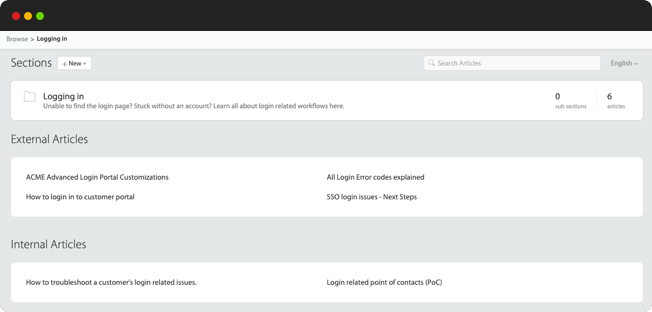
– Enable selective sharing of internal content to external bases when needed
– Set up custom approval workflows for each knowledge base
Intelligent Search and Discovery
– Provide inline search suggestions as users type
– Show context-aware results based on user roles and permissions
– Offer related article recommendations
– Enable natural language search queries
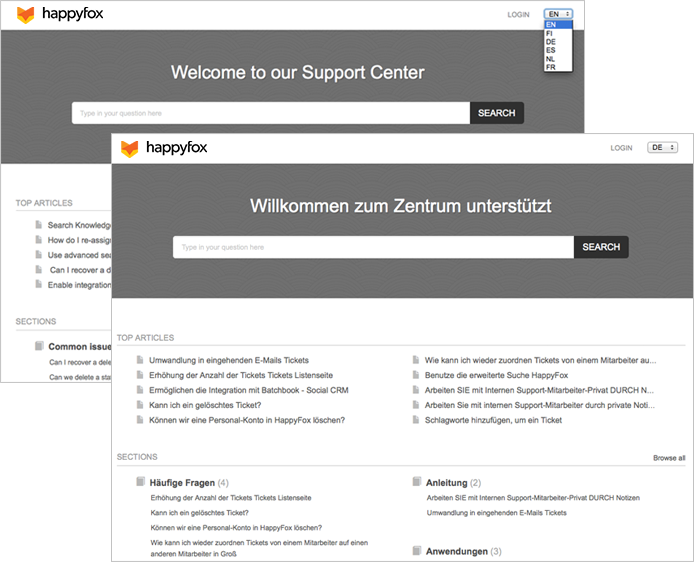
– Support multiple languages for global teams
Advanced Access Control
– Assign specific knowledge base articles to contact groups
– Set granular permissions down to the article level
– Create custom user roles and access levels
– Control article visibility by teams, departments, or regions
– Track and audit content access and changes
Content Management Excellence
– Use AI to identify content gaps and suggest new articles
– Enable collaborative editing with version control
– Create branded templates for consistent documentation
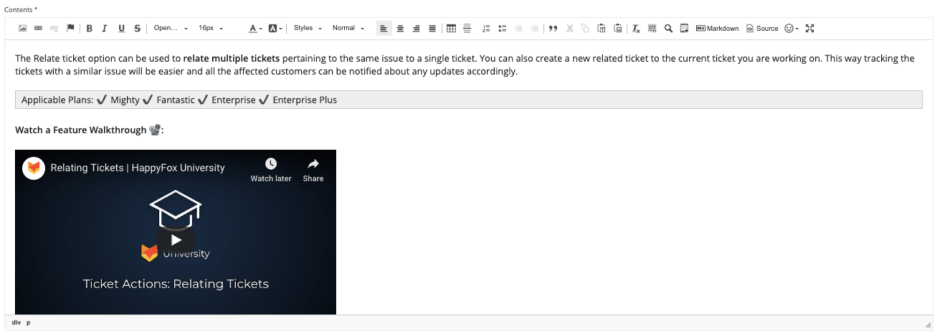
– Support rich media including images, videos, and attachments
Integration and Workflow
– Connect knowledge bases with your help desk system
– Automate article creation from resolved tickets
– Link related articles and documentation
– Create custom workflows for content approval
– Enable seamless escalation from self-service to assisted support
– Translates KB articles into 30+ languages
Making the Right Choice
Consider these key factors when deciding your knowledge base strategy:
Business Requirements
– Current support challenges
– Team structure and size
– Knowledge management needs
– Security requirements
Growth Trajectory
– Expansion plans
– Product development roadmap
– Support team scaling
– Market requirements
Conclusion
Choosing between internal and external knowledge base software—or implementing both—depends on your organization’s unique needs. Focus on your primary knowledge management challenges, consider your growth trajectory, and select a solution that scales with you.
HappyFox offers the flexibility to start with either approach and expand as needed, ensuring your knowledge management strategy evolves with your business. Our platform provides the tools, security, and scalability to manage both internal and external knowledge effectively.
Ready to transform your knowledge management? Schedule a demo to see how HappyFox can help you build the right knowledge base solution for your needs.





