


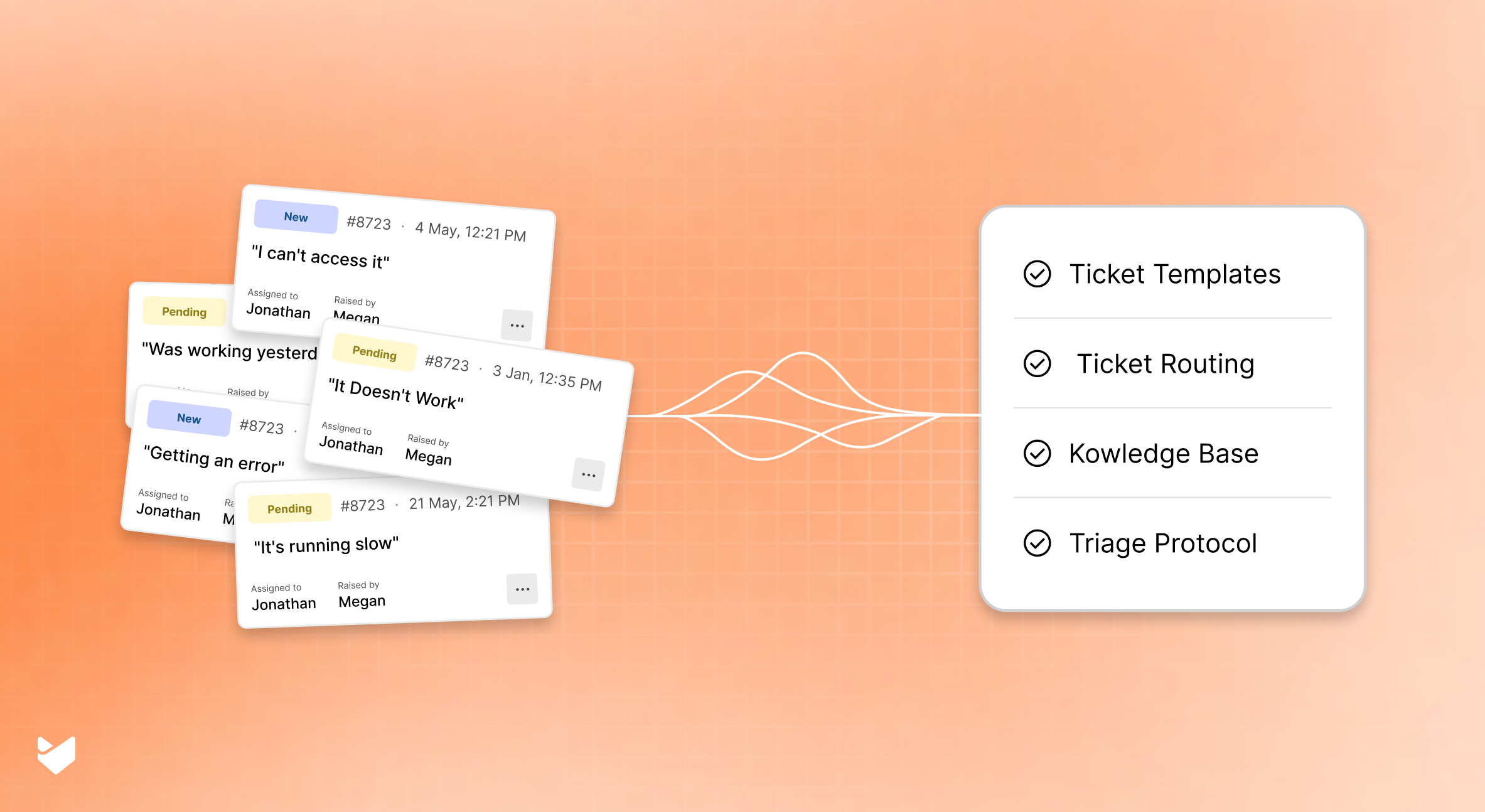
Vague support tickets waste time, drain resources, and frustrate everyone involved. The classic example? A ticket that simply states: “It doesn’t do it.” No context. No system information. No explanation of what “it” was supposed to do in the first place.
These ambiguous IT support requests create significant problems for help desk teams:
- They extend resolution times
- They require multiple follow-ups
- They lead to inaccurate documentation
- They contribute to agent burnout
This guide provides practical strategies and tools to transform vague tickets into clear, actionable requests that get resolved quickly.
The Real Cost of Vague IT Support Requests
Ambiguous tickets like “It doesn’t do it” create ripple effects throughout support operations:
- Extended Resolution Times: Vague tickets often require multiple follow-ups before resolution can begin.
- Increased Ticket Bouncing: Unclear requests get reassigned multiple times, creating frustration for everyone involved.
- Agent Burnout: Support professionals waste valuable mental energy deciphering unclear problems instead of solving actual technical issues.
- Poor Customer Satisfaction: Users waiting for solutions become increasingly frustrated as resolution times extend.
- Inaccurate Documentation: Without clear problem descriptions, knowledge bases become filled with ambiguous solutions.
10 Common Types of Vague Support Requests
Before implementing solutions, it’s essential to recognize the most common categories of ambiguous help desk tickets:
1. The “It Doesn’t Work” Classic
- What You Get: “My computer isn’t working” or “The system is down”
- What’s Missing: Which system, what functionality, when it stopped working, error messages, reproduction steps
2. The Phantom Error
- What You Get: “I’m getting an error”
- What’s Missing: The actual error message, what the user was doing when it occurred, frequency of the error
3. The Time Traveler
- What You Get: “It was working yesterday”
- What’s Missing: What changed, what specifically isn’t working now, any system or software updates
4. The Urgency Without Context
- What You Get: “URGENT: Need immediate help!!!”
- What’s Missing: The actual problem, business impact, what’s been tried already
5. The Assumption of Omniscience
- What You Get: “The same thing is happening again”
- What’s Missing: Reference to previous tickets, what “the thing” is, current system state
6. The Intermittent Mystery
- What You Get: “Sometimes it works, sometimes it doesn’t”
- What’s Missing: Pattern recognition details, conditions when it works vs. fails, frequency, duration
7. The Software Blame Game
- What You Get: “Your software is causing problems”
- What’s Missing: Specific features affected, interaction with other systems, what changed in the environment
8. The Permission Puzzle
- What You Get: “I can’t access it”
- What’s Missing: What specifically they’re trying to access, what happens when they try, error messages, previous access status
9. The Performance Complaint
- What You Get: “It’s running slow”
- What’s Missing: Baseline performance expectations, specific functions affected, when slowness began, system specifications
10. The Hardware Hypothesis
- What You Get: “I think my printer/monitor/keyboard is broken”
- What’s Missing: Specific symptoms, troubleshooting already attempted, when it last worked correctly, any physical damage
Recommended Reading
10 Common Ticketing System Mistakes That Can Hurt Your Customer Support
6-Step IT Ticket Clarification Process for Ambiguous Requests
Now for the solutions! Here’s a step-by-step process for handling vague support requests:
Step 1: Implement Structured Ticket Forms
The best way to prevent vague tickets is to make them impossible to submit in the first place.
How HappyFox Helps: HappyFox’s customizable smart ticket forms guide users to provide all necessary information upfront. The conditional logic feature displays relevant fields based on the issue category, ensuring support teams get exactly what they need without overwhelming users.
Pro Tip: Create category-specific ticket templates that require:
- Specific system or application name
- Exact error messages (with screenshot upload options)
- Steps to reproduce the issue
- When the problem started
- Business impact level
Step 2: Establish a Clear Triage Protocol
When vague tickets inevitably slip through, have a standardized process for initial assessment.
How HappyFox Helps: HappyFox’s ticket routing and assignment rules can automatically categorize and prioritize tickets based on keywords, sender, or content patterns. The system can flag potentially vague tickets for manual review while routing clear tickets directly to appropriate agents. Additionally, customizable status workflows help track tickets that need clarification separate from active resolution work.
Support teams can set up automatic tags for common vague patterns and create specialized queues for tickets requiring additional information.
Step 3: Leverage Your Knowledge Base
Sometimes users struggle to articulate their problems because they don’t know the proper terminology.
How HappyFox Helps: The integrated knowledge base with smart suggestions can help users better describe their issues before they even submit a ticket. When they start typing a vague description, the system suggests relevant articles that might help them better formulate their request.
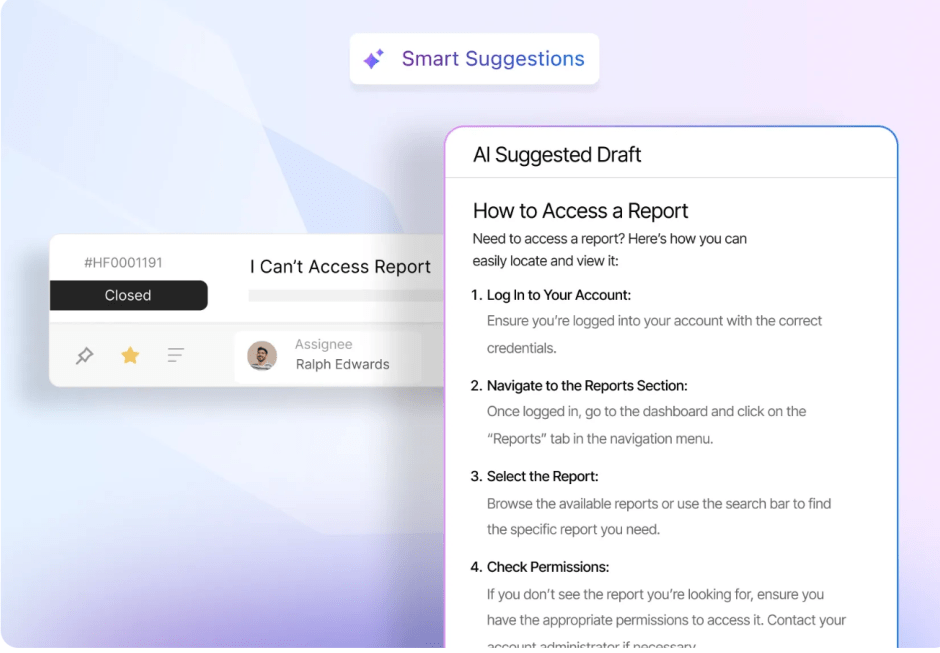
Pro Tip: Analyze vague ticket patterns and create specific KB articles that help users translate common symptoms into technical language.
Step 4: Build User Profiles and Context
Understanding who’s submitting the ticket can provide valuable context for vague requests.
How HappyFox Helps: The contact management system maintains user profiles with previous tickets, their systems, common issues, and communication preferences. This historical data can provide crucial context when a vague ticket arrives.
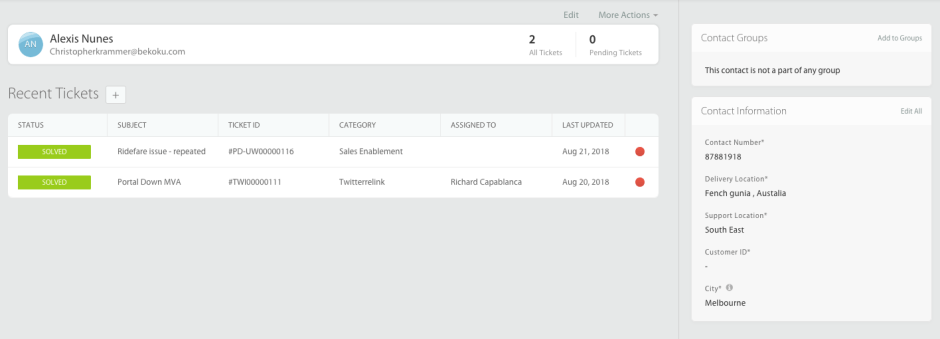
For example, if a specific accounting department user consistently has printer connectivity issues, a vague “it’s not working” ticket from them likely refers to the same printer problem.
Step 5: Use Automation for Initial Information Gathering
Don’t waste agent time on the initial information-gathering phase.
How HappyFox Helps: Automation workflows can detect vague tickets based on keyword patterns and automatically trigger follow-up questions to the user. These workflows can:
- Identify commonly vague phrases like “doesn’t work” or “is broken”
- Automatically send appropriate follow-up questions
- Place the ticket in a “Waiting for Information” status
- Set appropriate reminders for follow-up
Step 6: Implement Visual Communication Tools
Sometimes users struggle to describe technical issues in words.
How HappyFox Helps: The ticket system allows users to submit screenshots, screen recordings, and annotations directly into tickets. For especially challenging issues, remote assistance features enable agents to see exactly what the user is experiencing.
Pro Tip: Configure ticket forms to strongly encourage or require screenshot attachments for certain ticket categories.
3 Strategies for Creating a Culture of Clear Communication in Ticket Management
Beyond the technical solutions, addressing vague tickets requires fostering better communication habits throughout your organization:
Strategy 1: Develop User Training Materials
How HappyFox Helps: Use the knowledge base to create and distribute guides on “How to Submit an Effective Support Ticket.” Include examples of good and bad ticket descriptions, and share them during onboarding.
Strategy 2: Recognize and Reward Good Ticket Behavior
How HappyFox Helps: Reporting features can help identify and recognize users who consistently provide clear, complete ticket information. Organizations might consider implementing a monthly “Clear Communicator” recognition program.
Strategy 3: Provide Feedback Loops
How HappyFox Helps: Satisfaction surveys can include questions specifically about the ticket submission process, helping gather feedback on forms and requirements.
Implementing an Effective Support Ticket Management System
Organizations can significantly reduce vague ticket submissions by implementing a strategic approach that combines:
- Custom ticket forms that guide users to provide complete information
- Automated workflows for detecting and following up on vague tickets
- Targeted user education about effective ticket submission
- Standardized ticket templates for common issue categories
- Clear communication standards and training across departments
- Knowledge base integration for guided self-service
The most effective solutions combine technical tools with organizational change management focused on clear communication standards. Modern help desk platforms like HappyFox provide the foundation for this comprehensive approach, offering integrated features that work together to address the root causes of vague tickets rather than just treating the symptoms.
HappyFox’s unified platform includes conditional ticket forms, intelligent automation workflows, comprehensive knowledge base functionality, contact management with full user history, and detailed reporting capabilities—all designed to work seamlessly together. This integrated approach ensures that efforts to reduce vague tickets are reinforced at every touchpoint in the support process, from initial ticket submission through final resolution.
Turning “It Doesn’t Do It” into “Problem Solved”
Vague support tickets may never completely disappear, but with the right strategies and tools, organizations can:
- Dramatically reduce their frequency
- Process them more efficiently when they do arrive
- Transform them into clear, actionable requests
- Build a culture of clearer technical communication
The result? Faster resolutions, happier users, and support teams that can focus on solving real problems instead of deciphering mysteries.
Ready to transform how your organization handles support requests? Book a demo with HappyFox today and see how this comprehensive help desk solution can streamline your ticket management process.
FAQ: Handling Vague Support Tickets
How do I handle users who repeatedly submit vague tickets despite training?
Consider a personalized approach. Schedule a brief one-on-one session to understand their challenges with ticket submission. Often, repeated vague tickets stem from technical intimidation or lack of confidence.
What are the most effective required fields for reducing ticket vagueness?
The top three most effective required fields are: specific system/application name, exact error message (when applicable), and “steps to reproduce the issue.” Together, these fields reduce initial follow-ups by over 60%.
How do I balance getting complete information without making the ticket submission process too complicated?
Use conditional logic in your forms to show only relevant fields based on the selected issue category. This keeps forms manageable while still collecting all necessary information.
What metrics should I track to measure improvements in ticket clarity?
Track “percentage of tickets requiring additional information,” “time to first response,” “number of back-and-forth exchanges per ticket,” and “first-contact resolution rate” to measure the effectiveness of your clarity initiatives.





