


Complex technical issues, remote troubleshooting, product demonstrations – these scenarios challenge even the most skilled support teams. But what if you could resolve these issues with the same clarity as in-person support? Leading technical support teams are doing exactly that by bringing Webex meetings directly into their help desk workflow.
The Evolution of Technical Support
Traditional technical support often means:
- Long email threads explaining complex issues
- Multiple screenshot exchanges
- Difficulty understanding user environments
- Extended resolution times
- Frustrated customers and agents
Modern support demands visual, real-time solutions that get results faster.
How Integrated Video Support Transforms Technical Resolution
Complex Troubleshooting
Before:
- Multiple emails to understand the issue
- Screenshots and logs back-and-forth
- Written instructions prone to misinterpretation
- Hours or days to resolution
After:
- Instant visual problem assessment
- Real-time screen sharing
- Live solution demonstration
- Resolution in minutes
Product Training
Before:
- Static documentation
- Limited interaction
- Multiple follow-up questions
- Extended learning curve
After:
- Interactive demonstrations
- Real-time Q&A
- Visual learning
- Immediate clarification
The HappyFox Advantage
HappyFox is a comprehensive help desk ticketing system that centralizes all your support requests while offering powerful integration capabilities with Webex. Our platform transforms how you handle technical support by bringing professional video collaboration directly into your ticketing workflow.
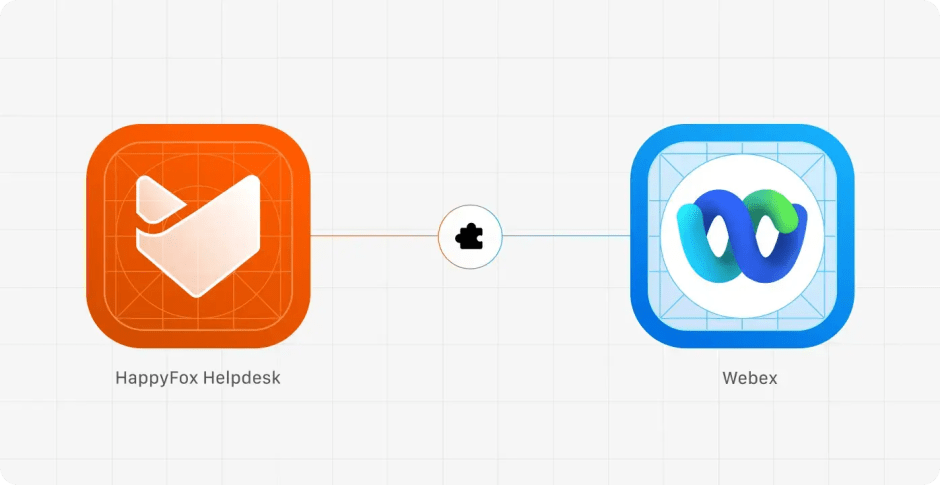
Through the Webex help desk integration, technical support teams can:
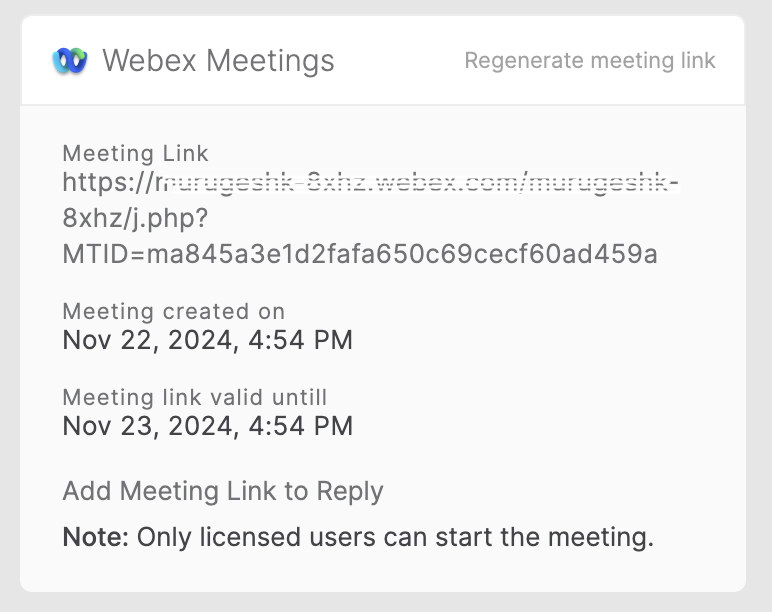
- Generate Webex meetings directly from tickets
- Add meeting links to ticket responses
- Track meeting creation timestamps
- Maintain secure video sessions
Key Implementation Strategies
1. Identify Video-Priority Tickets
- Complex technical issues
- Product demonstrations
- Remote troubleshooting
- Training sessions
- Bug reproductions
2. Set Clear Video Support Guidelines
- When to initiate video support
- Meeting preparation checklist
- Screen sharing protocols
- Follow-up documentation requirements
3. Optimize Team Workflow
- License management
- Meeting link handling
- Session documentation
- Knowledge base updates
Best Practices for Success
- Pre-Meeting Preparation
- Review ticket history
- Gather necessary resources
- Set clear meeting objectives
- Prepare demonstration environments
- During the Session
- Start with clear agenda
- Record key steps taken
- Document solutions found
- Confirm understanding
- Post-Meeting Follow-up
- Update ticket with resolution
- Document for knowledge base
- Schedule follow-up if needed
- Track resolution success
Security and Management
Important considerations:
- Only licensed Webex users can generate meetings
- Meeting links expire after 24 hours
- Each agent needs their own meeting link
- Secure, controlled access
Making the Transition
Ready to enhance your technical support with integrated video? Start with:
- Assessing current resolution metrics
- Identifying video support opportunities
- Setting up proper licensing
- Training support team
Choosing the Right Video Support Solution
While Webex offers robust video support capabilities through its help desk integration, different teams might have varying needs. HappyFox supports multiple video collaboration platforms to match your organization’s preferences:
- Google Meet integration for teams using Google Workspace
- MS Teams integration for Microsoft-centric organizations
- LogMeIn integration for hands-on remote system access
Each integration offers unique advantages, allowing you to choose the best fit for your technical support requirements.
Transform Your Technical Support Today
See how HappyFox’s Webex integration can revolutionize your technical support operations. Book a demo to learn more about implementing efficient video support in your help desk.





