TL;DR
In today’s competitive market, exceptional customer service is non-negotiable, and help desk ticketing software is essential for meeting high customer expectations. With the global help desk market projected to reach $2.8 billion by 2031, choosing the right solution matters more than ever.
Key features to prioritize include:
- User-friendly interface for easy agent navigation and minimal training
- Omnichannel support to consolidate tickets from email, chat, phone, and web forms
- Customizable workflows for automated ticket assignment, escalation, and task creation
- Collaboration tools like internal notes, contextual chat, and Slack/Teams integration
- Canned actions for templated responses and bulk ticket updates
- AI capabilities including virtual assistants, intelligent routing, agent copilots, and predictive analytics
- Knowledge base for customer self-service and ticket deflection
- SLA management to meet response and resolution commitments
- Reporting and analytics for data-driven insights and performance tracking
- Security and compliance with encryption, access controls, and GDPR adherence
Introduction
The right help desk system streamlines support operations, improves efficiency, and enhances customer satisfaction while protecting your brand value.
Excellent customer service is the norm in today’s competitive market. Customers today are more unforgiving than ever before and a single mistake from your side could cost you in more than just lost revenue- it could result in lost brand value.
An omnichannel help desk ticketing software could make things slightly easier if you’re able to leverage it well. No wonder there are so many vendors out there today with the global help desk software market size projected to touch USD 2825.23 million by 2031.
When choosing a help desk, it is important to look at the features that they offer for ticketing. Ranging from how easy it is to use, to how flexible it is for your business and the scalability it offers as you grow. In this blog, we cover the top features of help desk ticketing software.
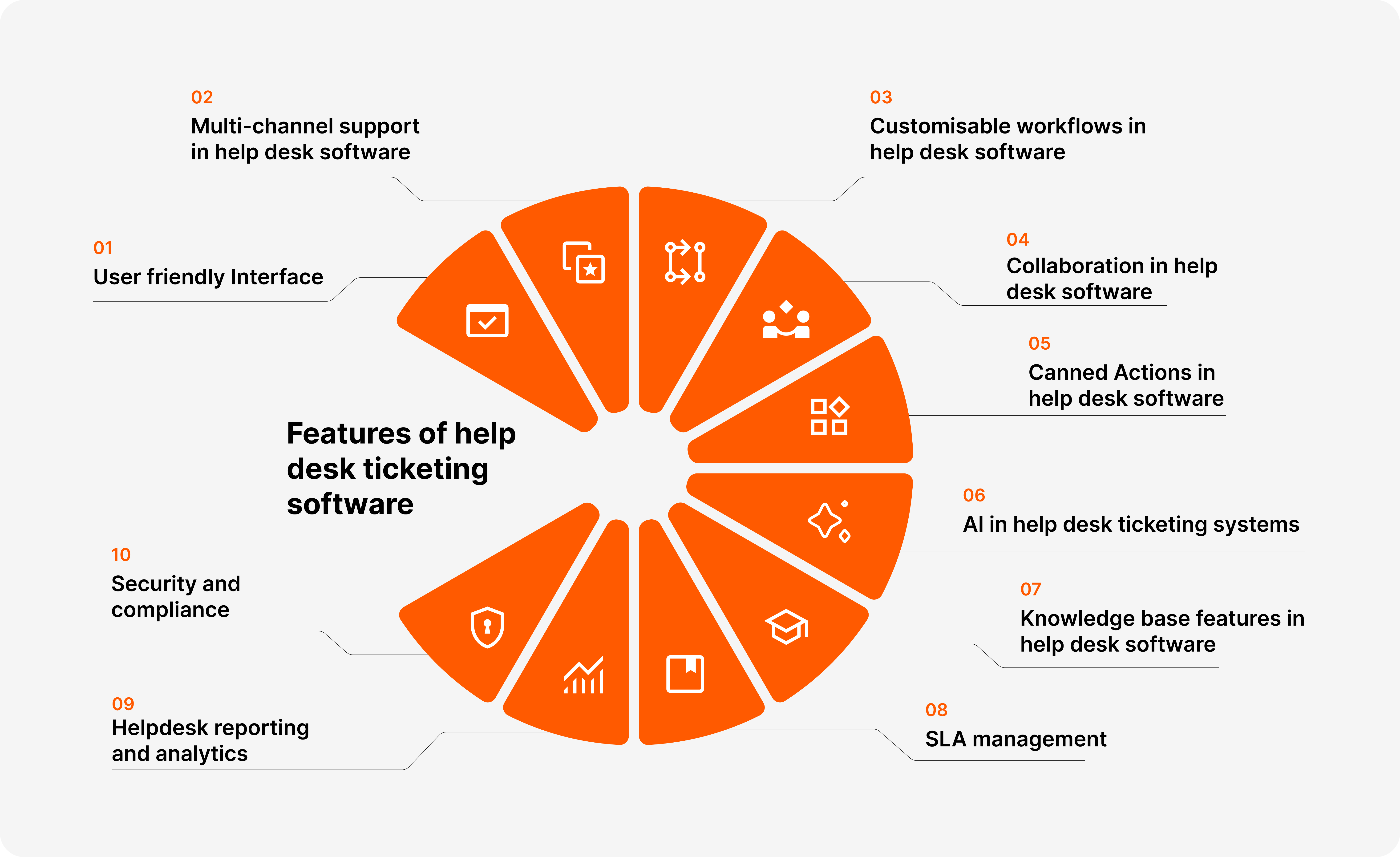
Features of help desk ticketing software
User friendly Interface
A user friendly interface is one where the agents find it easy to navigate the help desk. They should be able to start using it from the get go without much training and find it easy to search, filter and customize the helpdesk according to their preferences. Having such a UI allows the agents to be more productive and efficient, thereby providing a higher user satisfaction.
Multi-channel support in help desk software
Customers reaching out through different channels like email, chat, phone, web form or any other mode should have a seamless experience. Having a multichannel or omnichannel support system that brings in all the tickets to one place lets the agents work with full context and improves customer experience overall. You can read more about omnichannel support in help desk on this blog.
Customisable workflows in help desk software
The biggest benefit of using a help desk software is that it allows you to handle tickets efficiently. And automation is an important part of it. Customisable workflows allow you to streamline processes by automatically assigning, escalating, or closing tickets based on predefined criteria.
Certain help desk tools also allow you to create tasks for agents based on certain conditions, set priority and ensure that tickets are handled efficiently.
Collaboration in help desk software
Collaboration in help desk refers to the capability of the help desk to allow multiple people to work on the same issue to resolve things for the customer. This could be through internal private notes that the agents can leave on tickets, contextual chat for each ticket, or integration with tools like Slack and Microsoft teams to allow communication where the non-primary agents usually work.
Canned Actions in help desk software
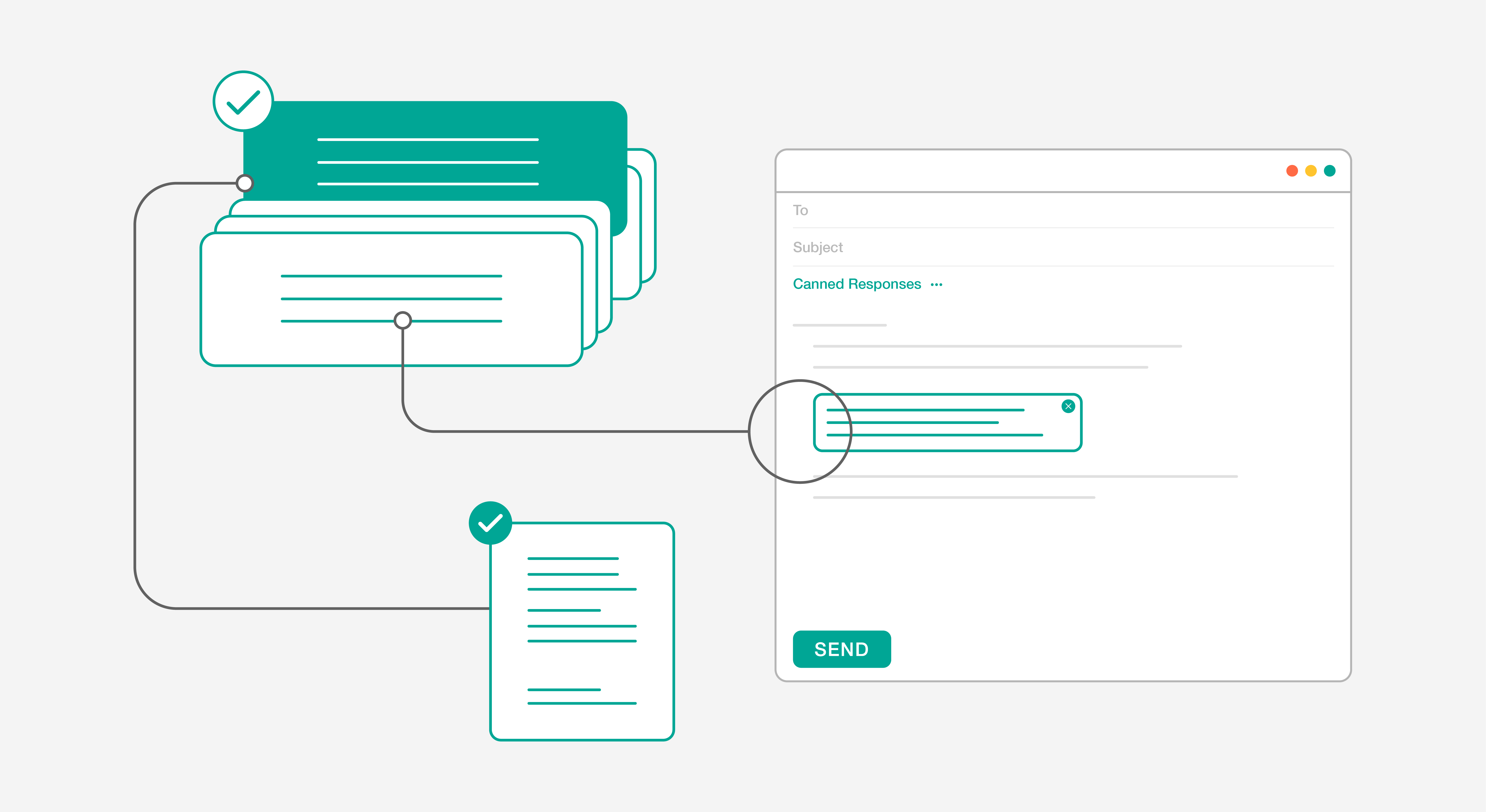
Canned actions are another type of automation to help reduce agent efforts. For cases of repeated type of questions like order refund, troubleshooting, plan upgradation, etc. canned actions allow you to perform ticket actions as well as add a templated response to the requestor.
Canned actions can also be used for bulk updates, making it easier to manage multiple tickets at once. They also feature placeholders/merge-fields that can add contextual information to the responses.
AI in help desk ticketing systems
More customers expect some level of AI technology in their help desk today. While what features AI offers varies across help desks, here are some functionalities you can look for:
- Virtual assistants: Conversational assistants or bots that customers can interact with to resolve their issues without agent intervention.
- Automatic ticket assignment: Based on certain conditions that you set, AI can intelligently route the ticket to the right agent or team.
- Agent copilot: Think of it as an assistant to help your agents respond faster and better to the customers by suggesting canned actions and knowledge base articles. AI can also predict the sentiment of the customer and help craft responses accordingly.
- AI Knowledge: Based on frequently asked questions (and the response that your agents give), HappyFox can automatically help you by creating knowledge base articles for ticket deflection.
- Predictive analytics: AI can help you by analyzing your help desk data and predict trends, identify potential issues, and optimize resource allocation.
Knowledge base features in help desk software
A comprehensive knowledge base empowers customers to find answers independently, reducing the need for direct support and alleviating pressure on help desk teams. Advanced search functionality ensures users can quickly locate relevant articles and FAQs, while intuitive content management tools make it easy to keep information up-to-date. By providing a self-service option, businesses can enhance customer satisfaction and streamline support operations, allowing agents to focus on more complex inquiries.
SLA management
SLA management in a help desk system ensures that support teams meet predefined response and resolution times, setting clear expectations for customer service. By automating ticket prioritization and escalation based on service level agreements, businesses can effectively manage customer expectations and improve response times.
Helpdesk reporting and analytics
Help desk reporting and analytics provide valuable insights into support team performance and customer satisfaction. With customizable reports and data visualizations, businesses can track key metrics such as response times, ticket volume, and resolution rates, enabling data-driven decision-making. By identifying trends and areas for improvement, organizations can optimize their support processes and enhance overall efficiency, ultimately leading to better customer experiences.
Security and compliance
Security and compliance are critical features of a help desk system, ensuring that sensitive customer data is protected and regulatory requirements are met. Robust security measures, including data encryption and role-based access controls, safeguard information against unauthorized access. Compliance with industry standards such as GDPR, along with detailed audit logs, helps organizations maintain trust with customers and demonstrate accountability.
Evaluating a helpdesk for your support team or looking to switch from another vendor? Check out HappyFox.
Conclusion
A robust help desk ticketing system is crucial for delivering exceptional customer support. By leveraging features such as a user-friendly interface, multi-channel support, customizable workflows, and AI-driven automation, businesses can streamline their support processes and improve efficiency.
Collaboration tools, canned actions, and a comprehensive knowledge base empower support teams to work smarter, not harder. Additionally, SLA management and advanced reporting provide clear insights into performance, while robust security measures ensure data protection and compliance.
By choosing a help desk system with these powerful features, companies can enhance customer satisfaction, build stronger relationships, and ultimately drive growth.
Frequently Asked Questions: Help Desk Ticketing Software
General Questions
Q: What is help desk ticketing software?
A: Help desk ticketing software is a system that helps businesses manage customer support requests across multiple channels. It consolidates all customer inquiries into tickets, allowing support teams to track, prioritize, and resolve issues efficiently while maintaining a complete history of customer interactions.
Q: How large is the help desk software market?
A: The global help desk software market is projected to reach USD 2,825.23 million by 2031, reflecting the growing demand for efficient customer support solutions in today’s competitive business environment.
Q: Why is help desk software important for businesses?
A: In today’s competitive market where customers are less forgiving of mistakes, help desk software helps businesses maintain excellent customer service standards. A single mistake can result in lost revenue and brand value, making efficient support tools essential for protecting customer relationships.
Key Features
Q: What is a user-friendly interface in help desk software?
A: A user-friendly interface allows support agents to navigate the system easily with minimal training. Agents should be able to quickly search, filter, and customize the help desk according to their preferences, leading to increased productivity and higher user satisfaction.
Q: What is multi-channel or omnichannel support?
A: Multi-channel support enables customers to reach out through various channels such as email, chat, phone, web forms, and other modes while maintaining a seamless experience. An omnichannel system brings all tickets from different channels into one centralized location, allowing agents to work with full context and improve overall customer experience.
Q: What are customizable workflows?
A: Customizable workflows allow you to automate and streamline ticket management processes. They can automatically assign, escalate, or close tickets based on predefined criteria. Some help desk tools also let you create tasks for agents, set priorities, and ensure efficient ticket handling based on specific conditions.
Q: How does collaboration work in help desk software?
A: Collaboration features allow multiple team members to work together on resolving customer issues. This includes internal private notes on tickets, contextual chat for each ticket, and integrations with communication tools like Slack and Microsoft Teams, enabling team members to communicate effectively even when working in different platforms.
Q: What are canned actions?
A: Canned actions are automation tools that reduce agent effort for repetitive tasks. They allow agents to perform ticket actions and add templated responses for common inquiries like order refunds, troubleshooting, or plan upgrades. Canned actions support bulk updates and include placeholders or merge-fields to add contextual information to responses.
AI Features
Q: What AI capabilities should I look for in help desk software?
A: Modern help desk systems offer several AI-powered features including:
- Virtual assistants or chatbots for customer self-service
- Automatic ticket assignment and intelligent routing
- Agent copilots that suggest responses and knowledge base articles
- Sentiment analysis to help craft appropriate responses
- Automatic knowledge base article creation from frequent questions
- Predictive analytics for trend analysis and resource optimization
Q: What is an agent copilot?
A: An agent copilot acts as an AI assistant that helps support agents respond faster and more effectively to customers. It suggests relevant canned actions and knowledge base articles, predicts customer sentiment, and helps craft appropriate responses based on the situation.
Self-Service and Management
Q: Why is a knowledge base important?
A: A comprehensive knowledge base empowers customers to find answers independently through self-service, reducing the need for direct support contact. Advanced search functionality and intuitive content management tools help keep information current and easily accessible, allowing support agents to focus on more complex inquiries.
Q: What is SLA management in help desk software?
A: SLA (Service Level Agreement) management ensures that support teams meet predefined response and resolution times. It automates ticket prioritization and escalation based on service level agreements, helping businesses manage customer expectations effectively and improve response times.
Q: What kind of reporting and analytics should help desk software provide?
A: Help desk software should offer customizable reports and data visualizations that track key metrics such as response times, ticket volume, and resolution rates. These insights enable data-driven decision-making, help identify trends and areas for improvement, and ultimately lead to better customer experiences.
Security and Compliance
Q: Why are security and compliance features important in help desk software?
A: Security and compliance features protect sensitive customer data and ensure regulatory requirements are met. Robust measures include data encryption, role-based access controls, compliance with industry standards like GDPR, and detailed audit logs. These features help organizations maintain customer trust and demonstrate accountability.
Implementation
Q: What should I consider when evaluating help desk software?
A: When choosing help desk software, consider factors such as ease of use, flexibility for your business needs, scalability as you grow, available features for ticketing, automation capabilities, integration options, security measures, and compliance with relevant regulations. Look for a system that offers the features most important to your support operations.