Your VP just asked you to “look into NLP chatbots.” You’ve spent the last year hearing about ChatGPT. Now someone is drawing a distinction between the two, and you’re not sure if it’s a real distinction or just a vendor trying to sell you something different.
It’s a real distinction. And it matters for how you’d use each one in a customer support operation.
This article explains what an NLP chatbot actually does, how it differs from both a rule-based bot and from large language model tools like ChatGPT, and the specific signals that tell you your support team is ready for one.
What is Natural Language Processing (NLP)?
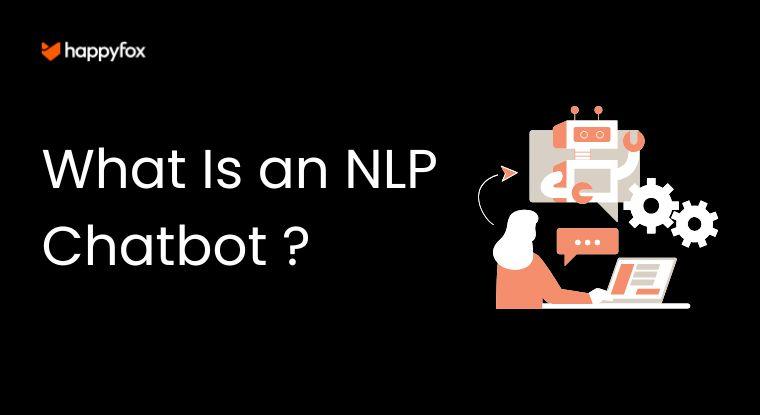
An NLP chatbot is a customer-facing AI that understands the meaning behind a support request (not just the keywords in it), using natural language processing to detect intent, extract relevant details like order numbers or account types, and respond accurately without agent involvement. Most support teams need one when monthly conversation volume consistently exceeds 300–500 interactions following recognizable patterns: FAQs, status checks, account resets, policy questions. Companies that deploy NLP chatbots typically resolve 60–80% of those interactions without a human agent. The measurable result: lower cost per ticket, faster first response, and agents redirected to complex issues that actually require human judgment.
Quick answer: Is ChatGPT an NLP chatbot?
ChatGPT is built on natural language processing technology, so NLP is part of its foundation. But in a business context, “NLP chatbot” refers to something more specific: a structured conversational AI trained on a defined set of intents for a specific use case, like customer support. ChatGPT generates open-ended responses from a massive general-purpose language model. An NLP support chatbot is scoped, constrained, and tuned to your ticket categories. They solve different problems. The full breakdown is in the decision framework section below.
Behind the Conversation: How NLP Chatbots Actually Process What Customers Type
Most people picture a chatbot as something that matches keywords to pre-written answers. NLP chatbots work differently. The processing happens in three distinct stages, and understanding each one explains why these bots handle informal, messy customer language when rule-based systems break.
Reading the Message (Tokenization and Normalization)
When a customer types “i cant log in to my acount help,” the NLP system doesn’t see garbage. It processes that message in sequence:
- Breaks the sentence into individual tokens (words and punctuation units)
- Removes filler words: “i,” “to,” “my”
- Normalizes the text: correcting “cant” to “can’t,” mapping “acount” to “account”
- Strips the message to its meaningful core: login + account + problem
This normalization step is why NLP chatbots handle typos, slang, and informal phrasing that would completely fail a keyword-matching system. The design premise is that humans write inconsistently. The system adapts to them, not the other way around.
Understanding What the Customer Wants (Intent and Entity Recognition)
After normalization, the system identifies two things simultaneously:
- Intent: what the customer is trying to accomplish (reset password, check order status, initiate a return, report a billing error)
- Entities: the specific details tied to that intent (order #4821, account email address, product name, date of purchase)
Intent recognition is trained on examples. An intent for “account access” might be trained on 50–100 different ways a customer might phrase a login problem, from “I can’t get into my account” to “the password isn’t working” to “locked out.” The more phrasing variation the system has seen during training, the better it handles edge cases in production. This is why training data quality matters more than model sophistication. A narrow, well-trained model outperforms a powerful, poorly-trained one on real support conversations almost every time.
Generating the Response (NLG and Dialogue Management)
Once intent and entities are confirmed, the chatbot chooses one of three paths:
- Retrieves a pre-written answer from the knowledge base and presents it
- Executes an action: looks up order status, triggers a password reset email, creates a ticket
- Asks a clarifying question when intent confidence falls below a set threshold
The response language is generated through Natural Language Generation (NLG). In most support chatbots, NLG is deliberately constrained. Responses are templates with variable slots filled in from live data, not freely generated text. That constraint is a feature, not a limitation. Controlled phrasing produces consistent, accurate answers and eliminates the hallucination risk that open-ended generation introduces.
Rule-Based, NLP, or LLM: The Support Chatbot Match Matrix
This is the question that every guide describes but none actually answers. Here is a plain-language decision framework for support teams choosing between the three chatbot types.
How the Three Types Work
Rule-based chatbots operate on scripts. If a customer message contains a trigger keyword, the bot executes the corresponding branch. It’s fast, cheap, and accurate when customers are on-script. When they rephrase, it breaks. A rule-based bot trained on “refund” fails when a customer types “I want my money back.” Those are the same request. The bot doesn’t know that.
NLP chatbots understand intent, not keywords. The same bot that catches “refund” also catches “money back,” “return my purchase,” and “this didn’t work, I want to cancel.” It’s trained on meaning, not matching. Within a defined scope (your top 10–15 support categories), it’s highly accurate and handles real-world phrasing variation well.
LLM chatbots (large language models like ChatGPT or GPT-4 integrations) generate responses from open-ended reasoning across vast training data. They handle genuinely unpredictable, complex queries that don’t fit a predefined category. The tradeoff: they’re harder to constrain, more expensive per query, and carry hallucination risk: confident-sounding answers that are factually wrong. For structured support tasks where accuracy is non-negotiable, that risk matters.
The Decision Table
| Rule-Based Bot | NLP Chatbot | LLM/GPT Chatbot | |
| How it understands input | Keyword matching | Intent + entity recognition | Open-ended contextual reasoning |
| Handles varied phrasing? | No | Yes | Yes |
| Handles complex reasoning? | No | Limited | Yes |
| Accuracy on structured tasks | High (if on-script) | High | Medium (can drift) |
| Risk of wrong answers | Low | Low–medium | Medium–high |
| Maintenance required | Script updates | Intent library updates | Prompt engineering |
| Cost | Low | Medium | Higher per query |
| Best for | Simple, fixed-answer FAQs under 150 conversations/month | Structured Tier-1 support: FAQs, lookups, resets, routing | Complex, open-ended queries requiring synthesis or reasoning |
| Breaks when | Customer goes off-script | Intent library isn’t maintained | Accuracy matters more than flexibility |
Which One Is Right for Your Team
The honest answer: most growing support teams end up with a hybrid. An NLP chatbot handles structured Tier-1 interactions (the 60–70% of inbound volume that follows recognizable patterns). LLM capabilities get layered in for knowledge base search and complex escalations where open-ended reasoning adds value.
Start with NLP. It’s more controllable, more predictable, and easier to measure. Add LLM capabilities once you have a baseline to measure against.
What an NLP Chatbot Actually Changes for a Support Team
The standard benefits (24/7 availability, faster first response, lower cost) are real but surface-level. Here is what actually changes inside the operation.
Agents Stop Handling the Same Tickets Over and Over
The biggest shift isn’t speed. It’s what stops reaching agents.
Password resets. Order tracking requests. Return policy questions. “What are your business hours?” Cancellation requests following a price change. These interactions typically represent 40–60% of a support team’s inbound volume, and the vast majority follow the same resolution path every single time.
When an NLP chatbot handles that layer, agents spend their day on work that requires human judgment: complex complaints, multi-step troubleshooting, emotionally escalated situations, account disputes. The nature of the queue changes. So does the day-to-day experience of being an agent.
The Numbers Behind the Outcome
- According to Gartner research on virtual customer assistants, organizations using chatbots reduce their email, call, and chat inquiry volume by up to 70%
- Hello Sugar, a salon franchise, saved $14,000 per month by automating 66% of customer queries through AI-assisted support (full case study on Zendesk)
- Grove Collaborative maintained a 95% CSAT score after deploying AI-assisted support, with a team of 25 agents (full case study on Zendesk)
These aren’t best-case outliers. They’re what structured automation looks like when it’s targeted at the right ticket categories, not applied broadly to every interaction type.
What Changes for Agents (Most Guides Skip This)
Nobody writes about this part: when a chatbot takes over Tier-1, the tickets that reach agents get harder. That’s the expected outcome, not a side effect to manage around. Agents are now handling escalations, edge cases, and complex situations the bot correctly identified as beyond its scope.
Two operational implications follow from this:
- Agent skill development shifts: less volume, higher average complexity per ticket. Agents who were trained for volume need development on case judgment and nuanced resolution.
- Escalation handoffs must carry full context: if the agent receives a cold handoff with no conversation history, the customer has to repeat everything. That’s the single most-cited complaint about chatbot implementations. It’s not a chatbot problem. It’s a handoff design problem.
Where NLP Chatbots Work and Where They Don’t
Use Cases That Work Reliably
NLP chatbots perform consistently when the support request falls into a recognizable, structured category:
- Account access and password resets: high volume, predictable resolution path, fully automatable
- Order status and shipment tracking: connects to order management; chatbot retrieves live data and presents it
- Return and refund initiation: policy-based; chatbot collects required details and triggers the workflow
- Billing and invoice questions: plan lookups, invoice retrieval, payment method updates
- Policy and product FAQs: business hours, compatibility, warranty, feature questions
- Ticket creation and intelligent routing: chatbot gathers issue details, creates a structured ticket, routes to the right queue based on intent
These six categories alone typically cover the majority of Tier-1 inbound volume for a product or e-commerce support team.
When NLP Breaks Down
NLP chatbots fail in predictable ways. The failure modes aren’t mysterious:
- Sparse training data: fewer than 10–15 phrasing examples per intent produces an overconfident, low-accuracy model on edge-case phrasing
- Maintenance neglect: product updates, policy changes, and new ticket categories that aren’t reflected in the intent library cause misrouting at scale
- Shallow context handling: simpler NLP systems treat each message as independent; multi-turn conversations requiring memory of earlier context break them
- Ambiguous intent without clarification logic: when a message could map to two different intents, a poorly configured system guesses rather than asking a clarifying question
The clearest signal that something is wrong: **containment rate falls below 40%.** If more than 60% of chatbot conversations end in a human handoff, the system isn’t resolving. It’s just a routing layer with extra friction.
The 4 Signals That Tell You It’s Time for an NLP Chatbot
Most articles describe this as “when you have high ticket volume.” That’s not useful. Here are four specific signals.
Signal 1: Monthly conversation volume consistently exceeds 300–500
Below this threshold, a simpler solution often handles the load. A well-organized FAQ page, a basic decision-tree bot, or even a well-written email autoresponder covers most cases. Above 300–500 conversations per month with consistent topic patterns, manual handling becomes a measurable cost center and NLP ROI becomes calculable.
Signal 2: Your current bot requires constant script updates
If someone on your team is editing the bot’s keyword lists or conversation scripts every week, you’ve outgrown rule-based. The symptom looks like a content problem. The root cause is architectural: you cannot maintain scripts fast enough to cover the phrasing variation in real customer language.
Signal 3: Misrouting rate is above 20–25%
If 1 in 4 bot conversations lands with the wrong team or gets unnecessarily escalated, the system is failing at intent recognition. Script tweaks won’t fix this. The architecture needs to change.
Signal 4: Customers are contacting you twice about the same issue
Track repeat contact rate within 48 hours as a chatbot quality metric. Most teams don’t. When the same customer reaches out twice about the same unresolved issue, and the first contact was with the bot – something failed in the first interaction. This is a cleaner quality signal than CSAT scores, which customers often skip completing.
What You Need in Place Before Deploying an NLP Chatbot
Deploying without these in place is how teams end up with a chatbot that confuses customers for 30 days and gets turned off.
A current, structured knowledge base
The chatbot pulls answers from your KB. If that content is outdated, incomplete, or unstructured, the chatbot’s answers will reflect that. Audit your knowledge base before deployment, not after. Every article should have a clear resolution outcome, not just information.
3–6 months of ticket history to identify real intent categories
Pull your historical ticket data. Group by topic. Your top 10–15 categories are your initial intent library. Don’t guess what customers ask – read the tickets they’ve already sent. This step alone determines whether your chatbot launches with useful training data or with assumptions.
Integration with your core systems
An NLP chatbot that can’t look up order status, verify account details, or create a ticket in your help desk is just an FAQ search bar. Integration depth determines how much the chatbot can resolve versus how much it can only acknowledge. Resolve is what drives containment rate.
A defined human handoff protocol
Decide before launch: when does the bot escalate, what conversation context does it pass to agents, and how quickly do agents pick up escalated conversations. The handoff experience is what customers remember, often more than whether the bot answered their question correctly.
The Bottom Line
The rule-based vs. NLP vs. LLM question doesn’t have one universal answer. It has one right answer for your specific support volume, ticket mix, and accuracy requirements.
For most teams handling 300–500+ monthly conversations with structured, recognizable patterns, an NLP chatbot is the practical choice: more flexible than a script, more controlled than an LLM, and measurably effective on the Tier-1 volume that’s occupying your agents’ time.
The readiness work matters as much as the tool. Map your top 15 ticket categories from real data, get your knowledge base current, and define escalation handoffs before anything goes live. The chatbot is only as good as what it’s built on.
If You’re Ready to Look at Chatbot Software
If your support team is hitting the volume thresholds and intent patterns described above, NLP chatbot software is worth evaluating. You don’t need to build one from scratch or hire a developer to stand one up.
HappyFox’s AI chatbot handles Tier-1 support automatically: password resets, order lookups, policy questions, and ticket creation and routing, without any coding required. It connects directly to your help desk, passes full conversation context on escalation so agents never start cold, and is configured through a no-code interface.
Frequently Asked Questions
1. What is the difference between an NLP chatbot and a rule-based chatbot?
A rule-based chatbot matches customer messages to pre-written responses using keyword triggers, and it fails the moment a customer phrases a request differently than the script anticipates. An NLP chatbot understands intent regardless of phrasing, so “I want a refund,” “give me my money back,” and “this didn’t work, I need to return it” all map to the same resolution path. Rule-based bots are cheaper and faster to set up; NLP bots handle real-world language variation at scale and require less manual script maintenance as your product and policies evolve.
2. Is ChatGPT an NLP chatbot – and what’s the difference?
ChatGPT is built on NLP technology, but operates as a large language model (LLM), generating open-ended responses from broad general training data. An NLP chatbot for support is narrower by design: trained on a specific set of intents for one use case, producing controlled, accurate responses sourced from your knowledge base. ChatGPT is highly flexible but difficult to constrain. It can give a confident-sounding wrong answer. An NLP support chatbot is less flexible but more reliable for structured tasks where accuracy matters: billing questions, account resets, order lookups, policy explanations.
3. What is the difference between NLP, NLU, and NLG in chatbots?
NLP (Natural Language Processing) is the umbrella term for all AI processing of human language. NLU (Natural Language Understanding) is the input side: it identifies what the customer means. NLG (Natural Language Generation) is the output side: it forms the response. In a support chatbot: NLU is what recognizes “I can’t get into my account” as a login access issue. NLG is what generates “Let me help you reset your password. What email address is on your account?” Most support chatbots keep NLG constrained to templates to maintain accuracy and reduce response variability.
4. How many support tickets can an NLP chatbot handle without a human?
Well-configured NLP chatbots typically resolve 60–80% of Tier-1 support interactions without agent involvement. The actual number depends on three variables: how well the intent library is trained, how current the knowledge base is, and what percentage of your tickets fall into automatable categories. Teams that sustain 70%+ containment rates generally have built their intent library from real ticket history, not assumptions, and treat the intent library as a maintained product rather than a one-time setup.
5. Why does a chatbot sometimes give wrong or irrelevant answers?
The most common cause is sparse training data – if each intent has fewer than 10–15 phrasing examples, the model can’t generalize to edge-case phrasing and defaults to the closest match, which is often wrong. The second most common cause is maintenance neglect: when products change or new ticket categories emerge, the old intent library misclassifies requests it was never trained on. A chatbot that worked at launch and degrades over six months is almost always a maintenance problem, not a model problem. Track containment rate monthly. A drop of more than 5 percentage points is your signal to update the intent library.