


Overwhelmed in a sea of disorganized tickets? You are not alone. Many businesses struggle with inefficient ticket queue management. Poor handling of ticket queues can lead to overwhelmed support teams, frustrated customers, and longer resolution times.
But with the right strategies and tools, you can transform your ticket queue into a streamlined, efficient system. It’s not just about organizing tickets – it’s about prioritizing customer needs, optimizing team workflows, and ultimately delivering superior service.
In this guide, we’ll explore proven best practices to optimise your ticket queue management, boost your team’s productivity, and elevate your customer support to new heights.
TL;DR
- Ticket queue management helps support teams organize, prioritize, and resolve customer tickets efficiently.
- Poor queue management leads to SLA breaches, agent burnout, and unhappy customers.
- Best practices include smart routing, SLA-driven queues, automation, workload balancing, and self-service.
- Using the right help desk software makes queue management scalable and predictable
What Is Ticket Queue Management and Why Does It Matter?
Ticket queue management is the process of organizing, prioritizing, and routing customer support tickets into structured queues to ensure timely responses and efficient resolution. These queues categorize and prioritize tickets based on criteria such as urgency, topic, or assigned team. Effective ticket queue management ensures timely responses, fair workload distribution, and improved customer satisfaction.
Poor queue management can lead to a host of problems:
1. Overwhelmed Support Teams: Without proper organization, agents can feel swamped by an endless stream of tickets, leading to stress and burnout.
2. Frustrated Customers: When tickets aren’t prioritized effectively, urgent issues may be overlooked, resulting in unhappy customers and potential churn.
3. Longer Resolution Times: Inefficient queues can cause important tickets to get buried, increasing overall resolution times.
4. Inconsistent Service Quality: Without structured queues, the quality of support can vary widely, damaging your brand’s reputation.
5. Inefficient Resource Allocation: Poor queue management makes it difficult to distribute work evenly, leading to some agents being overworked while others are underutilized.
On the flip side, effective ticket queue management can lead to:
– Improved response times and customer satisfaction
– Increased team productivity and morale
– Better resource allocation and staffing decisions
– Data-driven insights for continuous improvement
Now that we understand the importance of queue management, let’s dive into the best practices that will help you achieve these benefits.
Ticket Queue Management Best Practices for Support Teams
1. Implement a Smart Ticketing System
The foundation of effective queue management is a robust ticketing system. Look for a solution that offers:
Automated Ticket Routing: Ensure tickets are automatically assigned to the right team or agent based on predefined rules.
Priority-Based Queues: Set up queues categorizing tickets based on urgency and responsibility to help agents prioritize issues effectively.
Customizable Views: Allow agents to create personalized views of their ticket queues for improved efficiency.
Feature Spotlight: HappyFox Queues
HappyFox’s queue management system allows you to create custom queues based on specific criteria, such as ticket priority, category, or assignment. This feature enables your team to focus on the most critical issues first, improving overall response times and customer satisfaction.
2. Establish Clear Categorization and Implement a Triage System
Proper organization is key to efficient queue management. Combine categorization with a triage system for optimal results:
1. Define clear ticket categories based on issue types or departments.
2. Implement a tagging system for more granular organization.
3. Create a triage queue where all new tickets land initially.
4. Implement automated workflows to automatically route tickets to appropriate queues based on impact, urgency, ensuring efficient triaging of requests.
5. Regularly review and refine your categorization and triage processes.
Implementation Checklist:
– [ ] Create a list of primary ticket categories and tags
– [ ] Set up automated categorization rules in your ticketing system
– [ ] Define triage criteria and process
– [ ] Assign triage responsibilities to team members
– [ ] Create quick-reference guides for triage decision-making
– [ ] Schedule quarterly reviews of your categorization and triage system
3. Set Up SLA-Driven Queues
Service Level Agreements (SLAs) are crucial for maintaining consistent support quality. Integrate SLAs into your queue management by:
– Creating queues based on SLA deadlines
– Utilizing precise SLA live timers to keep agents informed of approaching deadlines
– Setting up automated alerts for approaching SLA breaches
– Prioritizing tickets nearing SLA violation
Example: In customer support teams handling high-priority incidents, SLA-driven ticket queues ensure critical issues are resolved first, preventing breaches and customer escalation.
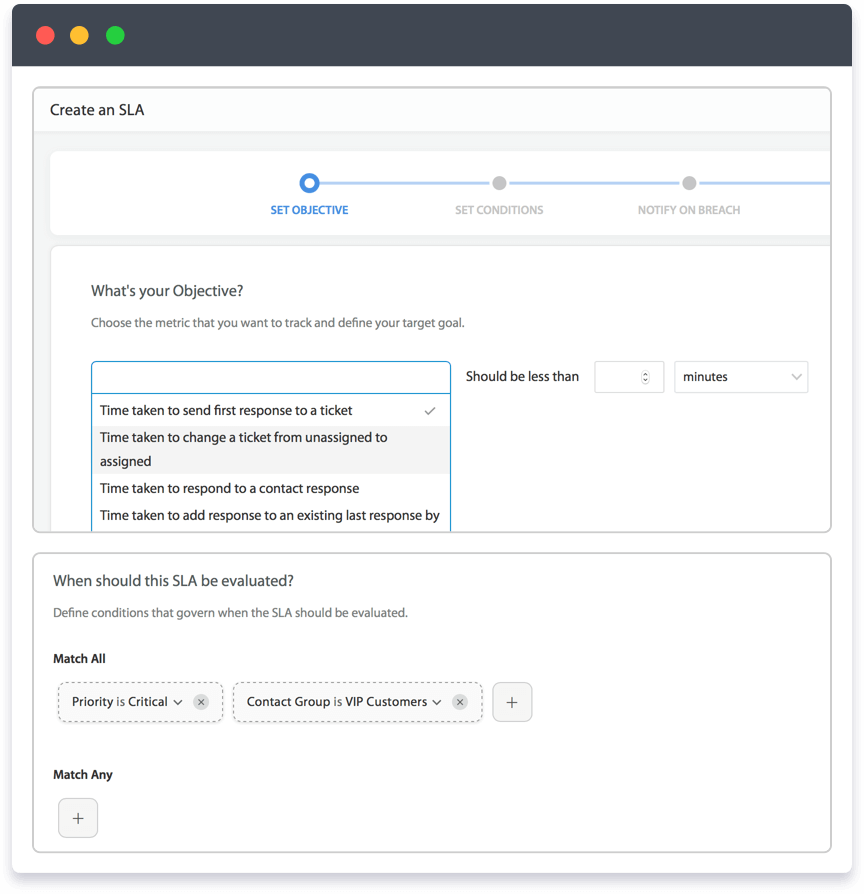
Feature Spotlight: HappyFox SLA Management
HappyFox’s SLA management tools allow you to set up custom SLA policies and automatically track performance. The system displays prominent SLA timers on tickets, helping agents prioritize their work effectively. When an SLA is breached, the system sends out an email notification, ensuring your team addresses these issues promptly.
4. Leverage Automation for Queue Optimization
Automation is your secret weapon for efficient queue management. Implement automation to:
– Route tickets to appropriate queues based on predefined criteria
– Escalate urgent tickets or those approaching SLA deadlines
– Send automated responses for common inquiries
– Update ticket statuses and close resolved issues
Pro Tip:
Use HappyFox’s Smart Rules engine to create complex automation workflows. For example, you can set up a rule that automatically escalates tickets that have been unresponded for more than 2 hours during business hours.

5. Optimize Agent Workload Distribution
Balanced workload distribution is crucial for maintaining team morale and efficiency. Consider these strategies:
– Use round-robin assignment for fair ticket distribution
– Implement skills-based routing to match tickets with the most qualified agents
– Set up workload limits to prevent agent burnout
– Use real-time monitoring to identify and address bottlenecks
Feature Spotlight: HappyFox Workload Management
HappyFox offers robust workload management features, including round-robin assignment and skills-based routing. You can also set up custom queues to monitor agent workloads and redistribute tickets as needed.
6. Encourage Self-Service to Reduce Queue Volume
Empowering customers to solve their own issues can significantly reduce your ticket queue. Implement a comprehensive self-service strategy by:
– Creating a searchable knowledge base with common solutions
– Developing a user-friendly FAQ section
– Using chatbots to guide users to relevant self-service resources
Pro Tip:
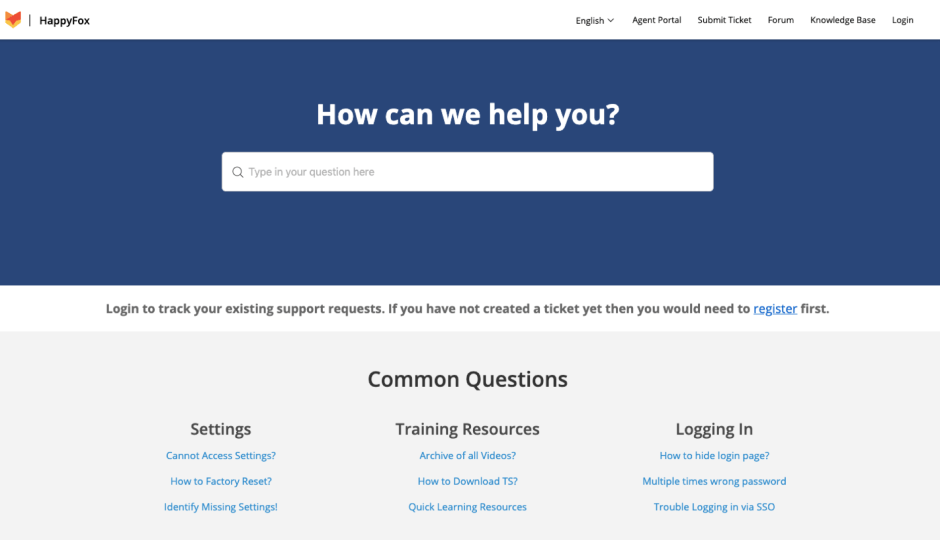
Integrate your knowledge base with your ticketing system. HappyFox allows agents to easily search and insert knowledge base articles into ticket responses, promoting self-service and reducing repeat inquiries.
7. Regularly Analyze Queue Metrics and Trends
Data-driven decisions are key to continuous improvement. Regularly analyze these key metrics:
– Average response time
– Average resolution time
– Ticket volume by category
– SLA compliance rates
– Agent performance metrics
Use these insights to refine your queue management strategies and identify areas for improvement.
Feature Spotlight: HappyFox Reporting and Analytics
HappyFox provides comprehensive reporting tools that allow you to track and analyze key support metrics. Use these insights to optimize your queue management strategies and improve overall team performance.
8. Foster a Culture of Continuous Improvement
Encourage your team to actively participate in improving queue management processes:
– Hold regular team meetings to discuss challenges and brainstorm solutions
– Implement a suggestion system for process improvements
– Recognize and reward innovative ideas that enhance queue efficiency
– Provide ongoing training on best practices and new features
Implementation Checklist:
[ ] Schedule monthly team improvement meetings
[ ] Set up a system for collecting and evaluating team suggestions
[ ] Create a recognition program for process improvement contributions
[ ] Develop a continuous learning plan for your support team
9. Integrate with Other Business Tools
For seamless queue management, integrate your ticketing system with other essential business tools:
– CRM systems for a 360-degree view of customer interactions
– Project management tools for better cross-team collaboration
– Communication platforms for improved internal coordination
– Analytics tools for deeper insights into support performance
Feature Spotlight: HappyFox Integrations
HappyFox offers a wide range of integrations with popular business tools, allowing you to create a unified support ecosystem. This seamless integration ensures that your queue management strategies align with broader business processes and goals.
How Better Ticket Queue Management Improves Customer Support
Effective ticket queue management is the cornerstone of exceptional customer support. By implementing these best practices and leveraging powerful tools like HappyFox, you can transform your support operations, leading to:
– Happier, more loyal customers
– A more productive and engaged support team
– Improved operational efficiency and cost-effectiveness
– Data-driven insights for continuous improvement
Don’t let chaotic queues hold your support team back. Embrace smart queue management and stay ahead in today’s fast-paced support landscape.
Ready to revolutionize your ticket queue management? Experience the power of HappyFox’s comprehensive helpdesk solution. From AI-powered insights to customizable queues, we provide everything you need to take your support operations to the next level.
FAQ
What is ticket queue management?
Ticket queue management is the process of organizing and prioritizing customer support tickets into queues based on urgency, category, or SLA to improve response and resolution times.
Why is ticket queue management important?
Effective queue management prevents ticket backlogs, reduces SLA breaches, balances agent workload, and improves customer satisfaction.
What are shared ticket queues?
Shared ticket queues allow multiple agents or teams to access and resolve tickets from a common queue, ensuring faster responses and better collaboration.
How can automation improve ticket queue management?
Automation helps route tickets, escalate urgent issues, apply SLAs, and reduce manual effort, making queue management more efficient and scalable.





