A chatbot rarely fails because the technology is weak. It fails because the flow behind it was never mapped properly, so a user asks a normal question and the bot has nowhere sensible to send it.
TL;DR
- Chatbot flows clarity helps you map a conversation from entry point to resolution, so users complete tasks instead of hitting dead ends.
- A chatbot flow is the step-by-step map connecting what a user wants to what the bot says or does next.
- Every working flow follows six stages: entry point, greeting and intent, decision branches, information gathering, action or resolution, and fallback and handoff.
- The most common flow types, FAQ and support, lead generation, e-commerce, and appointment booking, each need a different structure, not the same template reused.
- Most flows fail for the same few reasons: no fallback path, too many decision branches, or a goal that was never defined before building started.
- Building a flow works best as a four-step process: map it visually, build it on a platform that supports your channels, test it against real questions, then refine using what actually happens.
What Is a Chatbot Flow?
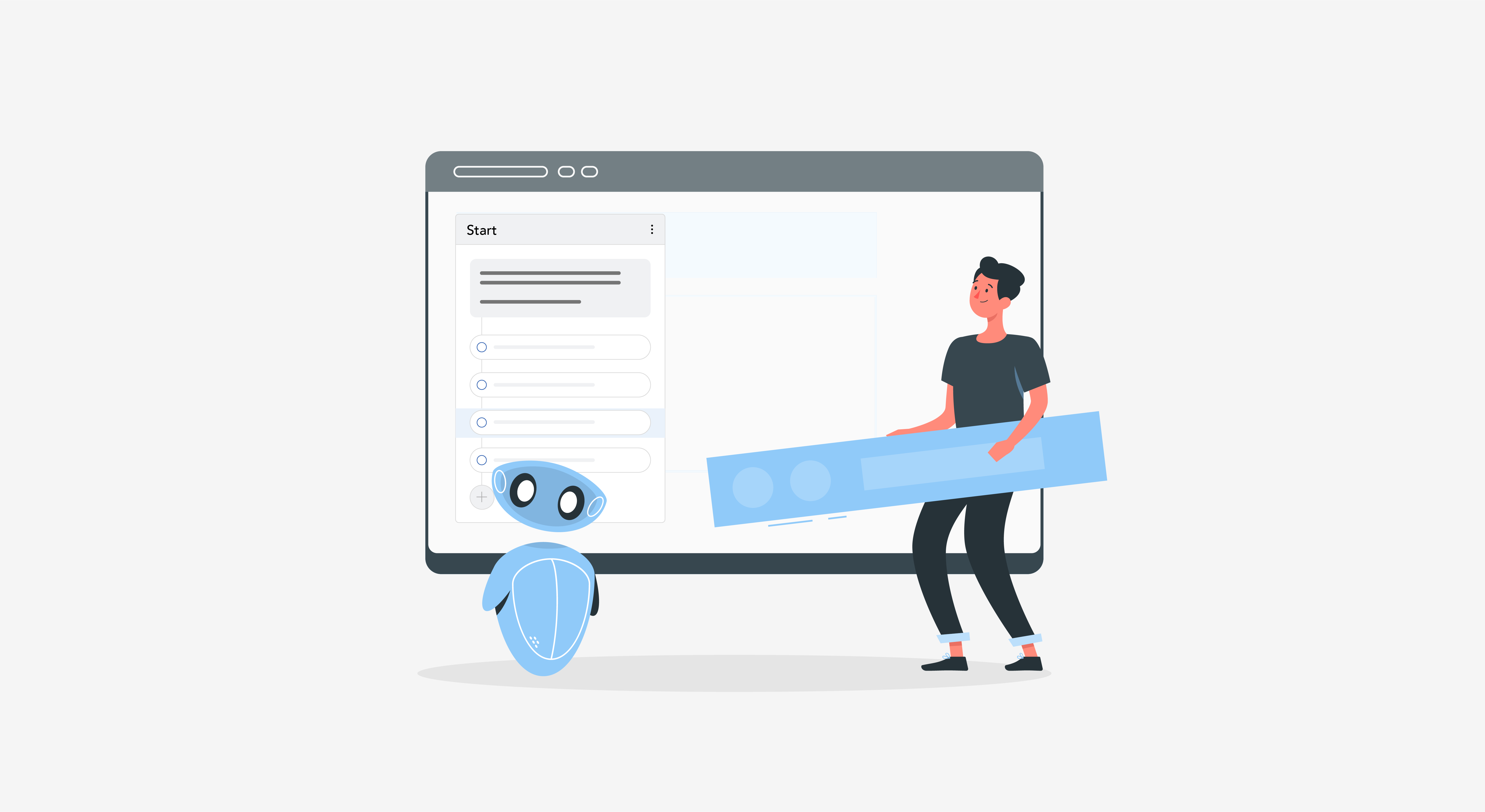
A chatbot flow is the step-by-step map that guides a conversation between a user and a bot, connecting what the user wants to a specific answer, question, or action.
Every flow is built from connected nodes. Each node represents one moment in the conversation, a question the bot asks, a button the user clicks, or an answer the bot gives. The path between nodes is what determines whether a user reaches an answer in three steps or gets stuck repeating themselves.
Underneath the visual map, each node usually carries simple logic: if the user selects this, show that reply, or move to this next node. Nothing about a flow requires complex language understanding to work well. A clearly mapped set of nodes with plain if-then logic often outperforms a loosely defined flow that relies on a bot guessing intent correctly every time.
Flows share vocabulary with wider chatbot design, like intents, entities, and fallback messages.
A quick reference like a chatbot terminology glossary is useful before mapping your first flow, since the terms show up in every builder tool regardless of platform.
What Are the Six Stages of a Chatbot Flow?
A complete chatbot flow moves through six stages: entry point, greeting and intent, decision branches, information gathering, action or resolution, and fallback and handoff.
| Stage | What Happens | Example |
|---|---|---|
| Entry point | The trigger that starts the chat | A website visit, a clicked ad, or a typed greeting |
| Greeting and intent | The bot welcomes the user and identifies the goal | “Hi, are you here about an order or a return?” |
| Decision branches | The path splits based on the user’s reply | Sales versus support, product A versus product B |
| Information gathering | The bot collects the details it needs | An order number, an email, a preferred date |
| Action or resolution | The bot completes the task or delivers the answer | Books a slot, tracks a package, answers the question |
| Fallback and handoff | A backup path for anything the bot can’t handle | A rephrase prompt, or a transfer to a human agent |
Skipping any one of these stages is usually where a flow breaks. A bot with no fallback stage doesn’t fail quietly, it repeats the same unhelpful message until the user gives up. A bot with a weak greeting and intent stage asks the right questions eventually, but wastes two or three exchanges getting there, which is often enough for an impatient user to leave.
Decision branches deserve special attention here, since chatbot flows built on decision-tree logic are usually mapped visually before any building starts. Branching gets hard to track once it’s buried inside a builder tool instead of a diagram, and a missed branch on paper is a five-minute fix, while the same gap found after launch is a support ticket.
What Are the Most Common Types of Chatbot Flows?
The most common chatbot flows are FAQ and support, lead generation, e-commerce, and appointment booking, and each one needs a different structure built around a different goal.
- FAQ and support flows answer common questions and resolve simple issues fast. The structure stays flat: a short greeting, a menu or search, then a direct answer, with fallback to a human for anything outside the script.
- Lead generation flows ask qualifying questions to capture visitor information. These flows are intentionally longer and more branched, since each answer determines the next question a sales team actually needs to know.
- E-commerce flows guide someone through browsing, tracking, or checkout. These lean heavily on information gathering, since actions like tracking a package or processing a return require specific details before anything can resolve.
- Appointment and booking flows walk a user through picking a service, a time, and confirming details. These flows depend on real-time data, like available slots, so the action or resolution stage usually connects to a calendar or scheduling system rather than a static reply.
A support team launching its first bot often starts with an FAQ flow, then adds a booking flow once the team notices how many FAQ conversations end with “can I just schedule a call instead.” That progression is normal. Few teams need all four flow types on day one, and building the one with the clearest, most repetitive demand first tends to prove the concept faster than trying to cover everything at once.
A broader look at chatbot types is useful context here too, since the flow structure a bot needs often follows directly from which type of chatbot it is.
How Do Chatbot Flows Differ Across Channels?
A chatbot flow needs different structure depending on where it lives, since decision branches that rely on clickable buttons don’t work the same way on every channel.
- Website widgets: support rich buttons, cards, and quick replies, so decision branches can lean on clickable options with little extra design work.
- WhatsApp and SMS: depend more on typed replies, since buttons are limited or absent, so wording carries more weight in guiding a user to the right branch.
- Messenger and similar social channels: sit in between, supporting some button and card formats but with tighter design constraints than a website widget.
A flow originally mapped for a website usually needs to be reworked, not just re-pointed, before it works well on WhatsApp. Branches built around tap-to-select buttons need a text-based equivalent, like short numbered replies, once buttons aren’t available on the channel.
What Should You Decide Before Building a Flow?
Before building anything, decide the chatbot’s purpose, its primary channel, its personality, and its scope, since all four change how the flow gets structured.
- Purpose: sales, support, or FAQs each lead to a different flow shape, and a bot trying to do all three without a clear split usually does none of them well.
- Channel: decide this before mapping branches, not after, since channel constraints change how many decision points a flow can reasonably use.
- Personality: tone and phrasing should match how the brand already talks to customers elsewhere. A formal, scripted bot sitting on top of a brand known for a casual tone is one of the fastest ways a flow feels obviously automated, regardless of how well the branching logic works.
- Scope: decide what the bot will explicitly not handle, before building, not after a user asks something out of bounds. A support flow that quietly tries to answer billing disputes it was never designed for usually causes more frustration than one that hands off early with a clear message.
Writing these four decisions down before opening a builder tool takes less than an hour for most teams, and it’s the step most often skipped under time pressure. Skipping it doesn’t save time. It just moves the same decisions later, into the middle of a build, where changing course costs far more.
How Do You Build a Chatbot Flow, Step by Step?
Building a chatbot flow works best as four steps done in order: map it visually, build it on your platform, test it against real questions, then refine using what actually happens.
- Map the flow visually before building anything: Sketch every stage from the six-stage anatomy above as a diagram, including every decision branch and where fallback should trigger. This step catches dead ends on paper, which is far cheaper than catching them after launch.
- Build the flow on a platform that matches your channels. Recreate the mapped diagram using your builder’s nodes, buttons, and conditions, keeping the structure identical to what was mapped rather than improvising new branches mid-build.
- Test the flow against real questions, not just the happy path. Run through the flow using actual past customer questions, including odd phrasing and edge cases, since a flow that only survives the ideal path isn’t actually tested.
- Refine the flow using what happens after launch. Track where users abandon the conversation or hit fallback most often, then adjust that specific branch rather than rebuilding the whole flow from scratch.
Consider a mid-size retailer building its first flow for order tracking. The team maps three branches on a whiteboard: order status, returns, and shipping delays. During testing, they discover customers phrase delayed shipping questions a dozen different ways the map never anticipated. Rather than scrapping the flow, they add a single new decision branch for shipping delays and refine the greeting to ask about it directly.
What Makes a Chatbot Flow Fail?
A chatbot flow usually fails for one of three reasons: no fallback path, too many decision branches, or a goal that was never defined before building started.
- No fallback path: leaves a user stuck the moment their question falls outside the script, with no visible way to reach a human. A support flow with no fallback often shows up in feedback as “the bot just kept repeating itself,” which is a mapping gap, not a technology limitation.
- Too many decision branches: turn a simple question into a maze, since every added branch multiplies the ways a user can get lost. A flow that starts with four options and grows to fourteen over a year, one added every time someone requests an edge case, usually needs consolidating rather than more additions.
- An undefined goal: means the flow tries to handle sales, support, and FAQs all at once, diluting all three instead of doing one well. This usually traces back to skipping the “what should you decide before building” step entirely.
These failure patterns show up often enough that they’re worth checking against directly. A closer look at why chatbots fail more broadly covers several of these same patterns in more depth, alongside fixes for each one.
Pro Tip: Count the number of decision branches in your flow before launch. Past roughly seven or eight branches from a single node, most users lose track of which option actually fits their question, regardless of how clearly each one is labeled.
What Tools Do You Need to Build a Chatbot Flow?
Building a chatbot flow well takes three kinds of tools: something to map it visually, a builder platform to construct it, and analytics to see how it performs once live.
A simple diagramming tool, even a whiteboard photographed and shared, is enough for the mapping stage. What matters is that every branch and fallback path gets drawn before anyone opens a builder tool, not the sophistication of the tool used to draw it.
The builder platform itself should match your channels from the earlier decision, supporting whichever mix of website, WhatsApp, or Messenger the flow needs to run on. Confirm this before mapping gets too detailed, since discovering a platform gap mid-build usually means reworking branches that were designed around a feature the chosen tool doesn’t actually support.
Analytics, the third piece, is what turns step four of the build process from a guess into a data-backed adjustment. Completion and fallback rates by branch are what actually reveal where a flow is losing people, rather than a general sense that “the bot seems fine” based on how few complaints reach a manager’s inbox.
How Do You Measure Whether a Flow Is Working?
A chatbot flow is working if most conversations reach resolution without hitting fallback, and the ones that don’t are handed off cleanly rather than dead-ending.
Track completion rate for each flow separately rather than one number for the whole bot, since a strong FAQ flow can mask a broken lead generation flow if they’re measured together. Fallback rate matters just as much: a rising fallback rate on one specific branch usually points to a phrasing gap, not a technology problem.
Quantitative metrics only tell part of the story. Reading a sample of actual fallback transcripts each month catches phrasing problems a dashboard won’t flag on its own, like a decision branch labeled in internal terminology that means nothing to an actual customer. Neither source replaces the other, and teams that only check the dashboard tend to miss exactly this kind of gap.
Picture a bot running three flows at once: FAQ, lead generation, and booking. Overall fallback looks fine at a glance. Broken out by flow, the booking flow’s fallback rate is quietly three times higher than the other two, because it was mapped before the scheduling system’s actual date format was confirmed. That gap would stay invisible under one combined metric and only surfaces once flows are tracked apart.
A checklist of features that actually support strong performance is a useful reference once a flow is live and the question shifts from “does this work” to “how do we keep it working.”
What Does a Well-Built Chatbot Flow Look Like?
- Every decision branch leads somewhere, with no path that dead-ends in a repeated, unhelpful message.
- Fallback triggers early enough that a frustrated user still has a good experience, not after several failed attempts.
- Completion and fallback rates are tracked per flow, not blended into one number for the whole bot.
- The flow’s goal stayed singular through the build, rather than expanding to cover every request that came up during testing.
- Wording and tone match the channel it runs on, with buttons replaced by clear text prompts wherever buttons aren’t available.
If you want to see how a flow like this comes together on a real builder, you can explore the HappyFox Chatbot or get a demo.
FAQs
What is a chatbot flow?
Define it as a step-by-step map connecting a user’s goal to a bot’s replies, actions, or questions across a conversation.
What are the six stages of a chatbot flow?
List them as entry point, greeting and intent, decision branches, information gathering, action or resolution, and fallback and handoff.
Why do chatbot flows need a fallback stage?
Include a fallback stage so a user has a clear next step, like a rephrase prompt or human handoff, instead of a dead end.
How many decision branches should a chatbot flow have?
Keep branches under roughly seven or eight per node, since more than that makes it hard for users to pick the right option.
What’s the difference between a chatbot flow and a chatbot script?
Treat a script as the wording inside one node, while a flow is the full map connecting every node together.
How do you test a chatbot flow before launch?
Test it against real past customer questions, including odd phrasing, not just the ideal path the flow was designed around.
Do chatbot flows need to be different for each channel?
Rebuild branches that rely on buttons when moving to a channel like WhatsApp, since text-based replies work differently than clickable options.