


Did you know that up to 80% of support tickets are for issues already addressed in existing knowledge bases? It’s a staggering statistic that highlights a critical challenge faced by enterprise support teams worldwide. While a wealth of information exists, connecting users to the right answers remains an ongoing struggle.
For many enterprises, the sheer volume of routine support tickets creates a constant battle, preventing teams from focusing on high-impact issues. But what if you could slash that ticket load nearly in half? An effective enterprise knowledge base could be the key to unlocking significant cost savings – potentially up to $1 million annually for large organizations – while simultaneously boosting customer satisfaction.
In this guide, we’ll explore how to build and optimize an enterprise knowledge base that not only cuts costs but transforms your entire support operation. Let’s dive into the strategies that can turn your knowledge base into a powerful asset for both your team and your customers.
What is an Enterprise Knowledge Base?
An enterprise knowledge base is a centralized repository of information about your products, services, and processes. It’s designed to be easily searchable and accessible to both customers and support agents. Think of it as your company’s collective brain, storing and organizing all the knowledge your customers might need.
But a truly effective enterprise knowledge base goes beyond a simple FAQ page. It’s a dynamic, evolving resource that grows with your business and adapts to your customers’ needs.
The Million-Dollar Benefits of an Enterprise Knowledge Base
Before we dive into best practices, let’s talk numbers. How can a knowledge base save your enterprise $1 million annually?
- Reduced Support Tickets: By empowering customers to find answers themselves, you can slash incoming ticket volume by up to 60%. A study by Forrester Research found that web self-service can reduce inbound customer service emails by 60% or more.
- Faster Resolution Times: When customers do need to contact support, agents can quickly access accurate information, cutting average handling time by 30%. According to a report by Aberdeen Group, companies with a centralized knowledge base for support agents see a 28% reduction in average handle time.
- Improved First Contact Resolution: With comprehensive knowledge at their fingertips, agents can resolve more issues on the first interaction, increasing FCR rates by 20%. Research by SQM Group shows that a 1% improvement in FCR can lead to a 1% improvement in customer satisfaction.
- Lower Training Costs: New agents can get up to speed faster by leveraging the knowledge base, reducing training time and costs by 50%. A case study by Cisco Systems reported a 40-60% reduction in training time after implementing a comprehensive knowledge management system.
- Increased Customer Satisfaction: Self-service options and faster resolutions lead to happier customers, boosting retention rates and lifetime value. According to a study by American Express, 60% of customers prefer automated self-service, such as a website or mobile app, for simple customer service tasks.
Let’s break down the potential savings:
- Reduction in support staff needed: $500,000
- Decreased training costs: $100,000
- Improved efficiency (less time per ticket): $250,000
- Increased customer retention due to better service: $150,000
Total potential savings: $1,000,000 annually
While these numbers are estimates and can vary depending on the size and nature of your enterprise, they illustrate the significant potential for cost savings and efficiency improvements that a well-implemented knowledge base can provide.
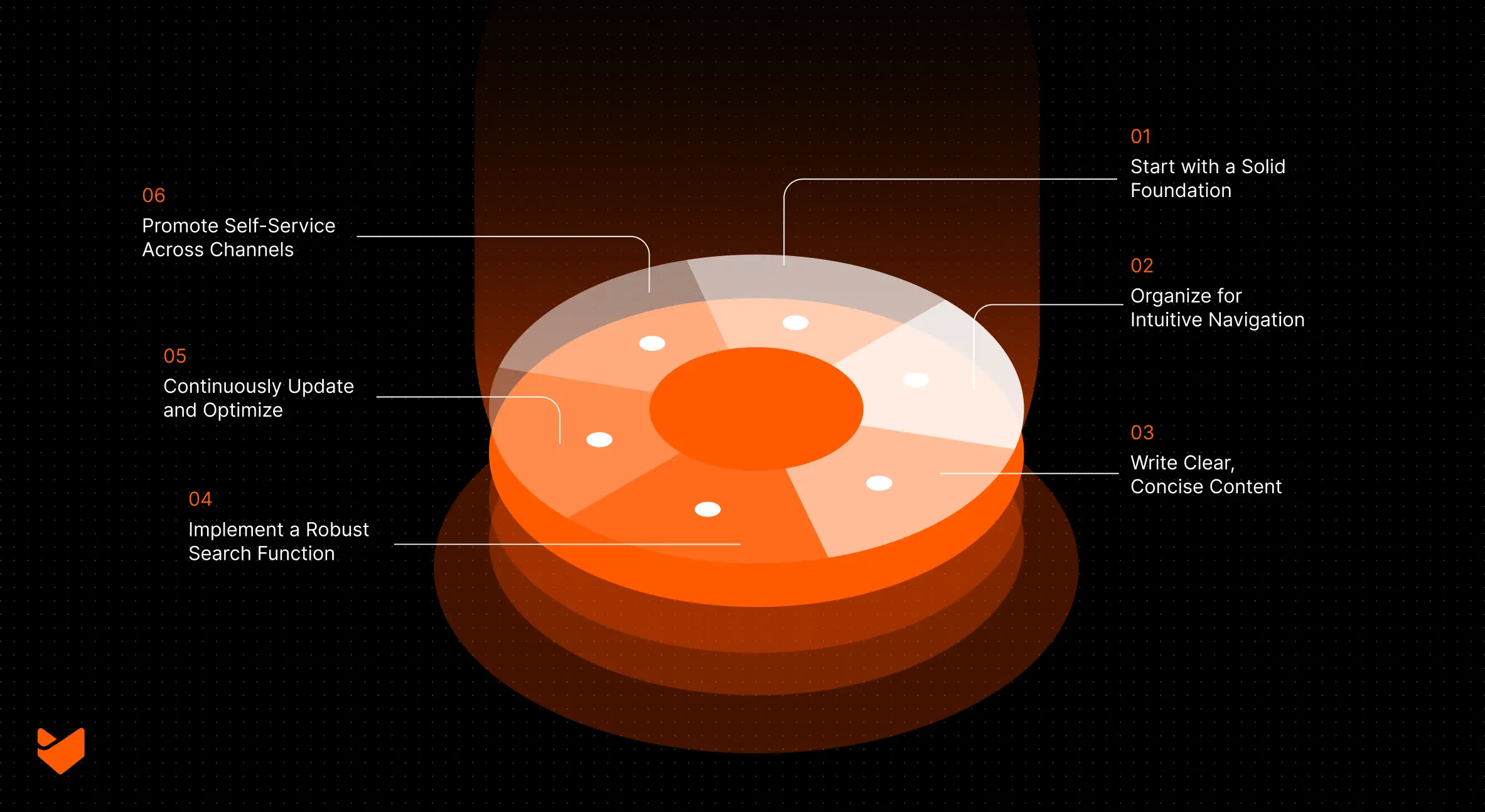
Building Your Enterprise Knowledge Base: 6 Best Practices
1. Start with a Solid Foundation
The key to a successful enterprise knowledge base is choosing the right software. Look for a solution that offers:
- Robust search functionality
- Easy content creation and editing
- Customizable categorization and tagging
- Analytics and reporting features
- Integration with your existing support tools
2. Organize for Intuitive Navigation
Your knowledge base should be as easy to navigate as your favorite retail website. Here’s how to structure it effectively:
- Create clear, logical categories and subcategories
- Use descriptive, action-oriented titles for articles
- Implement a tagging system for cross-referencing
- Include a prominently placed search bar
Remember, if customers can’t find what they’re looking for quickly, they’ll give up and contact support instead.
3. Write Clear, Concise Content
When it comes to knowledge base articles, clarity is king. Follow these guidelines:
- Use simple, jargon-free language
- Break complex processes into step-by-step instructions
- Include visuals (screenshots, videos, diagrams) to illustrate key points
- Keep articles focused on a single topic or issue
4. Implement a Robust Search Function
A powerful search feature is the backbone of any effective knowledge base. Ensure your chosen solution offers:
- Auto-suggest functionality
- Synonym recognition
- Relevance ranking
- Search analytics to identify common queries and knowledge gaps
5. Continuously Update and Optimize
A knowledge base is never “finished.” To keep it valuable and relevant:
- Regularly review and update existing content
- Monitor user feedback and search analytics to identify areas for improvement
- Create new articles based on common support tickets
- Archive outdated information to maintain accuracy
6. Promote Self-Service Across Channels
Building a great knowledge base is only half the battle – you need to ensure customers actually use it. Try these strategies:
- Add a prominent link to your knowledge base on your website and in your app
- Include knowledge base suggestions in your ticketing system
- Train support agents to guide customers to relevant articles
- Use chatbots to suggest knowledge base articles before escalating to human support
Measuring Success: Key Metrics to Track
To ensure your enterprise knowledge base is delivering the promised $1 million in savings, keep an eye on these metrics:
- Self-Service Rate: The percentage of customers who resolve their issues using the knowledge base without contacting support.
- Article Views: Which articles are most popular? This can help you identify areas for expansion or improvement.
- Search Effectiveness: Are customers finding what they need? Monitor failed searches to identify content gaps.
- Ticket Deflection Rate: The number of potential support tickets avoided due to knowledge base usage.
- Customer Satisfaction: Use surveys to gauge how helpful customers find your knowledge base.
Conclusion: Transform Your Support with HappyFox
An enterprise knowledge base isn’t just a nice-to-have – it’s a powerful tool that can dramatically reduce support costs, improve customer satisfaction, and drive business growth. By following these best practices and leveraging the right software, you can build a knowledge base that truly delivers on its million-dollar potential.
HappyFox offers all the features you need to create, maintain, and optimize a world-class enterprise knowledge base. From powerful search capabilities to intuitive content management tools, HappyFox empowers you to provide exceptional self-service support at scale.
Ready to see how HappyFox can transform your enterprise support strategy? Book a demo today and take the first step towards building a knowledge base that saves you $1 million annually. Your customers (and your bottom line) will thank you.





