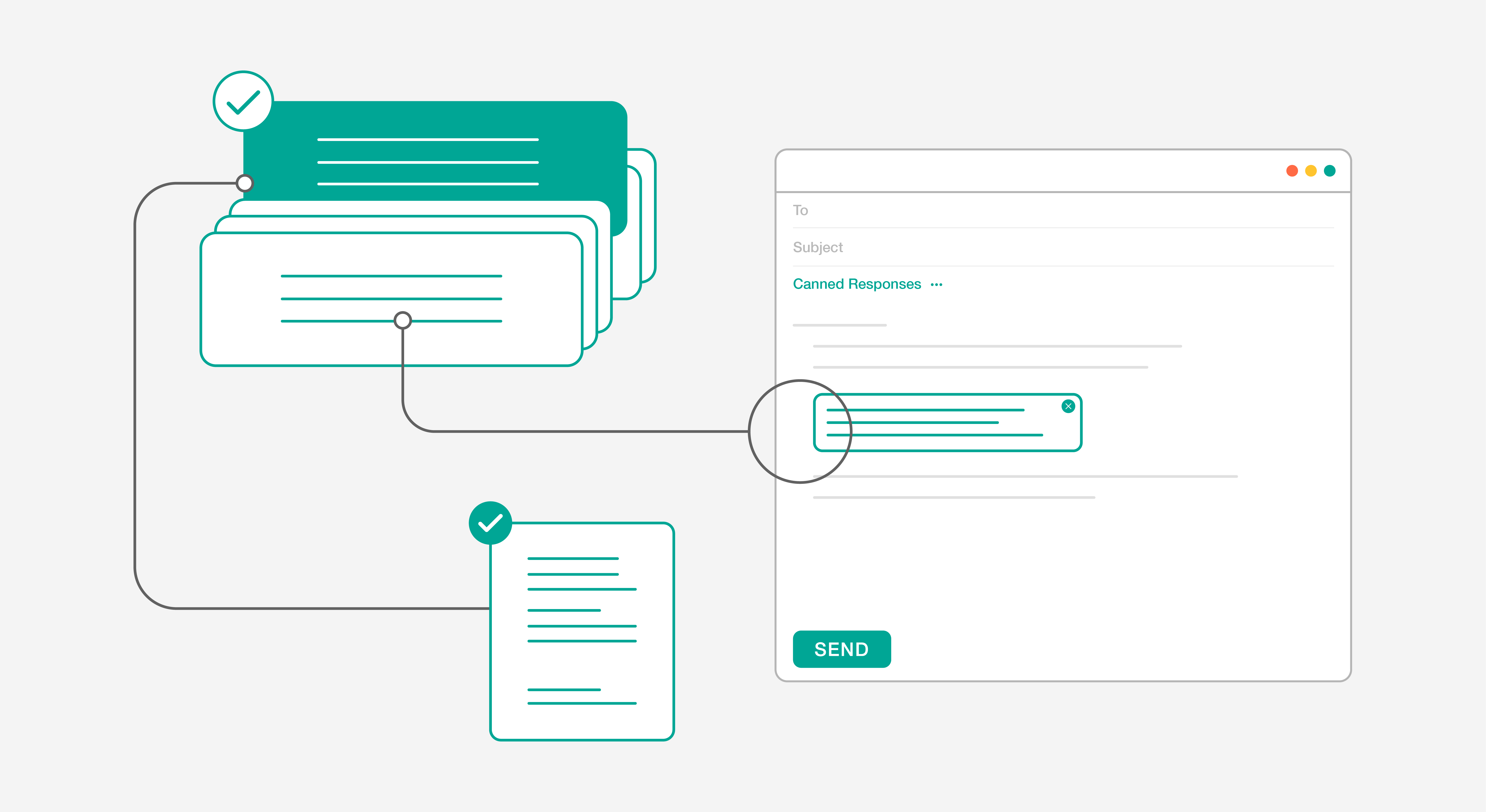
Your business may end at 5 pm, but your customers are just getting started. Assuming they don’t spend their workday browsing online or taking personal calls, after-hours is often when customers reach out for support.
One easy solution to the after-hours customer support challenge is outsourcing across time zones. But the more sustainable approach is learning how to manage after-hours customer service internally—using the right mix of people, processes, and automation.
In this blog, we will explore 10 proven and creative ways to offer effective after-hours customer support without compromising customer experience.
What is After Hours Customer Support?
After-hours support refers to providing customer support outside of the usual business hours. Modern after-hours support combines human expertise with intelligent automation to ensure customers receive assistance whenever they need it. In today’s global marketplace, it’s become a crucial differentiator for businesses competing across time zones.
Why Should You Offer After Hours Customer Support?
When your best customer asks for support in the middle of the night or early in the morning, you have to answer. Your clients may be small business owners who work all day or enterprise business owners who cater to an international audience. You should be able to support them when they want to. If you don’t, they will find a company that does.
It is in the best interest of your customers and business to have an airtight after-hours support strategy that will show your customers that you are ready to push the limits.
Tips for After Hours Customer Support
1. Give Customers an Emergency Support Number
Just knowing that they can call if they want to is enough to give customers a sense of control and hold them over until the next day. They may take a moment to question whether their perceived emergency really is one and instead wait until your normal business hours. For example, a service outage or unplanned downtime is an emergency. Password reset is not.
HappyFox help desk streamlines emergency handling through:
- Smart routing to appropriate teams based on defined rules
- AI Copilot for faster issue summarization
- Clear prioritization based on ticket types
- Automated notifications to relevant team members
2. Provide a Self-service Knowledge Base
The simplest way to provide after-hours support is to reduce the need for human support altogether. When you have a knowledge base with answers to all common customer questions, no customer will leave your website unanswered.
Modern knowledge base features include:
- AI Knowledge suggestions for content gaps
- Smart search with AI-powered recommendations
- Multi-language support
- Usage analytics for improvement
- AI-assisted canned response scoring
Small businesses and startups find knowledge bases extremely useful, as they cost relatively less to create and maintain than hiring a whole team.
Making self-service a success
Your self-service is not a success until your customers actually start using it. Open customers to the benefits of self-service and nudge them towards self-service adoption. Read more.
3. Use an AI Chatbot for 24×7 Customer Support
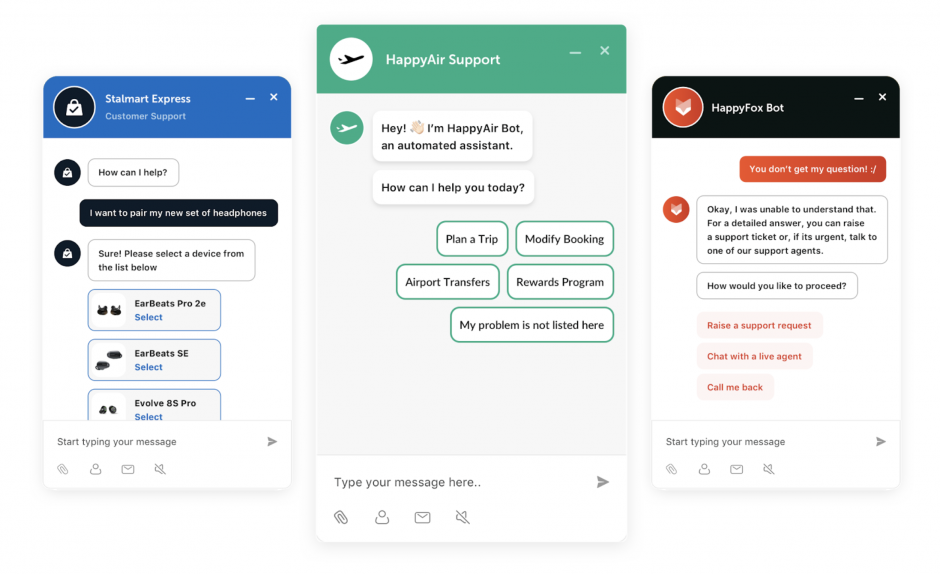
AI powered Chatbots are a popular means of after-hours support. A recent study estimated that 85% of all customer interactions will be handled without human agents by 2021. Chatbots provide users with quick and crisp answers, but most importantly, they provide 24×7 support.
Today’s enhanced chatbots offer sophisticated capabilities:
- Quick answers to frequently asked questions
- AI-powered response suggestions
- Smart ticket creation and categorization
- Integration with AI Knowledge base
- Seamless handoff to human agents when needed
Learn more: Guide on AI Chatbot integration
4. Enable Mobile Customer Support
This is the era of remote working, and your support team needs the flexibility to respond from anywhere. Your mobile support should include:
- Performance tracking on the go
- Secure mobile access to support platform
- Real-time notifications for urgent issues
- AI Copilot assistance for faster replies
- Team collaboration tools
- Smart ticket management
- Status update capabilities

5. Use Canned Responses for Faster Replies
A response from customer support redirecting customers to a knowledge base can be frustrating at times. But after-hours requests are different where customers will be ready to cut some slack for you and be open to alternatives. Link your up-to-date knowledge base to your after-hours canned response, and there is a good chance your customers might find what they are looking for. Make it easy for customers to access the next level of support in case if the provided links don’t answer the question. It is also a good practice to add the average response time in the replies.
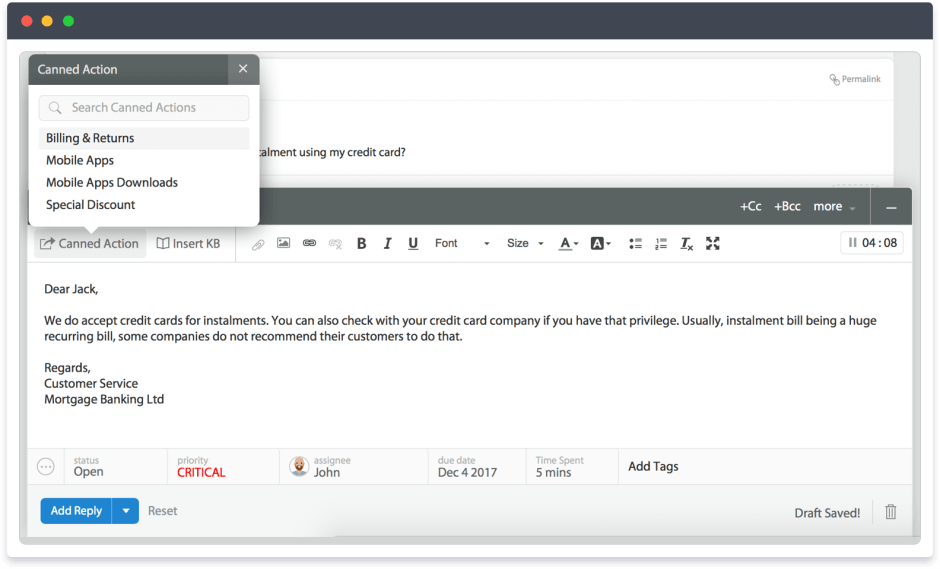
Make canned responses more effective with:
- Smart template suggestions based on ticket context
- Integration with your knowledge base
- Response quality checking
- Mentioning expected response time to set expectations
- Multi-language support for global customers
Learn more about Canned Actions in HappyFox.
6. Use Voicemails for After-Hours Phone Support
Voicemails are an easy way to provide after-hours phone support. By leveraging voicemails, you can ensure that customers who make after-hours calls not only get acknowledged but are also invited to leave a detailed message regarding their issue. This is not the same as getting on a phone call with a support agent, but at least they need not repeat the issue when they do connect with one.
The support team or the call center team can listen to the recorded message and they can skip the step and jump directly to the solution when they connect with the customer.
Learn more: HappyFox + Dialpad Integration
7. Create Pre-recorded Tutorials
There are some questions that customer support is asked over and over. Pre-recorded tutorials can be a solution to these requests after hours. By assessing the most common support requests, your team can create targeted ‘how-to’ resources that guide users through troubleshooting.
Modern tutorial features include:
- Usage analytics to improve content
- Interactive video tutorials
- Step-by-step guides with screenshots
- Searchable troubleshooting flows
- Mobile-friendly formats
8. Offer an Offline Chat Option
Although chat is intended to be a live experience where customers receive immediate responses from customer support, chat can still be instrumental for after-hours support. With HappyFox Chat, you have an option called the “offline messages”. The customer can submit their contact details and the issue. They don’t have to log in to post a question or remember to get in touch the next day.

As soon as the agents become available, they can access these offline messages and begin responding. So although it’s not an immediate response, it shows your willingness to stay connected with your customers.
9. Try Human Cloud Network
Sometimes, you have no option but to hire or outsource to provide after-hours support. Maybe you have a customer base that is too large to support simply with customer forums and canned responses. Human cloud network makes providing after-hours support easy. It is a combination of dispersed and flexible workforce who can work for you on-demand, from any location, from any platform.
Modern support platforms help you strategise resource planning effectively:
- Distribute work efficiently among available professionals
- Monitor support quality in real-time
- Provide secure access to your knowledge resources
- Track performance consistently
- Ensure smooth handoffs between team members
10. Hire or Outsource After-Hours Support Strategically
Of course, a freelance-type demand-based workforce is not for everyone. You may prefer having a dedicated set of teams who have better experience and knowledge about your products and services. You may want to have complete control over customer experiences and you worry if a freelance workforce will lead to inconsistent support. In that case, you can hire dedicated employees or outsource support to a reputable and customer-centric service provider or company.
Transform Your After-Hours Support with HappyFox
After exploring these strategies, you need a platform that brings them all together seamlessly. HappyFox empowers your after-hours support with:
Smart Workflows
- Custom ticket routing rules
- Automated assignments and escalations
- Time-zone based workflows
- SLA monitoring and alerts
AI-Powered Features
- AI Copilot for agent assistance
- AI Knowledge for content recommendations
- AI Resolve for automated solutions
- Smart ticket analysis and insights
Global Support Tools
- Multi-language support
- Time zone management
- Follow-the-sun workflows
- Performance analytics
Team Collaboration
- Unified knowledge base
- Seamless shift handoffs
- Cross-team communication
- Resource optimization
After-hours Support is Not a Nice-to-have, But a Necessity
In today’s climate, 24×7 support is crucial to ensure an all-around customer experience. The advantages of after-hours customer support are multifold:
- High customer satisfaction as your support is not time-bound
- Ability to support customers beyond geographical boundaries
- Edge over 54% of competitors who do not offer after-hours support
- Increase in customer acquisition as prospects are responded to immediately
- Customer trust and reassurance as no one is left unattended
- Flexibility to support modern customers with modern expectations
That said, try HappyFox, the customer support software that helps you reduce the chaos while drastically improving your support experience. Schedule a HappyFox Help Desk demo and learn more about the product today!