



“As our support team grew, we needed more advanced automation and customization options,” quotes a support manager. This sentiment echoes across many Freshdesk reviews, particularly from teams handling over 1000 tickets monthly. Let’s examine what users say about Freshdesk’s capabilities and explore which help desk solution might better fit your growing team’s needs.
What is Freshdesk
Freshdesk is a cloud-based customer support software designed to help businesses manage customer inquiries across email, chat, phone, social media, and self-service portals from a single platform. It uses automation, AI-powered ticket routing, and knowledge base tools to help support teams respond faster, stay organized, and deliver consistent customer service at scale.
Freshdesk is commonly used by e-commerce brands, SaaS companies, and growing businesses to reduce response times, improve customer satisfaction, and streamline day-to-day support operations.
Pros of Freshdesk
• Easy to use interface that allows support teams to get started quickly
• Supports multiple channels including email, chat, phone, and social media in one dashboard
• AI-powered automation helps reduce manual ticket handling
• Built-in knowledge base improves self-service and lowers support volume
• Integrates well with CRM, e-commerce, and productivity tools
• Scales well for growing customer support teams
Cons of Freshdesk
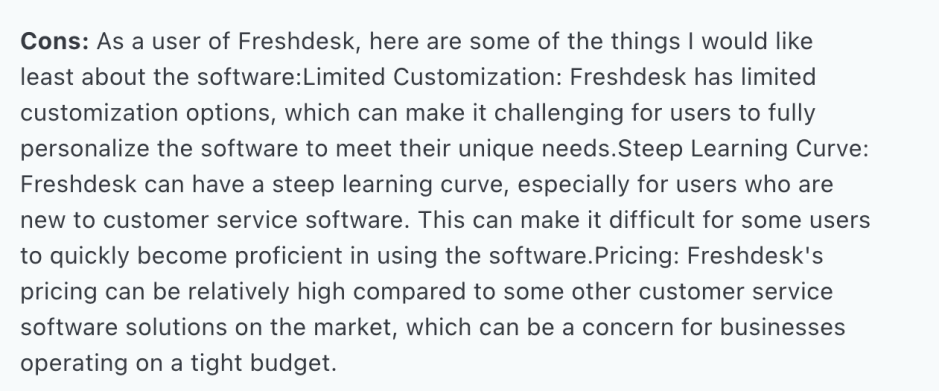
• Advanced automation and analytics are available only on higher plans
• Customization options can feel limited for complex support workflows
• Reporting features may require manual setup for deeper insights
• Costs increase as team size and feature requirements grow
• Less suited for highly specialized or enterprise-level support needs
Freshdesk is a solid choice for businesses that want a simple, scalable support solution with strong automation. It works best for small to mid-sized teams looking to improve efficiency without managing complex systems.
The Good and the Bad:
What Users Love About Freshdesk
Based on analysis of over 3,000 verified user reviews, here’s what support teams appreciate about Freshdesk:
1. Basic Ticket Management
– Consolidates customer queries from multiple channels
– Simple ticket routing and assignment
– Basic automation capabilities for routine tasks
2. User Interface
– Clean, straightforward design
– Quick learning curve for new agents
– Easy navigation between basic functions
3. Pricing Structure
– Competitive entry-level pricing
– Free plan available for small teams
– Transparent tier-based pricing model
Why Support Teams Are Seeking Alternatives
Based on verified user reviews, support teams are looking beyond Freshdesk due to several key factors:
Freshdesk works well for many teams, but growing or complex operations may eventually face limitations.
Ticket Management & Workflow Issues
- System struggles with high ticket volumes, requiring manual refreshes
- No Kanban view for visual ticket management
- Limited contact grouping capabilities
- Ticket merging requires additional paid applications
- Complex routing setup requirements
Performance & Scalability
- Search functionality becomes unreliable with large ticket volumes
- System slowdowns during peak periods
- Manual intervention needed for basic operations

Hidden Costs Structure
- Per-agent pricing becomes prohibitively expensive at scale
- Essential features locked behind premium tiers
- Requires multiple paid add-ons to configure the help desk
Complex, Unintuitive Platform
- Need to switch between different interfaces for each channel
- Limited agent workspace
- Cluttered design affecting productivity
- Fragmented customer communication view
Limited Automation & Customization
- Restricted workflow customization
- Basic automation capabilities
- Complex routing setup requirements
- Limited flexibility for unique business needs
Reporting Limitations
- Recent changes making analytics a lot more complex
- Reports can be exported only as Pdf files
- Basic reporting tools requiring premium upgrades
- Limited customization options for reports

Pro Tip: When evaluating help desk solutions, test them with your actual ticket volume and complex workflows to ensure they meet your scaling needs.
Impact on Support Operations
Freshdesk’s limitations directly affect three critical areas of support operations:
1. Team Productivity
– Multiple interface switches add 2-3 minutes per ticket handling
– Manual refreshes during high volume periods cause delays
– Limited automation requires manual handling of routine tasks
– Complex navigation increases agent training time
– Basic search capabilities extend ticket resolution time
2. Customer Experience (CX)
– Delayed responses due to system performance issues
– Inconsistent support across channels
– Limited self-service options
– Risk of tickets getting lost during transfers
– Slower resolution times due to manual processes
3. Business Costs
– Escalating per-agent costs as teams grow
– Additional spend on essential feature add-ons
– Extended implementation timelines affecting ROI
– Training costs due to complex interface
– Resource drain from manual workarounds
Essential Features to Look for in an Alternative
1. Performance & Scalability
✓ Handles high ticket volumes without slowdowns
✓ Reliable search functionality
✓ Quick system response times
✓ Efficient handling of multiple brands/channels
✓ Scalable without performance degradation
2. Unified Support Interface
✓ Single dashboard for all channels
✓ Customizable agent workspace
✓ Visual ticket management (Kanban view)
✓ Intuitive navigation
✓ Comprehensive ticket overview
3. Automation Capabilities
✓ Advanced workflow automation
✓ Smart ticket routing
✓ Custom automation rules
✓ Automated task management
✓ Intelligent categorization
4. Cost Structure
✓ Transparent pricing
✓ All-inclusive feature set
✓ No hidden add-on costs
✓ Flexible agent licensing
✓ Predictable scaling costs
5. Enterprise Features
✓ Integrated asset management
✓ Advanced security controls
✓ Compliance certifications
✓ Custom retention policies
✓ API access and integrations
6. Implementation & Support
✓ Quick implementation timeline
✓ Comprehensive onboarding
✓ 24/7 support availability
✓ Data migration assistance
✓ Regular training resources
HappyFox: Meeting Advanced Support Needs
HappyFox addresses enterprise support challenges with a comprehensive suite of features designed for scaling teams:
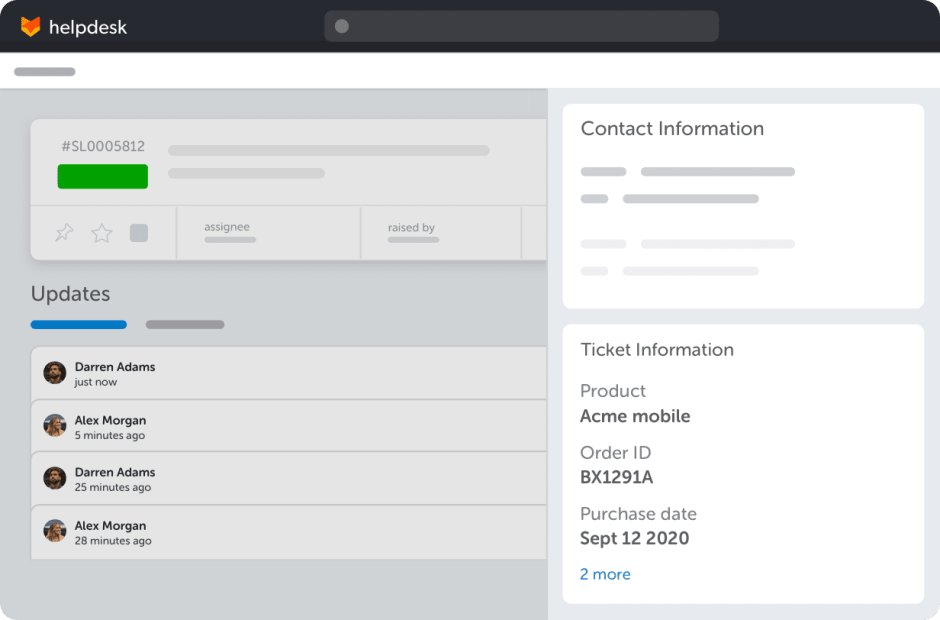
1. Unified Support Experience
- Single interface for all communication channels
- Spacious, customizable agent workspace
- Kanban view for visual ticket management
- No interface switching needed
- Quick access to all functions from one place
2. Enterprise-Grade Ticket Management
- Handles high volumes without performance issues
- Built-in ticket merging and linking
- Smart contact grouping and routing
- Multi-brand management under one platform
- Advanced SLA tracking and breach notifications

3. Powerful Automation Engine
- Complex, multi-level automation rules
- Dynamic ticket routing based on skills and workload
- Custom workflows without coding
- Advanced condition builders for automation
- Automated task management
Learn more: 8 Workflow Scenarios to Automate for every Enterprise
4. Comprehensive Analytics
- Drag-and-drop custom report builder
- Automated report scheduling and distribution
- Multiple report export formats (CSV, PDF, Excel)
- Real-time performance metrics
- SLA compliance monitoring
5. Integrated Asset Management
- Built-in asset tracking (no separate platform needed)
- Hardware and software management
- Direct asset-ticket linking
- Included in base platform
6. AI-Powered Support Suite
- AI Copilot for ticket analysis and suggestions
- AI Knowledge for content management
- Automated categorization
- Smart response recommendations
Read more: Boost FCR with AI-powered Customer Support
7. Cost-Effective Scaling
- Unlimited Agent Plans available
- All features included out-of-box
- No hidden costs or required add-ons
- Up to 52% potential annual savings
8. Enterprise Security & Compliance
- SSO integration
- IP whitelisting
- HIPAA, GDPR, SOC 2 Type II compliance
- Custom data retention policies
9. Implementation & Support Excellence
- Dedicated onboarding specialist
- Quick implementation timeline
- 24/7 responsive support
- Efficient data migration tools
Making Your Decision
Consider these factors when evaluating alternatives:
1. Current Needs
– Support volume requirements
– Must-have features
– Integration requirements
2. Growth Plans
– Projected team expansion
– Future feature needs
– Scalability requirements
3. ROI Considerations
– Automation benefits
– Training investment
– Implementation timeline
Ready to explore how HappyFox can transform your support operations? Experience our advanced search, customization, and AI-powered features firsthand.
FAQ
Is Freshdesk good for small businesses?
Yes. Freshdesk is generally a strong fit for small teams because it’s easy to set up, simple to use, and offers a free plan plus affordable starter tiers for basic ticketing.
What are the biggest disadvantages of Freshdesk?
Users commonly mention limitations around advanced automation and customization, reporting depth (depending on plan), and performance or search issues when ticket volume becomes very large.
Does Freshdesk work well for high ticket volumes?
It can work for moderate volumes, but teams handling very high volume often look for stronger workflow automation, faster search, and more scalable routing to reduce manual effort.
What are the best alternatives to Freshdesk?
Popular Freshdesk alternatives include Zendesk, HappyFox, Intercom, and Zoho Desk, depending on whether you need enterprise workflows, conversational support, stronger automation, or budget-friendly scaling.




