


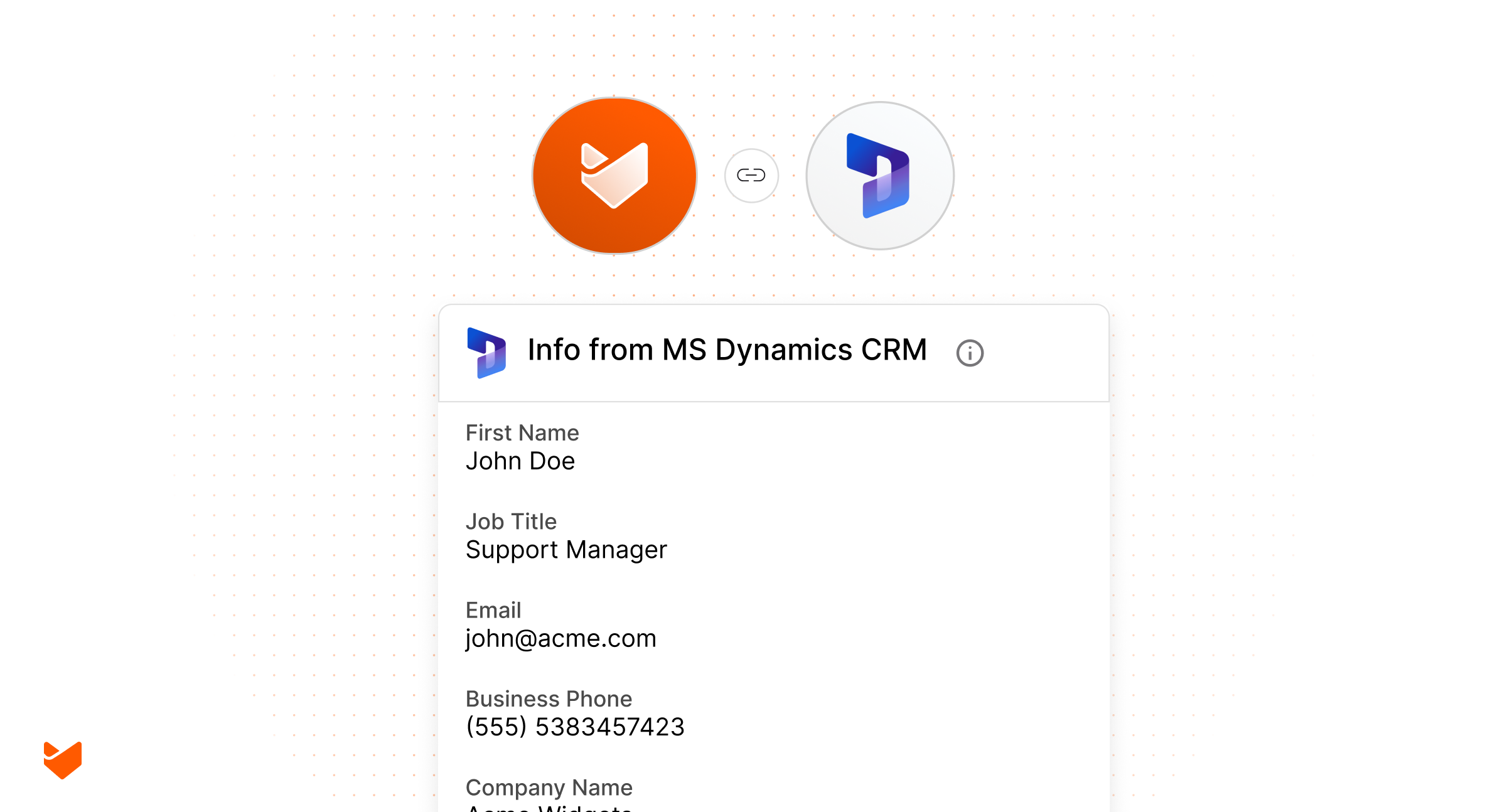
Does your support team struggle with incomplete customer information? Are your sales representatives unaware of ongoing support issues with key accounts? When your CRM and help desk systems exist in separate silos, customer relationships suffer, and opportunities for enhanced service are missed.
Microsoft Dynamics 365 integration with HappyFox Help Desk solves these challenges by creating a unified customer view that benefits both sales and support teams. This powerful integration transforms how businesses manage customer relationships by ensuring everyone has access to the right information at the right time.
Why Integrate CRM and Help Desk?
Enterprise organizations often face significant challenges when sales and support teams operate in isolation:
- Fragmented Customer Data: Support agents lack visibility into customer relationships, purchase history, and account status
- Contextual Information Gaps: Sales teams remain unaware of support issues affecting customer satisfaction
- Inefficient Workflows: Staff waste time switching between multiple applications
- Inconsistent Customer Experience: Different teams may provide conflicting information or solutions
- Missed Revenue Opportunities: Support interactions that could lead to upsell opportunities go unnoticed by sales
- Reduced Team Collaboration: Siloed information creates barriers between departments
These disconnects ultimately impact customer satisfaction, team efficiency, and business growth potential. That’s where integrated solutions like HappyFox’s Microsoft Dynamics 365 integration make a critical difference.
Learn more: Ticketing system vs CRM
Understanding Microsoft Dynamics 365
Microsoft Dynamics 365 is a leading enterprise Customer Relationship Management (CRM) solution providing comprehensive sales, service, and marketing capabilities. The cloud-based platform helps organizations track and manage customer interactions throughout the relationship lifecycle.
As a Software-as-a-Service (SaaS) solution, Dynamics 365 eliminates the need for on-premise infrastructure while delivering enterprise-grade functionality for:
- Customer contact management
- Sales pipeline tracking
- Marketing campaign execution
- Account relationship history
- Service case management
- Business intelligence reporting
The Power of HappyFox + Microsoft Dynamics 365: Key Integration Features
HappyFox’s Microsoft Dynamics 365 integration bridges the divide between sales and support operations with several powerful capabilities:
1. Unified Customer View
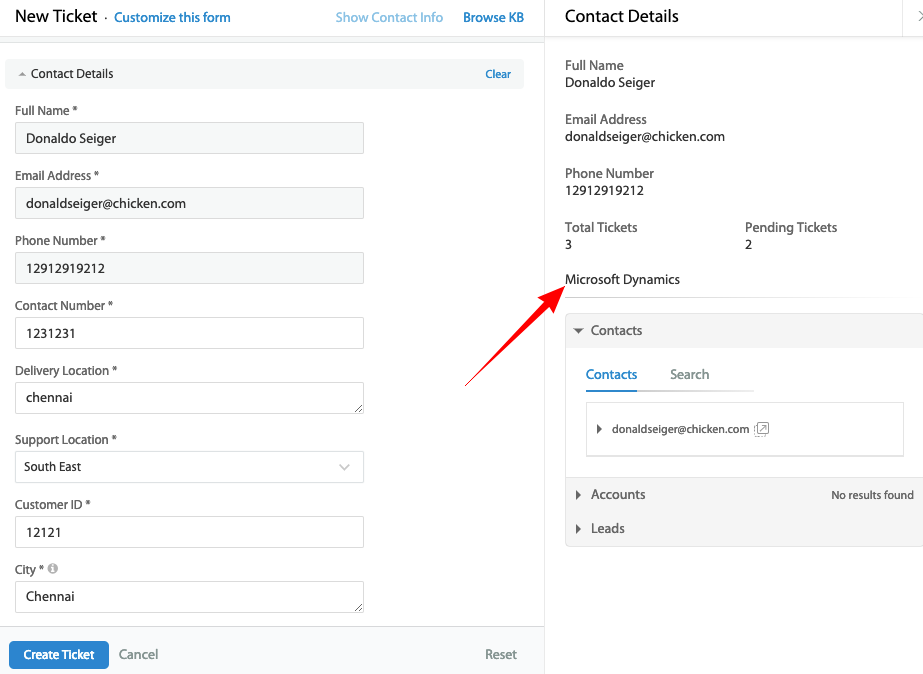
Access crucial customer information directly within support tickets:
- View customer contact details from MS Dynamics in your HappyFox ticket interface
- Access account information, purchase history, and relationship status
- Make informed support decisions based on complete customer context
- Identify VIP customers and provide appropriate service levels
2. Bidirectional Data Synchronization
Keep customer information consistent across platforms:
- Push HappyFox ticket information to Dynamics as cases
- Link tickets to specific contacts or accounts in Dynamics
- Synchronize ticket updates, including private notes (optional)
- View support tickets as cases against Accounts and Contacts in Dynamics
3. Streamlined Workflow
Reduce context switching and improve productivity:
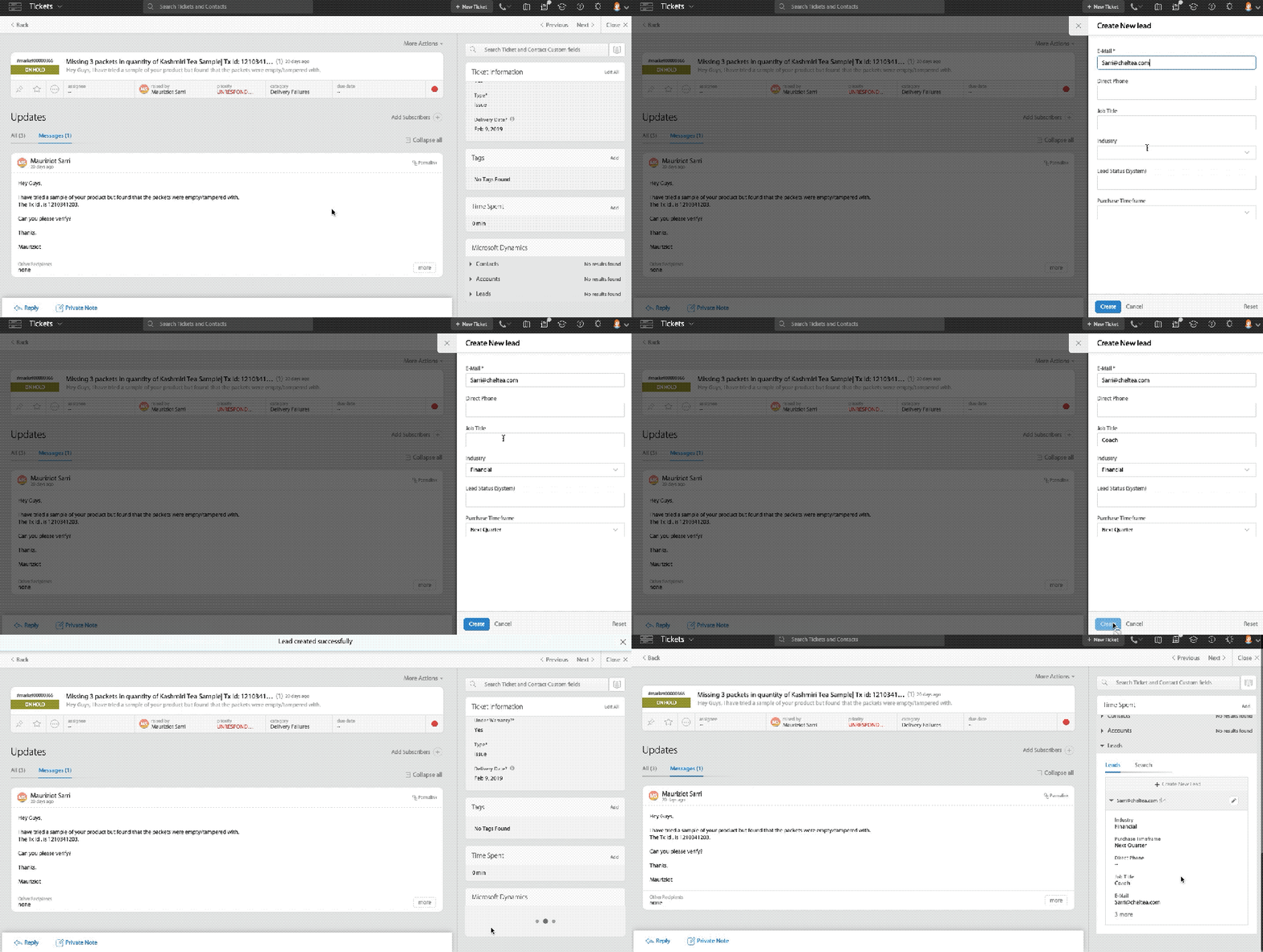
- Search for Dynamics contacts, leads, and accounts directly from HappyFox
- Create new contacts in Dynamics without leaving your help desk
- Compare contact data with side-by-side previews
- Automatically associate customer emails with the right Dynamics record
4. Enhanced Customer Intelligence
Build a comprehensive view of the customer relationship:
- Track recurring issues across multiple support interactions
- Identify patterns that may impact sales opportunities
- Provide sales teams with support insights for more informed customer conversations
- Recognize cross-selling and upselling opportunities during support interactions
Learn more: Enhance customer relations with Help Desk CRM integration
Implementation Made Simple
Setting up the Microsoft Dynamics 365 integration with HappyFox is straightforward:
- Verify Prerequisites:
- Confirm you have a Dynamics 365 subscription
- Ensure you’re on a HappyFox plan that supports the integration (Fantastic, Enterprise, or Enterprise Plus)
- Identify the correct MS Dynamics variant (Online/365, 2011-2015, or On-premise)
- Basic Configuration:
- Install the appropriate Dynamics app from HappyFox’s Apps Marketplace
- Connect your Dynamics account using the secure authentication process
- Enable desired data push options (ticket information, private notes)
- Field Visibility Setup:
- Select which Dynamics fields should display in HappyFox
- Configure field order for optimal agent workflow
- Set up preferred data mapping between systems
- User Training:
- Introduce support teams to the new contextual information
- Train agents on linking tickets to Dynamics contacts/accounts
- Show sales teams how to access support history in Dynamics
For detailed implementation steps, refer to our comprehensive knowledge base article on configuring the integration.
Best Practices for Maximum Value
To get the most from your Microsoft Dynamics integration with HappyFox, follow these proven strategies:
- Define Clear Ownership:
- Establish who maintains customer records in Dynamics
- Determine responsibilities for data accuracy across platforms
- Create processes for resolving data discrepancies
- Optimize Information Display:
- Show only the most relevant Dynamics fields in HappyFox
- Arrange fields in order of importance for support context
- Regularly review and refine which information is displayed
- Establish Communication Protocols:
- Define when support should alert sales about customer issues
- Create guidelines for sales follow-up on support interactions
- Implement regular cross-team reviews of customer accounts
- Measure Integration Impact:
- Track key metrics before and after implementation
- Monitor customer satisfaction changes
- Measure time savings and efficiency improvements
- Evaluate sales opportunities identified through support
Elevate Your Customer Experience with Unified Sales and Support
In today’s competitive market, businesses can’t afford disconnected sales and support experiences. The Microsoft Dynamics 365 integration with HappyFox Help Desk eliminates these silos, creating a seamless flow of information that transforms how teams collaborate and serve customers.
By connecting these critical systems, you’ll unlock:
- Enhanced customer insights for more personalized support
- Improved team collaboration between sales and service departments
- Increased efficiency with streamlined workflows
- Better customer experiences through contextual interactions
- New revenue opportunities identified during support interactions
Don’t let valuable customer data remain trapped in separate systems. Experience the power of truly unified customer operations with HappyFox’s Microsoft Dynamics 365 integration.Schedule a demo today and see firsthand how this powerful integration can transform your customer relationships and drive business growth.





